
Graphics Design
Top 10 Stunning Tools for NFTs Designing Like a Pro


Top 10 Stunning Tools for NFTs Designing Like a Pro
Global interest in NFTs designing has risen dramatically while drawing digital artists alongside creators and established brands to participate in blockchain-based art sector. Rising engagement around NFTs alters digital asset perspective while new tools for design creation and blockchain management become essential for makers in this exploding field. Every designer who uses their best available tools can reach groundbreaking NFTs creation levels both at professional and beginning skill levels.
This article highlights ten advanced tools that enable creators to achieve their NFT creation objectives. These tools will transform your digital art design process by enabling animated NFT releasing directly onto blockchain networks.
What Makes NFTs Designing Unique?

Non-fungible tokens (NFTs) function as distinctive digital assets which support ownership rights for art and music recordings or proprietary collectibles in addition to actual property. The characteristics of physical design separate NFTs from conventional artworks which enables creators to maintain ownership rights as buyers obtain standalone digital assets. NFTs designing demands creativity and programming skills which create blockchain integrations for your work while sustaining exclusive and tamper-proof uniqueness.
Being useful in this evolving field requires tools which bring together creative elements with functional features. The tools assist designers with concept development along with artwork optimization and produce blockchain-prepared assets so their designs rise above competition in the NFT market.
Key Features to Look for in NFTs Designing Tools
Before diving into the top tools, it’s essential to know what features to prioritize:
- User-Friendly Interfaces: Platform solutions need to accommodate novice users and experts on their design spectrum.
- Blockchain Integration: Seamless minting of NFTs directly from the design platform.
- High-Quality Output: Premium-quality renderings in your design work increase the likelihood of attracting buyers.
- Diverse Functionality: Tools which enable animation development alongside 3D artwork generation and multiple creative features are supported.
The following section reveals ten essential tools that fulfill these specifications to elevate your NFT design capability.
Photoshop: A Designer’s Staple

Photshop stands alone as the main tool for NFT designing. Digital artists have been relying on Photoshop for many decades because of its strong features which enable intricate design work and detailed image editing and spectacular visual effects for vibrant artwork.
Why Photoshop for NFTs Designing?
- Advanced Tools: Through its brushes and 3D tools Photoshop provides users boundless artistic freedom.
- Compatibility: The platform enables multiple file formats which work well for NFT marketplace operations.
- Animation Features: Design dynamic NFTs with GIFs and animations in your digital projects.
While its learning process takes effort it remains essential for professional designers because of its unparalleled power.
Illustrator: Vector Art at Its Best
Any creator making clean scalable NFT artwork counts Adobe Illustrator as their leading platform for design work. Vector art experts appreciate this tool because it lets designers manufacture exact and detailed visuals that remain flawless even when artwork experiences changes in size.Creating shapes and patterns and drawn illustrations demands high precision through this tool.Such platforms feature infinite scalability because they work exceptionally well for NFT collectibles. designing, no tool is as iconic as Photoshop. Trusted by digital artists for decades, Photoshop offers robust capabilities to create intricate designs, edit images, and add effects that make your art pop.
Standout Features for NFTs Designing:
- Precision in creating shapes, patterns, and illustrations.
- Infinite scalability, perfect for NFT collectibles.
- Seamless integration with Photoshop for combined workflows.
Blender: Dive into 3D NFTs Designing

Rock-solid 3D art creation abilities within Blender transform the NFTs design space into its essential component. You can achieve unmatched creative possibilities together with flexible design features in Blender when you work with animated 3D avatars and intricate models.You can utilize the platform for free since it operates through a source code model.NFT creators can access sophisticated animation features through the tool.designing, no tool is as iconic as Photoshop. Trusted by digital artists for decades, Photoshop offers robust capabilities to create intricate designs, edit images, and add effects that make your art pop.
What Makes Blender Exceptional?
- It’s completely free and open-source.
- Advanced animation tools for creating engaging NFTs.
- A thriving community with endless tutorials and add-ons.
With Blender artists can create outstanding NFT assets through their ability to perform sculpting and rendering operations.
Canva: Simplicity Meets Creativity
The NFTs designing process for beginners starts with excellent results using Canva. Users can take advantage of Canva’s conveniently simple interface through drag and drop to produce visually impressive outputs while avoiding technical limitations.
Why Canva for NFTs Designing?
- Thousands of templates to jumpstart creativity.
- Easy integration with stock images and icons.
- Your NFT collections can use Canva to create ideal marketing materials.
By lacking blockchain integration Canva serves well for designing promotional assets and creating basic NFTs.
Procreate: Ideal for Digital Illustrations

The iPad exclusive Procreate has taken its position as the primary tool of choice for digital illustrators entering NFT design spaces while focusing on iPad users. The tool has both an easy-to-use interface and genuine drawing efficiency which makes it suitable especially for art sketching and refinement work.Animation Assist enables users to create dynamic NFTs.nners venturing into NFTs designing, Canva is a fantastic starting point. Known for its drag-and-drop simplicity, Canva provides an accessible way to create eye-catching designs without needing advanced technical skills.
Procreate Features for NFTs Designing:
- Customizable brushes for unique styles.
- Animation Assist for creating dynamic NFTs.
- High-resolution canvas support for premium designs.
The digital platform appeals to artists because it provides realistic digital drawing solutions which emulate artwork from traditional media.
Figma: Collaborative NFTs Designing Made Easy

The collaborative features of Figma operate through its cloud infrastructure which leads to efficient team design workflows. The platform primarily serves UI/UX design but offers enough flexibility to work as a productive tool for NFTs designs primarily with collaborative teams.Users benefit from smooth creative workflows because Canva can connect to various additional creative tools.FTs designing, Canva is a fantastic starting point. Known for its drag-and-drop simplicity, Canva provides an accessible way to create eye-catching designs without needing advanced technical skills.
Figma’s Best Features for NFTs:
- Real-time collaboration for team projects.
- Scalability for vector-based designs.
- Integration with other creative tools for a streamlined workflow.
SketchAR: NFTs Designing with AI Assistance

Through its AI-driven features SketchAR turns your traditional drawings into elegant digital art designs suitable for NFT creation. Art creators who desire technical assistance with artistic production will find SketchAR to be their ideal mobile companion because it utilizes AI-based artistic functions.Users can produce augmented reality NFTs through the tool toolkit.tchAR bridges the gap between traditional art and NFTs designing by using AI to transform your sketches into stunning digital art. With its focus on AI-powered art creation, this app is perfect for creators who want a blend of technology and artistry.
Key Highlights of SketchAR:
- AI-based transformations of hand-drawn art.
- Tools for creating augmented reality (AR) NFTs.
- A beginner-friendly interface for quick learning.
ArtBreeder: A Tool for Generative NFTs
Generative art design trends in NFTs are led by ArtBreeder which is a powerful tool for creating generative pieces. AI transforms creator input by letting users modify elements including color and texture and style for creating unique pieces.The programm enables you to generate limitless variations of your design creations.Artists should use genetics-based design to create their unique artworks.R bridges the gap between traditional art and NFTs designing by using AI to transform your sketches into stunning digital art. With its focus on AI-powered art creation, this app is perfect for creators who want a blend of technology and artistry.
Why Use ArtBreeder for NFTs Designing?
- Create endless variations of your designs.
- Focus on genetics-based design to build unique art.
- Ideal for large NFT collections like profile picture series.
Rarible: Mint and Design in One Place
The NFT marketplace Rarible gives creators native capabilities to design and mint their artworks directly through the platform while maintaining marketplace connectivity. New NFT designers find the complete solution feature set attractive in choosing Rarible to create their digital collectibles.A basic interface lets users generate and mint NFTs.The tool provides support for numerous blockchain networks which enables flexible operation.ridges the gap between traditional art and NFTs designing by using AI to transform your sketches into stunning digital art. With its focus on AI-powered art creation, this app is perfect for creators who want a blend of technology and artistry.
Rarible’s Design Features:
- Simple interface for creating and minting NFTs.
- Community-driven platform for collaboration and exposure.
- Supports multiple blockchain networks for flexibility.
ArtBreeder: A Tool for Generative NFTs
Generative art has become a major trend in NFTs designing, and ArtBreeder is one of the best tools for this purpose. Using AI, it allows creators to generate unique pieces by tweaking variables such as color, texture, and style.
Why Use ArtBreeder for NFTs Designing?
- Create endless variations of your designs.
- Focus on genetics-based design to build unique art.
- Ideal for large NFT collections like profile picture series.
Affinity Designer: A Cost-Effective Alternative
Affinity Designer provides creators with professional-grade capabilities at an affordable one-time purchase price for designing NFTs. Affinity Designer becomes a cost-effective solution because it requires only a single payment for access to its professional design features.Indie creators benefit from its single payment method which provides budget support.reators who need powerful tools without subscription fees, Affinity Designer offers a compelling alternative for NFTs designing. With its one-time payment model, it’s budget-friendly while still delivering professional-grade features.
Why Choose Affinity Designer for NFTs?
- Excellent vector and raster design capabilities.
- Advanced grid systems for precise designs.
- One-time cost makes it accessible for indie creators.
FAQs
What is NFTs designing?
Digital artwork creation along with blockchain-ready tokenization of assets constitutes the process known as NFTs designing. Artistic creation meets blockchain compatibility requirements to make designs workable for blockchain platforms.
Building NFTs requires specialized creative assets yet tools for the process are not necessarily expensive.
Not necessarily. Free alternatives such as Blender and SketchAR offer traders and creators complete access to robust NFTs designing capabilities alongside premium tools like Photoshop and Illustrator.
The ability to produce NFTs works for individuals who lack coding ability.
Yes! Two popular platforms called Canva and Rarible have designed their interfaces so creators without programming expertise can easily create and mint NFTs.
What tool would be most suitable for novice NFT creators?
For beginner-level NFTs designing Procreate and Canva emerge as exceptional tools because they present easy-to-use interfaces together with general design capabilities.
What are generative NFTs?
Mounting artworks via generative NFTs includes algorithm-based production methods that generate distinctive variations of digital pieces. With its capabilities ArtBreeder operates specifically in the area of generating different types of NFTs.
Can mobile applications help users with the creation of NFTs?
Users can utilize Procreate through their iPads together with SketchAR to develop NFTs from any location.
Conclusion
The expansion of Non-Fungible Token design remains wide open but selecting appropriate tools shapes the ultimate outcome. All skill levels find appropriate tools between advanced tools like Photoshop and Blender and straight-forward tools like Canva and Rarible. NFT art creation through platform experimentation will help users develop original artwork which packs a memorable impact.
The digital art world continues to transform along with new possibilities that emerge for creators. Begin your NFT design evolution today by selecting any tool that suits you from the options available.
Graphic Design Portfolio: The Secret to Presenting Creative Work with Confidence
Every designer reaches the same moment. A client asks, “Can I see your work?” Your heart skips a beat. You know you are talented, but can you prove it in a way that feels clear, professional, and persuasive?
That is exactly where a graphic design portfolio comes in. It is not just a folder of pretty files. It is your voice, your proof, and your handshake, all in one place.
A strong graphic design portfolio does something remarkable. It answers questions before anyone asks them. It shows how you think, how you solve problems, and how you turn vague ideas into visuals that people remember.
Think about the last time you were impressed by someone’s creative work. Chances are, it was not only the visuals. It was the clarity, the story, and the sense that they knew exactly what they were doing. You can create that same impression.
The good news is that confidence is a skill you can build. When your graphic design portfolio is organized, honest, and well presented, you stop dreading the moment someone asks to see it. You start looking forward to it.
In this guide, you will learn how to plan, build, present, and promote your creative work. We will cover what to include, how to tell project stories, which platforms to use, and the mistakes that quietly cost designers opportunities. By the end, you will have a clear roadmap for creating a graphic design portfolio that works as hard as you do.
Let’s begin.
What Is a Graphic Design Portfolio and Why Does It Matter?
A graphic design portfolio is a curated collection of your best creative projects. It shows your skills, style, and experience through real examples instead of empty claims.
Think of it as visual evidence. Anyone can write “creative problem solver” on a résumé. Only your work can prove it.
Hiring managers and clients often spend less than a minute on their first look. In that short window, your graphic design portfolio must communicate who you are and what you offer.
This is why it matters so much:
- It builds trust before the first conversation even happens
- It helps you stand out in a crowded creative market
- It attracts the kind of projects you actually want to do
- It supports higher rates because quality is easy to see
- It gives you confidence because everything is ready to share
For beginners, a portfolio can make up for a lack of job experience. For seasoned designers, it keeps their story current and relevant.
It also works while you sleep. A well-built online portfolio can be discovered, shared, and reviewed by people in any time zone, long after you have closed your laptop.
Most importantly, it gives you control. Instead of letting others guess what you can do, you decide exactly how your work is seen.

Types of Graphic Design Portfolio You Can Create
Not every portfolio looks the same. The right format depends on your goals, your specialty, and your audience.
Online portfolio. An online graphic design portfolio is the most popular option today. It is easy to share, simple to update, and accessible from any device. Most recruiters now expect to receive a link rather than a file.
Print portfolio. A physical book or folder still makes a powerful impression in face-to-face meetings. It is especially useful for packaging, editorial, and print-focused designers who want clients to feel paper, texture, and finish.
PDF portfolio. A PDF is perfect for job applications and email pitches. It is lightweight, controlled, and looks the same on every screen. Keep the file size low so it opens quickly on any connection.
Hybrid approach. Many working designers keep a hybrid graphic design portfolio. A full website acts as the main home, a short PDF is tailored for specific pitches, and a print version is ready for in-person meetings.
Start with one format and do it well. You can always expand later as your career grows and your needs change.

Define Your Goals and Audience Before You Start
Before you open any design software, ask one simple question: who is this for?
A graphic design portfolio built for startups looks very different from one aimed at advertising agencies. Startups often want brand identity and flexible systems. Agencies may care more about campaigns and bold concepts.
Write a one-sentence goal. For example: “My graphic design portfolio should help me land packaging projects with food brands.” That single sentence guides every decision that follows.
Next, picture your ideal viewer. Are they a creative director with five minutes, a small business owner who is not familiar with design terms, or a recruiter scanning dozens of links? Their needs shape how much detail you share and how you explain it.
Keep your graphic design portfolio focused. A tight message is far more memorable than a scattered one. If you want to be known for logo design, let logos lead.
Clear direction also makes your graphic design portfolio feel intentional. Viewers can sense when a collection has a purpose. It signals professionalism before they read a single word.
If you are unsure about your direction, look at the projects you enjoyed most. Energy shows in the finished work, and clients can feel it.

How to Choose the Best Projects for Your Graphic Design Portfolio
The projects you choose define the impression you leave. Every piece in your graphic design portfolio must earn its place.
Use these questions as a filter:
- Does this project show a skill I want to be hired for?
- Is the final result genuinely strong?
- Can I explain the thinking behind it?
- Does it fit the audience I defined earlier?
A great graphic design portfolio shows range within a clear signature. You might include a logo system, a poster series, a social media campaign, and a piece of packaging. Together they prove you can adapt without losing your voice.
Pick work that solved real problems. A beautiful poster is good. A poster that tripled event attendance is better. Whenever possible, connect visuals to outcomes.
Be ruthless about removing weak pieces. If you would feel nervous discussing a project in an interview, take it out. One average project can lower the perceived quality of the nine strong ones around it.
Finally, show your best work first and last. People remember openings and endings. Place your strongest projects there and let the middle support them.

Quality Over Quantity: How Many Projects Should You Include?
More is not better. Reviewers rarely scroll through endless work, and attention fades quickly.
Most experienced reviewers prefer a graphic design portfolio with eight to twelve strong projects. That is enough to show depth and variety without overwhelming anyone.
If you specialize, you can go smaller. Six excellent branding projects are more convincing than twenty mixed ones. If you are a generalist, aim for a balanced spread across your main services.
A helpful trick is to imagine the viewer has only 90 seconds. Which projects would you want them to see? Those are your headliners. Everything else is optional.
Remember that a graphic design portfolio is only as strong as its weakest piece. Quality control is not about being harsh on yourself. It is about respecting your viewer’s time and your own talent.
You can still keep extra work available. Offer a “more projects” page or say “additional samples available on request.” This lets you stay concise while showing there is more behind the curtain.

Turn Projects Into Stories With Case Studies
Images alone rarely tell the whole story. Clients want to know how you think, and that is where case studies shine.
Case studies are the heart of a modern graphic design portfolio. They transform a pretty result into proof of your process and your value.
A Simple Case Study Structure
You do not need a long essay. Keep it short and scannable with these parts:
- The challenge: What problem did the client or brief present?
- The approach: What research, sketches, and decisions shaped the work?
- The solution: What did you create, and why does it work?
- The result: What changed because of your design?
Include process visuals such as early sketches, moodboards, and alternate concepts. They show that great work does not appear by accident.
A graphic design portfolio with honest case studies builds trust quickly. Do not hide mistakes or pivots. Explaining how you adjusted after feedback shows maturity, which clients value as much as talent.
Use plain language. Avoid jargon that a non-designer would not understand. If a small business owner can follow your story, you have communicated well.
Adding stories to your graphic design portfolio also makes you easier to remember. People forget thumbnails, but they remember a good tale about a tricky problem solved with clever design.
Keep each case study to a few short sections. Pair every paragraph with an image so the page feels balanced and easy to skim.

Design Your Portfolio Like a Client Project
Your portfolio is a design project, and viewers will judge it as one. Treat it with the same care you give to paying clients.
Your graphic design portfolio is itself proof of your taste, so keep the layout clean and confident. Use a consistent grid, generous white space, and a limited color palette. Let your projects be the stars.
Choose one or two typefaces and stay loyal to them. Readable type, comfortable line spacing, and clear hierarchy do more for professionalism than any fancy effect.
Present each project with high-quality mockups. A logo on a flat white background is fine, but showing it on packaging, signage, or a website brings it to life and helps viewers imagine it in the real world.
Navigation should be effortless. Visitors should reach any project in two clicks or fewer. Place your name, specialty, and contact details where they are impossible to miss.
Branding yourself matters too. A simple personal logo, color system, and consistent tone of voice make a clean graphic design portfolio feel like a complete brand. That consistency makes you look reliable before you say a word.
Finally, test everything on mobile. Many viewers will open your link on a phone. If images are tiny or text is hard to read, they may leave before seeing your best work.

Where to Host Your Graphic Design Portfolio: Best Platforms
Your graphic design portfolio needs a stable, professional home. The platform you choose affects how people find your work and how they experience it.
- Behance: Great for exposure. Creative professionals and recruiters browse it daily, and projects are easy to present in a long-scroll format.
- Adobe Portfolio: Included with many Creative Cloud plans, it offers clean templates and a quick setup if you already use Adobe tools.
- Dribbble: Ideal for visual snapshots, UI work, and building a following among fellow designers.
- Personal website: A personal website gives you full control over your graphic design portfolio, from layout to domain name.
- Website builders: Tools such as Squarespace, Wix, and Webflow let you create a polished site without writing code.
Pair a social platform with your own site. Social platforms bring discovery, while your own site brings credibility and control. Link them together so viewers can move easily between the two.
Whichever option you choose, make sure your graphic design portfolio is easy to share with one short, memorable link. Use your real name in the address whenever you can, because it helps people remember you and find you again.

Build Confidence in Presenting Your Creative Work
Confidence rarely comes from talent alone. It comes from preparation, repetition, and knowing your material inside out.
Almost every creative person battles self-doubt. You compare your work to others, notice flaws no one else sees, and wonder whether you are good enough. This is normal, and it does not mean you are not ready.
A well-organized graphic design portfolio is the best cure for self-doubt. When your strongest work is arranged clearly, you can see your progress and your skills in one place.
Try these confidence builders:
- Review your graphic design portfolio like a stranger would, and note what stands out first
- Ask two or three trusted peers for honest feedback
- Write a short statement about the purpose of each project
- Collect client testimonials and keep them visible
- Compare your current work with last year’s and celebrate the growth
Practice talking about your work out loud. Explain each project in thirty seconds, then in two minutes. The more you rehearse, the more natural your words become.
Remember that confidence grows through action. Each time you share your graphic design portfolio, the next time gets easier.

How to Present Your Graphic Design Portfolio in Interviews and Client Meetings
Presenting is a skill of its own. A beautiful body of work can still fall flat if it is explained without clarity or energy.
When you present your graphic design portfolio, lead with your strongest and most relevant project. First impressions set the tone for everything that follows.
Follow a simple flow:
- Introduce yourself in two or three sentences.
- Choose two or three projects that match the role or client.
- Walk through the challenge, your process, and the result.
- Invite questions and listen carefully.
Rehearse a ten-minute walkthrough of your graphic design portfolio until it feels conversational rather than memorized. Aim to sound like a person sharing a story, not a robot reciting a script.
Tailor your selection to the audience. If you are meeting a fashion brand, open with your most stylish work. If you are meeting a software company, lead with interface or digital projects.
Prepare for the practical side too. Bring an offline copy in case the internet fails, test your screen-sharing setup, and keep your files organized so you never hunt for a project mid-meeting.
If someone criticizes a project, stay curious. Ask what they would change and why. A calm, well-paced presentation of your graphic design portfolio shows that you can take feedback gracefully, which is a major strength in any creative team.
End with a clear next step. Thank them for their time, mention what you would love to work on, and make your contact details easy to find.

Graphic Design Portfolio SEO: How to Get Found on Google
If your graphic design portfolio lives on a website, search engines can send you clients while you are busy designing. A few smart habits make your pages easier to find.
Start with clear page titles. Instead of “Home,” use something descriptive such as “Brand Identity Designer for Small Businesses.” Search engines and humans both understand it instantly.
Write descriptive alt text for every image in your graphic design portfolio. It helps visually impaired visitors, and it gives search engines context about your visuals.
Here are more practical tips:
- Compress images so pages load quickly
- Use readable headings and short paragraphs
- Mention your services and location naturally in your text
- Make sure your site works smoothly on mobile
- Add a blog or case study pages that answer common client questions
- Link your pages together so visitors can explore easily
Backlinks matter too. When respected websites, design communities, or clients link to your work, search engines see your site as more trustworthy. Share your projects on social platforms and ask satisfied clients to mention you.
A fast, well-structured graphic design portfolio is more likely to keep visitors engaged, and engaged visitors are more likely to become clients.

Common Graphic Design Portfolio Mistakes to Avoid
Most portfolio problems are easy to fix once you know where to look. Here are the mistakes that quietly cost designers opportunities.
- Showing too much work. Endless scrolling hides your best pieces.
- Providing no context. Viewers need to know your role, the goal, and the result.
- Using low-quality images. Blurry or poorly cropped visuals make strong design look weak.
- Keeping outdated projects. Old work from years ago can misrepresent your current level.
- Ignoring mobile users. A layout that breaks on a phone loses many visitors.
- Hiding contact details. If people cannot reach you in seconds, they will move on.
- Having typos. Small errors weaken trust, especially for a designer.
- Copying trends blindly. Your own point of view is your biggest advantage.
Even a beautiful graphic design portfolio can lose opportunities when links are broken, pages load slowly, or the message is unclear. Always test every link and button before sharing.
Another common mistake is presenting only final images. Without process, viewers cannot tell how much of the thinking was yours.
Fixing these issues will instantly make your graphic design portfolio feel more polished and professional. Small improvements often create the biggest results.

How to Keep Your Graphic Design Portfolio Fresh and Growing
A portfolio is never truly finished. Your skills evolve, and your work should show that evolution.
Treat your graphic design portfolio as a living document. Set a reminder to review it every three to six months. Add new projects, replace weaker ones, and refresh your introduction.
Use a simple routine:
- Add one standout project after each major job
- Remove anything that no longer reflects your level
- Update your bio, services, and contact details
- Collect testimonials as soon as a project ends
- Track results such as sales growth, engagement, or positive feedback
Personal projects are a great way to experiment. Try a new style, tool, or industry and share what you learned. These pieces show curiosity, which clients love.
Every completed project is a chance to improve your graphic design portfolio. Ask yourself what you learned, what you would do differently, and what the project says about your direction.
Finally, stay inspired. Follow other designers, visit exhibitions, and study great case studies. Fresh ideas keep your own work moving forward.

No Client Work Yet? Build a Graphic Design Portfolio From Scratch
Every designer starts somewhere. If you have no clients yet, you can still create impressive work.
Beginners can build a strong graphic design portfolio with self-initiated projects. Treat each one like a real brief, with a goal, an audience, and a finished result.
Here are practical ideas to get started:
- Redesign an existing brand. Choose a local business and improve its identity or packaging.
- Create a fictional brand. Build a name, logo, color palette, and mockups from nothing.
- Join design challenges. Daily and monthly prompts help you build habits and variety.
- Volunteer for a cause. Nonprofits and community groups often need posters, flyers, and social graphics.
- Design for friends and family. Event invitations and small business materials are real experience.
Explain your thinking for every project. Beginners often impress reviewers more with clear reasoning than with perfect polish.
A thoughtful beginner graphic design portfolio can easily beat a messy one filled with random client work. Focus, clarity, and honesty always win.
Be transparent about self-initiated work. Label it as a personal or concept project, and let your skills speak for themselves.

Graphic Design Portfolio Checklist Before You Publish
Run through this quick checklist before you share your graphic design portfolio with the world.
- My goal and audience are clear
- I have eight to twelve strong projects
- Each project explains the challenge, process, and result
- Images are high quality and consistently sized
- My layout is clean and easy to navigate
- My bio, services, and contact details are visible
- Every link works on desktop and mobile
- The pages load quickly
- Someone I trust has proofread everything
If you can tick every box, your graphic design portfolio is ready. If not, fix one item at a time. Progress beats perfection.
Final Thoughts: Present Your Work With Confidence
A graphic design portfolio is more than a collection of files. It is the story of your growth, your thinking, and your creative voice.
Confidence does not appear overnight, but it does appear with preparation. Choose your best projects, explain your process, design a clean presentation, and practice talking about your work.
Start small. Even a simple graphic design portfolio with five great projects can open doors, because quality and clarity matter more than size.
Keep refining your graphic design portfolio as you learn and grow. Every update moves you closer to the clients and roles you want.
Your talent deserves to be seen. Build your graphic design portfolio today, share it proudly, and let your work introduce you with confidence.
FAQs About Building a Graphic Design Portfolio
What should a graphic design portfolio include?
Include eight to twelve of your best projects, a short bio, a list of services, and clear contact details. Add case studies with the challenge, process, and results. Testimonials and a downloadable résumé are helpful extras.
How many projects should I add to my graphic design portfolio?
Most designers do best with eight to twelve strong projects. Specialists can show fewer, as long as every piece is excellent and relevant to the work they want.
Which platform is best for hosting a portfolio?
A personal website gives you the most control, while Behance, Adobe Portfolio, and Dribbble help you get discovered. Many designers use a personal site as their main home and link it to a social platform.
How often should I update my portfolio?
Review it every three to six months. Add new work, remove outdated projects, and refresh your bio and contact details so everything stays current.
Can beginners create a portfolio without client work?
Yes. Use redesigns, fictional brands, design challenges, and volunteer projects. Explain your process clearly so viewers can see how you think.
Do I need a website for my graphic design portfolio?
A website is not required, but it is strongly recommended. It looks professional, gives you control over presentation, and can help clients find you through search engines. A PDF or a Behance profile can work well when you are just starting out.
What makes a graphic design portfolio stand out?
Strong projects, clear storytelling, a clean layout, and a consistent personal brand make a portfolio memorable. Showing real results and your creative process makes it even more convincing.
Upwork Guide for Beginners: How to Stand Out in a Competitive Freelance Market
Starting a freelance career is exciting, and it can also feel overwhelming. You have a skill and you want to earn online, so Upwork looks like the obvious place to begin. Then you log in and see thousands of freelancers competing for the same jobs.
That is exactly why you need this Upwork Guide for Beginners. It walks you through every step, from creating your account to landing your first client.
Here is the good news. Beginners win jobs on Upwork every day. They do it by being specific, professional, and strategic, not by being the cheapest.
In this Upwork Guide for Beginners, you will learn how the platform works, how to build a profile clients trust, how to write proposals that get replies, and how to price your work with confidence.
Whether you are a designer, writer, developer, virtual assistant, or marketer, this Upwork Guide for Beginners applies to you. Bookmark this Upwork Guide for Beginners and return to it as you build your account.
Upwork Guide for Beginners: What Is Upwork and How Does It Work?
Upwork is one of the largest freelance marketplaces in the world. Businesses post jobs, freelancers send proposals, and the client chooses someone to hire.
The platform handles contracts, messaging, time tracking, and payments in one place. That protection is a big reason clients and freelancers trust it.
Every effective Upwork Guide for Beginners starts with this basic flow.

How Clients Hire on Upwork
Clients usually hire in two ways:
- They post a job and review the proposals they receive.
- They search freelancer profiles and invite people directly.
Both routes depend on your profile and your proposals. That is why the rest of this Upwork Guide for Beginners focuses on them.
Hourly vs. Fixed-Price Contracts
Hourly contracts pay for the time you track. They suit ongoing work where the scope may change.
Fixed-price contracts pay a set amount, often released in milestones. They suit clear, well-defined projects.
As a beginner, fixed-price jobs are often easier to win. The client knows the total cost upfront, so there is less perceived risk. Hourly work can come later, once you have reviews.
How Upwork Makes Money
Upwork earns through service fees and by selling Connects, the credits you spend to send proposals.
Fee structures and Connect prices change over time. Always check Upwork’s current pricing page before you set your rates.
Then build the fee into your price so you do not accidentally undercut yourself.
Why Upwork Feels So Competitive for New Freelancers
Let’s be honest: Upwork is crowded. A popular job can attract dozens of proposals within hours. A trustworthy Upwork Guide for Beginners should tell you that clearly.
New freelancers usually face three problems:
- No reviews. Clients see an empty profile and feel the risk.
- No Job Success Score. There is no track record to point to yet.
- Limited Connects. Every wasted proposal costs you something.
Experienced freelancers have an edge, but they also have weaknesses. Many send copy-and-paste proposals. Many reply slowly. Many ignore the details of the job post.
You can beat them on relevance, speed, and clarity.

The mindset shift behind this Upwork Guide for Beginners is simple. You do not need to beat everyone. You only need to be the clear best fit for one specific type of client.
Step 1: Choose a Niche That Clients Pay For
The biggest mistake in any Upwork Guide for Beginners is skipping niche selection. Saying “I do everything” sounds like “I specialize in nothing.”
Combine Skill, Demand, and Interest
Ask yourself three questions:
- What can I do well right now?
- What are clients actively paying for?
- What can I enjoy doing every day?
Next, browse Upwork job listings. Search your skill and look at jobs posted in the last week. Note the repeated requests, the budgets, and the tools clients mention.
This shows you real demand, not guesses.
Examples of Beginner-Friendly Niches
Narrow your offer until it sounds specific:
- Instead of “graphic designer,” try “logo designer for fitness brands.”
- Instead of “writer,” try “blog writer for SaaS startups.”
- Instead of “assistant,” try “virtual assistant for real estate agents.”
A narrow focus makes your proposals feel relevant. It also helps the platform match you to the right jobs.
Validate Before You Commit
Check how many freelancers offer the same service. Look at typical hourly rates and project budgets.
If you see steady job posts and healthy pay, you have a workable niche. This research is the foundation of the whole Upwork Guide for Beginners process.

Step 2: Create Your Account the Right Way
Setting up an account takes about 20 minutes, but small choices here matter a lot.
- Use your real name. Clients hire people, not usernames.
- Use a professional email address.
- Choose your category and skills carefully.
- Complete every profile section.
- Verify your identity when asked.
Upwork reviews new profiles before approval. Rejections usually come from incomplete or inconsistent information, so be honest and thorough.
Never create multiple accounts. It breaks the platform’s rules and can get you suspended.
Following this Upwork Guide for Beginners from day one protects your account in the long run. Think of account setup as the first chapter of your Upwork Guide for Beginners journey.

Step 3: Build a Profile That Wins Clients
Your profile is your sales page. Clients decide in seconds whether to read your proposal or move on.
A strong profile is the heart of any Upwork Guide for Beginners.
Use a Professional Photo
Choose a clear, friendly, well-lit headshot with a plain background. Look at the camera and smile naturally.
A good photo builds trust before you say a word.
Write a Specific Title
Your title is the most-seen text on your profile. Make it specific.
“Freelance Logo Designer | Brand Identity for Small Businesses” beats “Designer” every time.
Include the main term clients type into search.
Craft an Overview That Sells
Write short paragraphs. Start with the client’s problem, not your life story.
A simple structure works well:
- Hook: Name the problem you solve.
- What you do: Describe your service in one or two lines.
- Proof: Share a result, a skill, or relevant experience.
- Process: Explain how you work.
- Call to action: Invite clients to message you.
Avoid empty phrases like “hardworking team player.” Show, don’t claim.
Profile tip from this Upwork Guide for Beginners: read your overview out loud. If it sounds like everyone else, rewrite it.
Choose Skills That Match Your Niche
Add relevant skills so the platform can match you to jobs. Remove skills that do not fit your niche.
Focus beats variety.
Show a Portfolio
Beginners have no reviews, so your portfolio is your proof. Add three to six strong samples.
No client work yet? Create sample projects, redesign a real brand concept, or share past work from another job.
For each sample, explain the problem, your solution, and the result.
Add Education, Tests, and Certificates
List relevant courses, degrees, and certificates. They add credibility when your work history is short.

Every item above is a trust signal. Together, they make a beginner look professional. That is the core idea of this Upwork Guide for Beginners.
Step 4: Write Proposals That Get Replies (Upwork Guide for Beginners)
Proposals are where most beginners lose jobs. A good proposal in this Upwork Guide for Beginners is short, specific, and focused on the client.
Read the Job Post Twice
Read it once for the overall picture. Read it again for details, tools, and screening questions.
Clients often hide a keyword or instruction to test who actually reads. Follow every instruction.
Use the 5-Part Proposal Formula
- Hook: The first two lines appear in the preview. Mention the client’s specific problem.
- Proof: Add one or two lines of relevant experience.
- Plan: Outline your approach in two or three simple steps.
- Question: Ask one smart question that shows you have thought about the project.
- Call to action: Invite a short chat or call.
Sample Proposal
Hi [Name], you need a logo that makes your new gym feel energetic but trustworthy. I’ve designed brand identities for two fitness startups, and I’d start with three concept sketches based on your target audience. Quick question: do you already have brand colors in mind? I’m available to chat today if you’d like to talk through ideas.
Short. Clear. Client-focused.
Proposal Mistakes to Avoid
- Starting with a long self-introduction
- Using the same copy-and-paste text for every job
- Ignoring screening questions
- Dropping too many links
- Talking about price before showing value
Speed Matters
Apply early. Many clients review the first proposals they receive.
Turn on job notifications so you can respond quickly. Proposal tip: the best Upwork Guide for Beginners advice is to apply early and personalize every message.

If you remember only one lesson from this Upwork Guide for Beginners, remember this: a proposal is about the client, not about you.
Step 5: Understand and Use Connects Wisely
Connects are credits you spend to send proposals. Most proposals cost a few Connects, and you can buy more when you run out.
The cost can vary by job, so always check the number shown before you apply.
Do Not Waste Them
Apply only to jobs that match your niche. Skip posts that are vague, have an enormous number of proposals, or come from clients with no payment history.
Check Client Quality First
Before sending a proposal, review the client’s details:
- Is payment verified?
- What is their total spend?
- What is their hire rate?
- What do freelancers say in their reviews?
A good client is worth more than a good job post.
Track Your Results
Keep a simple spreadsheet with the job, Connects spent, whether you got a reply, and whether you were hired. Review it weekly.
Tracking results is a habit every Upwork Guide for Beginners reader should build. A disciplined Upwork Guide for Beginners approach treats Connects as a marketing budget, not a lottery ticket.

Step 6: Win Your First Job (Upwork Guide for Beginners)
The first job is the hardest, and this Upwork Guide for Beginners treats it as a special mission. Once you have one review, everything gets easier.
Start With Small, Low-Risk Projects
The smartest Upwork Guide for Beginners strategy is to start with small projects. A short, successful job is worth more than a big one you struggle to finish.
Small projects also let clients test you without a big commitment.
Target Clients Who Welcome New Freelancers
Look for job posts that mention “entry level” or “new freelancers welcome.” These clients are open to talent without a long history.
Also watch for clients who have hired beginners before. Their past contracts often show it.
Offer a Clear Starter Deliverable
Make it easy to say yes. Offer a clearly scoped first deliverable, such as one logo concept, one article, or one cleaned spreadsheet.
Keep the scope, timeline, and price written down inside Upwork before you start.
Be Ready for Interviews
When a client replies, answer fast. Speed signals reliability.
Prepare for interviews the way this Upwork Guide for Beginners recommends: reply within minutes, ask two or three clarifying questions, and confirm the scope, timeline, and price.

Step 7: Deliver Great Work and Collect Five-Star Reviews
Great delivery is the secret engine of every Upwork Guide for Beginners success story. Reviews build your reputation, and your reputation brings better clients.
Deliver More Than You Promise
Meet your deadline. Send progress updates. Add one small, helpful extra, such as a source file, a short guide, or a quick tip.
These small touches make clients remember you.
Understand Your Job Success Score
Your Job Success Score reflects how satisfied clients are with your work over time. Badges and score rules can change, so check Upwork’s Help Center for the latest details.
A smart Upwork Guide for Beginners plan protects this score by setting clear expectations before work begins.
Ask for the Review
When the project ends, thank the client and politely ask for honest feedback. Keep it short and friendly.
That small step turns this Upwork Guide for Beginners into real results.

Step 8: Set Your Rates (Pricing in the Upwork Guide for Beginners)
Pricing confuses almost every reader of an Upwork Guide for Beginners. Charge too little and you attract bad clients. Charge too much and you get no replies.
Research Your Market
Look at freelancers in your niche with similar experience. Compare their rates and the budgets on job posts.
Your goal is to sit in a competitive range, not at the bottom.
Start Competitive, Then Raise Your Rates
Here is a rule of thumb from this Upwork Guide for Beginners: start at a competitive rate, then raise it after you collect a few positive reviews.
Each good review is proof that you are worth more.
Account for Fees and Time
Include platform fees, taxes, software costs, and revision time in your price. If you forget them, your real hourly income will be lower than you think.
Use Fixed-Price Packages
For repeatable services, define simple packages:
- Basic: A smaller scope with fewer revisions
- Standard: Your most popular option
- Premium: A larger scope with extras
Clear packages make decisions easier for clients.
Use Milestones
Break larger fixed-price projects into milestones. This protects both sides and makes payment smoother.
Good pricing is the finishing touch of any Upwork Guide for Beginners strategy.

Step 9: Communicate Like a Professional
Communication wins repeat clients, and every Upwork Guide for Beginners should stress it. Many clients forgive small mistakes but never forgive silence.
Reply Quickly and Clearly
Try to respond within a few hours during business days. Use short sentences, simple words, and clear next steps.
If you are unavailable, say so and give a time you will reply.
Set Expectations Early
Confirm the scope, deadlines, number of revisions, and what you need from the client. Write it down in the contract or message thread.
Clear expectations prevent most disputes.
Handle Scope Creep
If a client asks for extra work, respond politely: “Happy to help. That is outside our current scope, so here is a quick quote for the addition.”
Share Bad News Early
If you will miss a deadline, tell the client as soon as you know. Offer a new date and a solution.
Clients respect honesty far more than excuses.
Keep Everything on the Platform
Keep your messages, contracts, and payments inside Upwork. Following this Upwork Guide for Beginners keeps you protected if a disagreement ever happens.
Professional communication is a skill you can practice, and this Upwork Guide for Beginners gives you the starting point.

Step 10: Avoid Common Beginner Mistakes and Scams
Even a careful reader of an Upwork Guide for Beginners can make mistakes. The key is learning from them quickly.
Common Mistakes
Avoid these errors from the Upwork Guide for Beginners playbook:
- Sending generic, copy-and-paste proposals
- Underpricing to win jobs
- Taking communication or payment off the platform
- Ignoring red flags in a client’s history
- Overpromising and under-delivering
- Spamming Connects on jobs that are a poor fit
- Leaving your profile incomplete
- Ignoring client feedback
Red Flags and Scams
Scams are rare compared with real jobs, but knowing the signs is part of any safe Upwork Guide for Beginners.
Be cautious if a client:
- Asks you to move to WhatsApp, Telegram, or email right away
- Asks you to pay a fee to start work
- Sends a link to download software or open an unknown file
- Asks for sensitive personal documents outside the platform
- Offers unrealistic pay for very simple work
- Pushes you to start before a contract is active
If something feels wrong, stop, and report the message to Upwork.
Protecting yourself is one of the most important lessons in this Upwork Guide for Beginners.

Upwork Guide for Beginners: How to Grow Beyond Your First Clients
Growth is the advanced chapter of this Upwork Guide for Beginners. Once you have a few reviews, your goal changes from winning any job to winning the right jobs.
Turn Clients Into Repeat Clients
Repeat clients are the most profitable clients. You already know their needs, and they already trust you.
After each project, suggest a logical next step. Offer a monthly retainer or a follow-up service.
Raise Your Rates Gradually
Increase your rate as your reviews and results grow. Do it in small steps so your proposals keep winning.
The long-term goal of any Upwork Guide for Beginners is higher income with fewer, better clients.
Specialize Even Further
The more specific your expertise, the less you compete on price. Become known as the person for one clear result.
Build Your Own Brand
Keep a professional website and portfolio of your own, while always following Upwork’s terms. A strong personal brand supports your reputation everywhere.
A profitable freelance business is the natural result of following this Upwork Guide for Beginners consistently.

Upwork Guide for Beginners Checklist
Use this quick Upwork Guide for Beginners checklist before you send your next proposal:
- ☐ My niche is clear and specific.
- ☐ My profile photo, title, and overview are complete.
- ☐ My portfolio shows three to six relevant samples.
- ☐ I read the job post twice.
- ☐ I checked the client’s payment status and history.
- ☐ My proposal starts with the client’s problem.
- ☐ I answered every screening question.
- ☐ My price covers fees and my time.
- ☐ I plan to keep all communication on the platform.
Save this Upwork Guide for Beginners checklist and review it every week.
Final Thoughts on the Upwork Guide for Beginners
Standing out on Upwork is not luck. It is the result of clear choices, and this Upwork Guide for Beginners has shown you what those choices look like.
You learned how the platform works, how to pick a niche, how to build a profile, and how to write proposals. Each step in this Upwork Guide for Beginners builds on the last.
Remember the main points of this Upwork Guide for Beginners: choose a specific niche, build a trustworthy profile, write client-focused proposals, price fairly, and deliver excellent work.
Take action today. Open your profile and apply one idea from this Upwork Guide for Beginners before you close this page.
Then apply another tomorrow. Small, steady improvements add up quickly.
Share this Upwork Guide for Beginners with a friend who is starting out, and come back whenever you need a refresher.
Upwork Guide for Beginners FAQs: Frequently Asked Questions
Is Upwork good for beginners?
Yes. Many new freelancers find their first clients there. Following an Upwork Guide for Beginners helps you avoid the common mistakes that slow people down.
What is the first step in the Upwork Guide for Beginners?
The first step in the Upwork Guide for Beginners is to choose a specific niche, then build a complete, professional profile around it.
How much does it cost to start on Upwork?
Creating a profile is generally free, but sending proposals uses Connects, and service fees apply when you earn. Prices change, so check Upwork’s current pricing page and plan your budget as the Upwork Guide for Beginners suggests.
How long does it take to get the first job using the Upwork Guide for Beginners?
It varies by niche, profile quality, and how consistently you apply. Some beginners land a job in days, while others need a few weeks. Apply consistently and improve your proposals as taught in this Upwork Guide for Beginners.
Can I follow the Upwork Guide for Beginners without experience?
Yes. You can use sample projects, personal projects, and relevant learning to build a portfolio. The Upwork Guide for Beginners shows you how to present that work professionally.
How many proposals should a beginner send?
Quality matters more than quantity. Send a few well-tailored proposals to good-fit jobs instead of many generic ones. The Upwork Guide for Beginners approach is to learn from each reply and refine your next message.
Is it safe to work with clients outside Upwork?
It is not recommended for beginners. Upwork’s terms limit moving work or payments off the platform, and you lose its protections. The safest Upwork Guide for Beginners advice is to keep everything inside the platform.
How can the Upwork Guide for Beginners help me stand out among thousands of freelancers?
Choose a narrow niche, write a specific profile, and send personalized proposals fast. The Upwork Guide for Beginners formula works because most competitors skip these basics.
Does the Upwork Guide for Beginners work for every skill?
The core principles apply to almost any service, including design, writing, development, marketing, and virtual assistance. Adjust the examples to fit your skill, and follow the same Upwork Guide for Beginners steps.
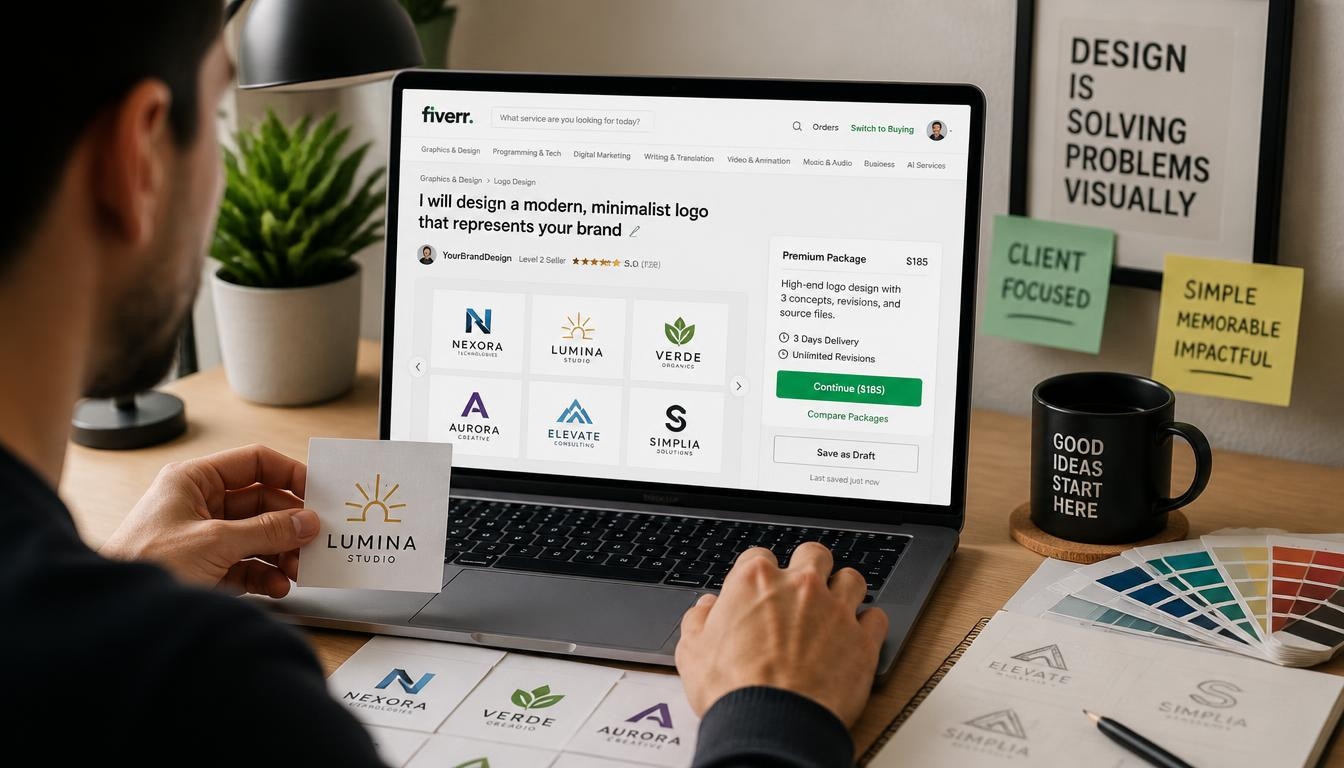
How to Create a Fiverr Gig That Attracts More Graphic Design Clients
Introduction
Thousands of designers join Fiverr every month. Most of them wait for orders that never come.
The problem is rarely talent. The problem is presentation. A well-built Fiverr gig turns a casual browser into a paying client in seconds.
In this guide, you will learn how to create a Fiverr gig that attracts more graphic design clients. We will cover research, titles, pricing, images, descriptions, and ongoing optimization.
Whether you design logos, social media posts, or full brand kits, the same principles apply. A strong Fiverr gig is clear, specific, and built around what buyers actually search for.
Let us start with the foundation.
Why a Well-Built Fiverr Gig Matters for Graphic Designers
Fiverr works like a search engine. Buyers type a request, and the platform ranks listings that match.
Your Fiverr gig is your storefront, your portfolio, and your sales pitch on a single page. If it fails to impress quickly, buyers move on.
A polished Fiverr gig does three jobs. It ranks in search, earns clicks, and converts visitors into orders.
Designers with optimized listings often enjoy steady orders while others struggle with zero impressions. The difference is strategy, not luck.
Treat every Fiverr gig as a small business page. Invest time in it, and it can work for you around the clock.

Step 1: Research the Market Before You Build Your Fiverr Gig
Do not start with design samples. Start with research.
Open Fiverr and search for your service. Try phrases such as “logo design,” “brand identity,” or “social media graphics.”
Study the top ten results. Note their titles, prices, thumbnails, and review counts. This shows what buyers already respond to.
Look for patterns. Do top sellers offer fast delivery? Do they use before-and-after images? Do their packages show clear differences?
Then look for gaps. If most sellers offer generic logos, perhaps nobody serves a specific niche like fitness brands or tech startups.
Your goal is not to copy. Your goal is to build a Fiverr gig that fills an unmet need or delivers something better.
Analyze Competitor Reviews
Read the reviews on top listings. Buyers often reveal what they loved or disliked.
Praise for fast replies tells you what to match. Complaints about unclear communication show where you can shine.
Reviews are free market research. Use them.
Find Your Niche
A clear niche makes your Fiverr gig easier to rank and easier to sell.
Instead of “I do graphic design,” try “I design minimalist logos for coffee shops.” Specific offers feel safer to buyers.
Pick a niche using three factors: your skills, buyer demand, and competition. The sweet spot is where all three meet.
Strong niche examples include:
- Minimalist logo design for startups
- Social media templates for small businesses
- Packaging design for food brands
- Brand style guides for freelancers
- YouTube thumbnails for content creators
Popular Graphic Design Ideas to Consider
If you are unsure what to sell, start with proven categories. Each can become its own Fiverr gig.
Logo design remains the biggest category. Businesses always need a visual identity, and many buyers want quick, affordable options.
Social media design is another strong choice. Brands need consistent posts, stories, and banners every week.
Brand style guides appeal to higher-budget clients. They pay for structure and long-term consistency.
Packaging, book covers, and infographics are smaller markets with less competition. They can reward specialists.
Choose the idea that fits your strengths, then shape one Fiverr gig around it before you add more.
Understand Buyer Intent
Buyers search with a goal in mind. Someone typing “modern logo for bakery” wants a finished logo, fast.
Match your Fiverr gig to that intent. Use the words buyers use, not industry jargon.

Step 2: Choose the Right Keywords for Your Fiverr Gig
Keywords connect your offer to buyer searches. Without them, even a beautiful listing stays invisible.
Start with Fiverr’s search bar. Type a service phrase and watch the autocomplete suggestions. These come from real buyer searches.
Collect five to ten phrases with clear buyer intent, such as “professional logo design” or “business card design.”
Choose one main keyword for each Fiverr gig. Then add supporting keywords naturally in the title, description, and tags.
Where to Place Keywords
Fiverr reads several parts of your listing. Place keywords where they matter most:
- The title
- The first lines of the description
- Your search tags
- Package names
- FAQ answers
Never stuff keywords. Awkward text hurts both ranking and trust. Write for humans first.
Use Long-Tail Phrases
Long-tail keywords are longer, more specific phrases. They face less competition and convert better.
For example, “vintage badge logo design” is easier to win than “logo design.” A focused Fiverr gig can capture these smaller searches quickly.
Once you gain reviews, expand toward broader terms.

Step 3: Write a Title That Makes Your Fiverr Gig Stand Out
Your title is the first thing buyers read. It must be clear and keyword-rich.
Fiverr titles start with “I will.” Keep that format, then describe the result you deliver.
Weak: “I will do graphic design.” Strong: “I will design a modern minimalist logo for your business.”
See the difference? The second title names the deliverable, the style, and the audience.
Title Writing Tips
- Put the main keyword near the start
- Be specific about the result
- Avoid all caps and odd symbols
- Stay within Fiverr’s character limit
- Speak to the buyer’s goal
Test different wording over time. Compare impressions and clicks to learn what works.
A sharp title makes your Fiverr gig easier to find and more tempting to click.

Step 4: Pick the Best Category and Tags for Your Fiverr Gig
Categories tell Fiverr where your listing belongs. The wrong placement means the wrong audience.
For most designers, the main category is Graphics & Design. Then choose a subcategory such as Logo Design, Social Media Design, or Brand Style Guides.
Select the subcategory closest to your main service. Do not choose a popular one just because it is crowded.
Use All Five Tags
Fiverr allows up to five search tags. Use every one of them.
Mix broad and specific tags. For example: logo design, minimalist logo, business logo, brand identity, modern logo.
Tags work like extra keywords. They help your Fiverr gig appear in related searches.
Complete Service Attributes
Fiverr also asks for details like file formats, style, and industry. Fill in every field.
Buyers use these filters to narrow results. If you skip them, your Fiverr gig may be filtered out.

Step 5: Build Smart Pricing Packages
Fiverr offers three tiers: Basic, Standard, and Premium. Use all three.
Packages guide buyers toward a decision. They also raise your average order value.
Basic Package
Keep Basic affordable. It should deliver a simple result, such as one logo concept with one revision.
This is your entry point. It lets new clients try your work with low risk.
Standard Package
Standard is where most buyers land. Add more concepts, extra revisions, and a source file.
Price it so the jump in value feels obvious.
Premium Package
Premium is for serious clients. Include brand guidelines, social media kits, or unlimited revisions.
Even if few buyers choose it, Premium makes Standard look like a better deal.
Pricing Strategy for New Sellers
New sellers should price competitively. Without reviews, trust is low.
Start slightly below the market average. After five to ten reviews, raise prices gradually.
Avoid pricing too low. Very cheap offers attract difficult clients and signal low quality.
Your Fiverr gig should communicate value, not desperation.
Set Realistic Delivery Times
Delivery time affects both ranking and buyer confidence. Fast delivery attracts urgent clients, but rushed work hurts quality.
Add a small buffer to every estimate. If you deliver early, buyers feel pleasantly surprised. If you often deliver late, your rating suffers.
Offer faster delivery as a paid extra for clients on tight deadlines.
Add Gig Extras
Extras let you earn more per order. Offer fast delivery, extra revisions, source files, or additional concepts.
Many clients add extras without hesitation. A well-planned Fiverr gig can double its order value this way.

Step 6: Design Images That Make Your Fiverr Gig Irresistible
Images decide whether buyers click. You are a designer, so your visuals must impress.
Fiverr lets you upload up to three images, one video, and PDF documents. Use every slot.
Create a Strong Thumbnail
The first image is your thumbnail. It appears in search results beside dozens of competitors.
Use a clean layout, bold text, and your best work. Show the result, not the process.
Add a short headline such as “Modern Logo Design” directly on the image. Keep the text large enough to read on a phone.
Choose colors that stand out in the search grid. Avoid clutter.
Apply Basic Design Principles
Use hierarchy, contrast, and white space. Limit yourself to two fonts. Align elements carefully and let one focal point lead the eye.
These basics help thumbnails read clearly at a very small size.
Test your images by shrinking them. If the message still reads, you are on track.
Show Variety in Your Gallery
Your second and third images should prove range. Show different styles, industries, or deliverables.
Consider a before-and-after image, a package overview, or a mockup of your work on real products.
Mockups matter. A logo on a shirt or storefront feels real and helps buyers imagine their own brand.
Follow Fiverr Image Rules
Use the recommended dimensions and avoid watermarks from other platforms. Do not include contact details.
Only upload original work. Plagiarized samples can get your account removed.
Great visuals can lift the click rate of any Fiverr gig.

Step 7: Write a Description That Turns Visitors into Buyers
Your description is where you close the sale. Write it clearly and keep it skimmable.
Open with a strong hook that speaks to the client’s problem. For example: “Need a logo that makes your business look professional from day one?”
Then explain what you offer and how it helps. Use simple words and short sentences.
Use a Proven Structure
A reliable structure keeps your description organized:
- A hook that names the problem
- A short intro about you and your skills
- What the buyer receives in each package
- Your process, step by step
- Why clients should choose you
- A clear call to action
Focus on Benefits, Not Just Features
Features describe what you do. Benefits explain why it matters.
Instead of “I provide three revisions,” say “You get three revisions so the final design feels exactly right.”
Benefits speak to emotion. Buyers purchase outcomes, not task lists.
Add Your Keyword Naturally
Mention your main keyword in the first two sentences. Then repeat related phrases a few times.
Do not force it. A natural, readable Fiverr gig description performs better than a stuffed one.
Use a Simple Description Template
Here is a template you can adapt:
Need a standout logo that makes your brand look professional? You are in the right place. I create clean, modern designs for startups and small businesses. With this Fiverr gig, you receive original concepts, quick communication, and files ready for print and web. Choose a package, send your brand details, and I will start right away. Message me first if you have questions.
Notice the structure: hook, offer, benefit, and call to action. Customize it so your Fiverr gig sounds like you.
End with a Clear Call to Action
Tell buyers what to do next. For example: “Message me before ordering and let’s discuss your project.”
An invitation lowers the barrier and starts a conversation.

Step 8: Add a Short Video to Strengthen Your Fiverr Gig
A video can build more trust than any text. It lets buyers see your work and hear your voice.
Keep it between 30 and 75 seconds. Introduce yourself, show samples, and explain how you work.
You do not need expensive gear. A phone, good light, and a quiet room are enough.
Screen recordings also work. Show how a logo comes together in Illustrator or Photoshop.
Use a Simple Video Outline
Open with your name and specialty. Show two or three samples. Explain your process in three steps. Finish by inviting buyers to message you.
Add captions so people can watch without sound. Many buyers browse on mobile in public places.
A good video makes your Fiverr gig feel more personal and professional.

Step 9: Use Your Portfolio to Back Up Your Fiverr Gig
Buyers want proof. Your portfolio is that proof.
Select five to ten of your best pieces. Quality beats quantity.
Show projects that match your niche. A logo designer should not fill the gallery with unrelated flyers.
If you have no client work yet, create practice projects. Design logos for fictional brands and present them professionally.
Present Work with Context
Add short captions explaining the problem, your approach, and the result.
Case-style presentation shows thinking, not just pixels. It reassures serious buyers.
Keep Your Portfolio Fresh
Update samples regularly. Old styles can make a Fiverr gig look outdated.
Remove weaker pieces as better ones arrive.

Step 10: Add FAQs and Requirements to Your Fiverr Gig
FAQs answer questions before buyers ask them. They also add keyword-rich content.
Include questions about revisions, file formats, delivery time, and commercial rights.
Example: “What files will I receive?” Answer: “You will receive PNG, JPG, and vector files, depending on your package.”
Set Clear Requirements
Requirements help you collect information after the order. Ask for the brand name, color preferences, style references, and target audience.
Clear requirements save time and reduce revisions. They also help your Fiverr gig look organized.
Avoid long questionnaires. Five to seven questions are enough.

Step 11: Communicate Like a Professional
Fast replies matter. Fiverr tracks your response rate and response time, and buyers notice them.
Reply within a few hours when possible. Use a friendly, confident tone.
Handle Pre-Order Messages
Many buyers send questions before ordering. Treat each one as a sales opportunity.
Answer clearly, ask about their project, and suggest the best package. Personal attention converts browsers into buyers.
Prepare saved replies for common questions. Fiverr offers a quick-response feature for this.
Manage Expectations
Be honest about timelines and limits. Never promise what you cannot deliver.
If a request goes beyond your package, explain it politely and offer a custom offer. Boundaries protect your time and your ratings.
Build Long-Term Relationships
Repeat clients are the most profitable. Save their brand details, deliver consistently, and check in after projects finish.
Offer discounted bundles for ongoing work such as monthly social media graphics. Loyal clients also refer friends, which brings free, high-quality leads.
Great communication turns one order into long-term work, and that growth starts with a trustworthy Fiverr gig.

Step 12: Deliver Great Work and Earn Reviews for Your Fiverr Gig
Reviews are the strongest trust signal on the platform.
Deliver on time, or earlier when you can. Late delivery harms your level and ratings.
Exceed expectations in small ways. Include an extra file format, a quick mockup, or a thank-you note.
Ask for Feedback Politely
After delivery, thank the client and invite an honest review. Do not beg or pressure.
A short, kind message is enough. Satisfied clients usually respond.
Handle Negative Feedback Gracefully
Not every order goes perfectly. If a buyer is unhappy, listen first.
Offer reasonable revisions and stay calm. Public responses to reviews should be professional and brief.
One difficult review will not ruin a strong Fiverr gig if the rest of your record is solid.

Understand Seller Levels and Grow Your Fiverr Gig Faster
Fiverr rewards consistent sellers with levels. Each level can bring perks such as higher visibility and more room to grow.
Requirements usually involve completed orders, earnings, ratings, response rate, and delivery rate. Because criteria can change, check Fiverr’s official page for current details.
Focus on the habits behind the levels. Reply fast, deliver on time, and keep clients happy.
Progress feels slow at first. Yet every completed order strengthens your Fiverr gig and your seller profile.

Step 13: Promote Your Fiverr Gig Beyond the Platform
Fiverr search brings traffic, but outside promotion can accelerate growth.
More views and orders can improve your ranking signals. Share your listing where your audience spends time.
Use Social Media
Post your designs on Instagram, Behance, Pinterest, and LinkedIn. Add a link to your Fiverr gig in your bio.
Share process videos and short tips. Educational posts build trust and attract followers who become clients.
Start a Blog or Website
A simple website or blog can bring search traffic from Google. Write guides about design topics your clients care about.
Link back to your Fiverr gig from relevant articles.
Join Communities
Participate in design groups and forums. Offer advice without spamming.
Follow each platform’s rules. Helpful members earn attention naturally.

Step 14: Track Performance and Optimize Your Fiverr Gig
Optimization never ends. Check your analytics regularly.
Review impressions, clicks, orders, and conversion rate. Each number tells a story.
Read the Numbers
Low impressions suggest keyword or category problems. Many impressions but few clicks point to weak titles or thumbnails.
Many clicks but few orders mean the description, pricing, or portfolio needs work.
Make One Change at a Time
Change a single element, then wait a couple of weeks. This shows what caused any shift.
Keep a simple log of edits and results. Over time, you will learn what your audience prefers.
Revisit Pricing and Packages
Raise prices after you gain ratings and a steady order flow. Add extras that clients request often. Retire options nobody picks.
Create Multiple Listings
Once your first listing succeeds, open more. Each additional Fiverr gig can target a different keyword, niche, or service.
Examples include logo design, business cards, social media kits, and brand guidelines. Several focused listings capture more searches than one general offer.
Do not clone listings. Fiverr discourages duplicate content, so write each Fiverr gig from scratch.

Fiverr Gig Ranking Factors: What the Algorithm Rewards
Fiverr does not publish its exact formula, but the patterns are clear.
Relevance comes first. Titles, tags, and descriptions must match what buyers search for.
Performance follows. Click-through rate, conversion rate, and order completion all matter.
Seller quality counts too. Response time, delivery rate, and reviews influence visibility.
Recent activity helps as well. Active sellers who update listings and complete orders tend to stay visible.
A new Fiverr gig starts with limited data, so be patient. Consistent effort builds momentum over the first few months.

Common Mistakes to Avoid When Creating a Fiverr Gig
Many designers repeat the same errors. Avoid these traps:
- Choosing a vague service that targets everyone
- Using low-quality or stolen samples
- Stuffing keywords into the title and description
- Ignoring messages for hours or days
- Underpricing so heavily that quality suffers
- Copying another seller’s text word for word
- Never updating the listing after launch
Vague services are the biggest trap. “I do everything” sounds like “I specialize in nothing.” Pick a lane and own it.
Low-quality samples come next. Buyers judge in seconds, and weak visuals end the conversation.
Slow replies cost orders. Many buyers message several sellers at once and hire whoever answers first.
Each mistake can quietly hold back a promising Fiverr gig.
Fix them early and your growth will feel much smoother.

A Simple 30-Day Launch Plan for a New Gig
Launching with a plan keeps you consistent. Here is a simple roadmap for a new Fiverr gig.
Week 1: Research and Build
Study competitors, choose your niche, and write your listing. Prepare your images and video.
Week 2: Publish and Promote
Go live and share your Fiverr gig on social media and with your network. Reply to every message quickly.
Week 3: Review and Adjust
Check impressions and clicks. Adjust the thumbnail or title if needed. Keep delivering great work.
Week 4: Collect and Expand
Request reviews, update your portfolio, and plan your next Fiverr gig.
Repeat this cycle every month. Small, steady improvements beat big, rare overhauls.

Quick Checklist Before You Publish Your Fiverr Gig
Run through this list before you hit publish:
- Your niche is clear and specific
- The title includes your main keyword
- All five tags are filled
- Three packages are set with clear differences
- Thumbnail and gallery images look sharp on mobile
- The description is skimmable and benefit-focused
- FAQs and requirements are complete
- Portfolio samples are original
If every box is checked, your Fiverr gig is ready to meet its first buyers.

Final Thoughts on Building a Fiverr Gig That Wins Clients
Creating a successful listing is a mix of research, design, and persistence.
Start with a clear niche. Choose keywords wisely, write a strong title, and build tiered packages. Support everything with great visuals and a trustworthy description.
Then keep improving. Communicate well, deliver quality, and gather reviews.
A great Fiverr gig does not appear overnight, but every improvement compounds.
Take action today. Open your dashboard, apply these steps, and launch your next Fiverr gig with confidence.

Frequently Asked Questions About Creating a Fiverr Gig
How many Fiverr gigs can I create at once?
Most sellers can run up to seven active listings, though limits may change with your seller level and platform updates. Check Fiverr’s current rules. Each Fiverr gig should target a different service or keyword.
How long does it take for a new Fiverr gig to get orders?
It varies widely. Some designers land an order within weeks, while others need a couple of months. Strong keywords, sharp visuals, and active promotion speed things up. Patience and steady optimization matter for every new Fiverr gig.
What is the best price for a graphic design Fiverr gig?
There is no single best price. Research competitors in your niche and start slightly below the average if you have no reviews. Raise prices as your ratings grow.
Do I need a video for my Fiverr gig?
Video is optional, but it often builds trust. A short, clear introduction can set your listing apart from similar offers.
How can I rank my Fiverr gig higher in search?
Use relevant keywords, a strong thumbnail, clear packages, fast replies, and on-time delivery. Collect reviews and promote your listing to increase views and orders.
Should I copy top sellers’ Fiverr gigs?
No. Study them for ideas, but write original text and use original samples. Copying risks penalties and weakens your brand.
How do I get my first client on Fiverr?
Offer competitive pricing, answer messages quickly, and share your Fiverr gig on social media. You can also invite friends or past contacts to try your service.
What file formats should I deliver?
Common formats include PNG, JPG, PDF, SVG, AI, and EPS. Offer source and vector files in higher packages.
How many revisions should I offer?
One or two in the Basic package and more in Standard and Premium is a common approach. Define revisions clearly so clients know what to expect.
Is Fiverr worth it for graphic designers?
For many designers, yes. It is a practical way to find clients without cold outreach. Success depends on your niche, quality, and consistency. A focused Fiverr gig can become a reliable income source.
-

 Graphics Design3 years ago
7.Exploring the Importance of Color Theory Charts
-

 Graphics Design1 year ago
Top 10 Best Graphic Design Tools for Beginners in 2025 (Free & Paid)
-

 Graphics Design2 years ago
10 Stunning Gradient Design Trends You Need to Know in 2024
-

 Graphics Design1 year ago
15 Freelance Graphic Design Tips to Boost Your Career in 2025
-

 Graphics Design2 years ago
29.Retro Design Is Making a Comeback in Modern Spaces
-

 Graphics Design1 year ago
Best Laptops for Graphic Designers – 2025 Buying Guide
-

 Graphics Design2 years ago
2025 Logo Design Trends: What’s In, What’s Out?
-

 Graphics Design3 years ago
15.The Importance of Effective Flyer Design in Marketing