
Graphics Design
30.Exploring the Boundaries of Form and Function of Abstract Design


Exploring the Boundaries of Form and Function of Abstract Design
Here’s an overview:
- Origins of Abstract Design
- Early Influences
- Modernism and Beyond
- Principles of Abstract Design
- Form and Structure
- Color Theory
- Texture and Material
- Significance and Impact
- Emotional and Intellectual Engagement
- Influence on Various Fields
- Cultural and Social Commentary
- Echniques and Methods
- Painting and Drawing
- Digital Media
- Mixed Media and Collage
- Notable Artists and Designers
- Wassily Kandinsky
- Piet Mondrian
- Jackson Pollock
- Abstract Design in Contemporary Practice
- Interactive and Immersive Experiences
- Sustainable and Ethical Design
- Cross-Cultural Influences
- Conclusion
Exploring the boundaries of form and function of abstract design, a concept of art with forms, colours and textures in which the thing, place or person is not depicted or suggested, is a broad category of art which breaks the barriers of conventional artistic standards. Abstract design, on the other hand, is one that does not represent things in the real world, characters or event as we find in representational art but rather the formal qualities of the design items; the colors and patterns, lines and shapes, and their arrangement that can be interpreted in many ways. This article will explain the background, aims, and relevance of abstract design and will use examples to demonstrate how it remains relevant up to the present day to effectively explain its effects on art, architecture, and graphics.
Origins of Abstract Design-Exploring the boundaries of form and function of abstract design
Early Influences
Although exploring the boundaries of form and function of abstract design is perceived as being contemporary, it has actually been around for more than a century now, originating in the early twentieth century, due to societal, technical and cultural transformations. Some specific movements that contributed to the discussion of abstraction included the post Impressionists and later culminating in the Cubism movements by masterpiece artists such as Picasso, and Braque who were famous for reducing objects into geometric forms.
Modernism and Beyond

Exploring the boundaries of form and function of abstract design the interaction of art and ideas, that existed in the late 19th century, has actively contributed to the popularization of modernist abstract design during the early 20th century. A desire at a similar level of abstraction was promoted by pioneers such as Piet Mondrian and Kazimir Malevich on the verge of the suppression of any references to the outside world. For instance, Mondrian’s New York Composition with Red and Blue, popularized the compositional form of geometric form of abstraction. Malevich’s works such as White on White also pictures the new apex of geometrical image. It was perhaps during this era that the Design for Industry embraced abstract design.
Principles of Abstract Design

Form and Structure
Exploring the boundaries of form and function of abstract design in its purest form, Abstract design is all about play – play with form and structure. Abstract design, on the other hand, may take recourse to geometric or some bizarre forms to make a design more interesting unlike representational art. This balance created through the use of certain shapes, lines as well as spaces casts an imaginative structure that prods the onlooker into action.
Color Theory
Exploring the boundaries of form and function of abstract design in the case of abstract design, colour is particularly significant because it is normally the only element through which a feeling or message needs to be delivered. Knowing the desired reaction, the abstractions and designers combine the hue relationships, the oppositions, and the symphonies. A bright color scheme would help come up with a perception of activity and vigor, and conversely, low-intensity or single-hued colors would present an impression of serenity and reflection.
Texture and Material
Exploring the boundaries of form and function of abstract design additionally, aspects such as texture and materiality each pose another level of challenge to making an abstract piece of design. Particularly with the use of various textures in a painting, collage or through using a digital interface, artists can bring about feelings of touch that can help them captivate their senses. Material selection also affects the appearance and the types of materials by using a regular canvas and paper as well as using material such as metal, plastic among others.
Significance and Impact
Emotional and Intellectual Engagement
One of the most undeniable advantages of exploring the boundaries of form and function of abstract design is that it helps to bring out an emotion or thought in audience as well as elicit a reaction. Due to the nature of abstract design a lot of interpretations can be placed on the piece without having a distinct image in mind. Audience participants are encouraged to engage as they wish and express their subjective feelings and ideas towards the piece, which establishes intimacy between the artist and everyone else.
Influence on Various Fields

Exploring the boundaries of form and function of abstract design is not limited to the domain of fine arts for it has penetrated into other fields such as architecture, graphic design, fashion and the likes. Education, therefore, is not merely an abstract idea but an architectural creation in the form of modern depictions represented most especially in the minimalist and modernist architectural forms that are characterized by straight lines and large unobstructed spaces. For example in branding, advertising, and other communicates arenas graphic designers employ abstract features to compose aesthetic works. But in fashion, meanings are illustrated in abstract patterns and forms that are used in fabrics and construction of garments.
Cultural and Social Commentary
Exploring the boundaries of form and function of abstract design other than that it is also a form of abstract design that communicates culture and social messages. In this way, artists are free from traditional portrayals that indeed give them the ability to confront concept and issues in one-of-a-kind approach. However, abstract pieces are typically indicative of the spirit of an age, depicting the culture, politics, or society of an age. That such a concept is still relevant bears testimony to its ability to relay messages of deep significance.
Echniques and Methods
Painting and Drawing
Exploring the boundaries of form and function of abstract design drawing and painting skills have always been integral to the process of creation of any design and it is no different in abstract design. The painting techniques including splattering, dripping, and layering contributes to giving shape and texture to the work. A swift stroke or an unintentional smear may suggest action and/or passion within a piece of art; on the other hand, sharp angles and lines within specialized artwork can deliver structure.
Digital Media
Exploring the boundaries of form and function of abstract design digital technology lies at its recent sweeping changes where new tools and opportunities present themselves in abstract design. Computer technologies such as Adobe Illustrator and Photoshop help the designer to work more delicate when drawing shapes, color and texture. Digital media also allows for the making of entertainment designs that are more complex and engaging as a way of encouraging viewers.
Mixed Media and Collage
Exploring the boundaries of form and function of abstract design sculpt a picture and tapestry and paintings and sculpture include some form of integration of one or more categories of artwork to their respective abstract form. Media selected can include found objects, photographs, fabric, stencils or scrap, along with paint, contributed further depth to the interpretations of the creations made by artists. The advantages of this approach include more freedom and experimentation that cybertext engages in and the possibility of integrating various media.
Notable Artists and Designers
Wassily Kandinsky
Exploring the boundaries of form and function of abstract design described often as one of the fathers of abstract art, Wassily Kandinsky’s paintings can be appreciated by the intensity and acidity of hue and shape. According to Kandinsky, art was not supposed to be realistic but rather welfare and should have the ability to dictate spiritual and humane feelings. The dynamic acquebrie shapes thick with the dancing / celestial colore continue to dazzle abstract designers to this day.
Piet Mondrian
Exploring the boundaries of form and function of abstract design thus, the legacy of abstract design can be traced back to Piet Mondrian whose pictures include typical grid applications. The changes that Mondrian made in his artwork reflect his passion in attaining a state of complete abstraction and this shaped him into painting objects of nature with straight lines and vivid colors of primary. He has defined certain concepts that have influenced contemporary design not only in terms of its production but also in its appearance.
Jackson Pollock
Jackson Pollock, Exploring the boundaries of form and function of abstract design continuing the tradition of Kandinsky and others brought innovations into abstract style, moreover his technique of drip painting allowed using new opportunities and emotions inherent in an artwork. Action painting used commercial paint that was poured and dripped abundantly on canvases placed on the ground thus developing radical and complex patterns which broke the conventional techniques of art.
Abstract Design in Contemporary Practice
Interactive and Immersive Experiences
Today, exploring the boundaries of form and function of abstract design continues to entail technological inputs, which shape its form and function to provide engaging and interactive experiences. Places with the usage of moving light effects, sounds, and movements encourage the audiences to comprehend and appreciate notions that are more formal and direct. Two new areas, virtual reality (VR) and augmented reality (AR), extend the concept of abstract design into the optimum level, as they provide the possibility to plunge a user into the designed environment.
Sustainable and Ethical Design
It is also noticeable that the exploring the boundaries of form and function of abstract design form is part of the continuing expansion of conscientious design in sustainability and ethics. The authors are of the opinion that through an understanding of both form and function, then beautiful as well as environmentally conscious articles and the built environment can be developed. This approach has affinity with minimalism and modernism, as it both avoids frills and supports environmentally friendly practices.
Cross-Cultural Influences
Exploring the boundaries of form and function of abstract design rhrough globalization, the conception of abstract designs has been created and shared more frequently across different cultures. Modern abstract ones still may reference any type of tradition and practice and yield wonderful syntheses that are unique for their nature. It is useful for people in the field of abstract design as it opens an opportunity for countries to share more ideas and make a connection in the art world.
Conclusion
It worthwhile and stimulating to focus on the exploring the boundaries of form and function of abstract design kind of design as this type of concept is still actual and actively developing. This uniqueness predetermines it an infected possibility of form, colour and texture as a limitless reformation. While it stands in contrast to the traditional realistic art that can be read rather easily, abstract design challenges the viewers to search for a completely different layer of the meaning behind it. Harking back to the early years of the twentieth century and existing up to the present day, abstract design represents one of the most potent forms of creativity that will live on forever as a beacon of hope within the human spirit.
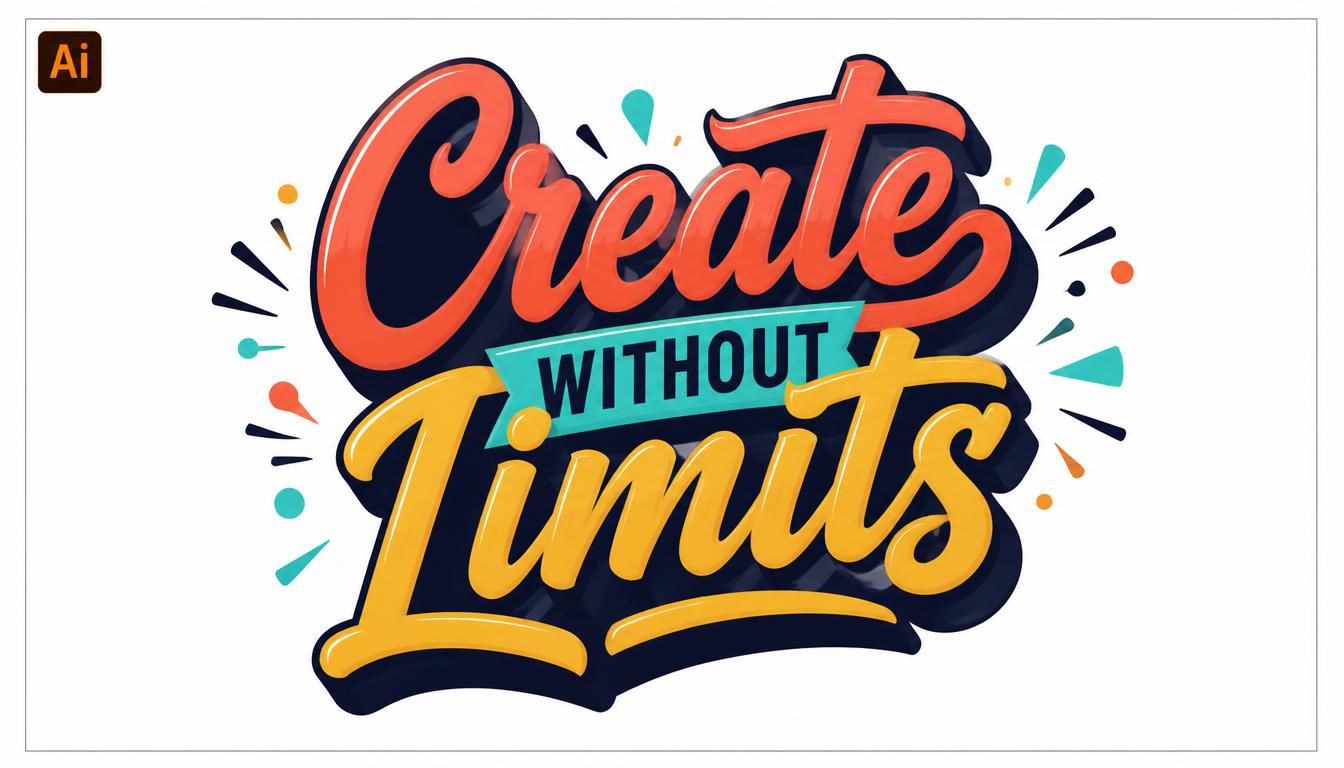
Master Typography in Illustrator: From Basic Text to Creative Lettering
Great design often starts with great words. Whether you are building a logo, a poster, or a social media graphic, the way you handle type decides if people stop and read or keep scrolling.
That is why learning typography in Illustrator is one of the smartest skills a designer can build. Adobe Illustrator gives you precise control over every letter, line, and curve.
This guide takes you from basic text to creative lettering. Each section is short, practical, and written for beginners and intermediate designers alike.
By the end, you will understand typography in Illustrator well enough to create layouts that look polished, professional, and original.
You will learn how to:
- Use every major type tool with confidence
- Control spacing, alignment, and hierarchy
- Pair fonts like a professional designer
- Turn plain text into custom lettering
- Export your work for web and print
Let’s get started.
Why Typography in Illustrator Matters

Typography is more than picking a nice font. It is the art of arranging type so it is readable, attractive, and meaningful.
Illustrator is a vector program. That means your letters stay sharp at any size, from a business card to a billboard.
Strong typography in Illustrator gives you three big advantages.
- Scalability. Vector letters never blur or pixelate, no matter how far you enlarge them.
- Precision. You can adjust spacing, size, and alignment down to tiny fractions of a point.
- Flexibility. Text stays editable until you decide to convert it into shapes.
Compared with raster programs, Illustrator treats letters as objects you can reshape endlessly. This makes typography in Illustrator ideal for logos, packaging, posters, and brand identity work.
Many professional designers also use it to build custom lettering from scratch. We will cover that later in this guide.
Good type also builds trust. Clean, balanced text makes a brand look reliable, while messy text makes even great ideas look careless.
If you want your designs to stand out, mastering typography in Illustrator is a skill worth your time.
Understanding Type Anatomy Before You Start

Before you open Illustrator, learn the vocabulary. Knowing the parts of a letter helps you make smarter choices.
Here are the key terms:
- Baseline: The invisible line letters sit on
- X-height: The height of lowercase letters like “x”
- Cap height: The height of capital letters
- Ascender: The part of a letter that rises above the x-height, like in “h”
- Descender: The part that drops below the baseline, like in “p”
- Serif: The small strokes at the ends of letters
- Counter: The enclosed space inside letters like “o”
Why does this matter? Every adjustment in the Character panel changes one of these elements. Good typography in Illustrator begins with understanding what you are adjusting.
Next, learn the main font categories.
Serif fonts feel traditional, trustworthy, and elegant. Sans-serif fonts feel modern, clean, and friendly. Script fonts feel personal and artistic. Display fonts are bold, decorative, and best for headlines.
Knowing these groups makes typography in Illustrator much easier, because you can match the font to the mood of your project.
Setting Up Your Document for Type

A clean setup saves time. Start by choosing File > New and picking a preset that fits your project.
Use RGB for screens and CMYK for print. Set your units to points or pixels, depending on your output.
Next, open the Typography workspace. Go to Window > Workspace > Typography. It places the most useful type panels within easy reach.
Turn on guides and smart guides next.
- Press Ctrl+R (Cmd+R on Mac) to show rulers
- Drag guides onto your artboard for margins
- Use View > Smart Guides for automatic alignment
Margins matter more than most beginners realize. Text that crowds the edge of an artboard looks cramped and unprofessional.
Also check your font list. Illustrator can show fonts from Adobe Fonts, which gives you thousands of licensed options inside your account.
A thoughtful setup makes typography in Illustrator faster and far less frustrating. Spend two minutes preparing and you will save twenty later.
Finally, save your file early. Use File > Save As and keep the .ai format so your text stays editable.
Meet the Type Tools

Illustrator offers several type tools. Each one has a clear purpose.
Press T to select the Type Tool. Hold the tool icon to see the others in the flyout menu.
The Type Tool creates basic text. Click once and start typing.
The Area Type Tool places text inside a shape. It is perfect for paragraphs in boxes or custom outlines.
The Type on a Path Tool makes text follow a curve or line.
The Vertical Type Tool stacks letters from top to bottom. It is popular in some languages and in creative layouts.
The Touch Type Tool lets you move, rotate, and scale single letters while keeping the text live.
Point Type vs. Area Type
Point type starts when you click once. The text keeps growing in one line until you press Enter. Use it for headlines, logos, and short labels.
Area type starts when you click and drag a box. The text wraps inside the box automatically. Use it for body copy and longer text.
Choosing the right tool is the first real decision in typography in Illustrator. Pick point type for short, bold statements and area type for readable paragraphs.
A small red plus sign on a text box means overflow. Some of your text is hidden, so enlarge the box or shorten the copy.
Mastering the Character Panel

The Character panel is your main control center. Open it with Window > Type > Character or press Ctrl+T (Cmd+T on Mac).
Here is what each setting does.
Font family and style. Choose the typeface and weight, such as Regular, Bold, or Italic.
Font size. Sets the height of your text in points.
Leading. Controls the space between lines.
Kerning. Adjusts the space between two specific letters.
Tracking. Adjusts spacing across a whole word or selection.
Vertical and horizontal scale. Stretches letters, though you should use this sparingly.
Baseline shift. Raises or lowers selected characters.
Rotation. Tilts individual characters.
Beginners often overuse scaling. Stretching a font distorts the shapes the type designer carefully crafted. If you need a wider look, choose a wider font instead.
A good starting point for body text is a size between 10 and 14 points, with leading about 120 percent of the font size.
Learning the Character panel is the heart of typography in Illustrator. Almost every professional adjustment starts here, so practice with it often.
Using the Paragraph Panel for Better Layouts

If the Character panel controls letters, the Paragraph panel controls blocks of text. Open it with Window > Type > Paragraph.
Here are the main tools.
- Alignment: Left, center, right, and justified options
- Indents: Control how far text sits from the box edge
- Space before and after: Adds breathing room between paragraphs
- Hyphenation: Breaks long words at the line end
Left alignment is the safest choice for body text. It is easy to read because each line starts in the same place.
Center alignment suits short headlines, invitations, and quotes. Avoid it for long paragraphs, because the uneven starting points slow readers down.
Justified text can look neat, but it often creates ugly gaps between words. Use it carefully and check for “rivers” of white space.
Turn hyphenation off for headlines. Broken headline words look awkward and distract from your message.
Mastering paragraph settings completes your toolkit for typography in Illustrator. Together with the Character panel, it lets you control both tiny details and the big picture.
Choosing and Pairing Fonts Like a Pro

Font choice shapes how people feel about your design. A rounded sans-serif feels friendly, while a sharp serif feels formal.
Start by asking one question: what mood should this design create?
Then follow these simple pairing rules.
Contrast works. Pair a serif headline with a sans-serif body, or the other way around.
Limit your fonts. Two typefaces are usually enough. Three is the maximum for most projects.
Stay in one family when unsure. A single family with multiple weights is a safe, elegant choice.
Avoid near matches. Two similar fonts look like a mistake rather than a choice.
Reliable pairs include a bold geometric sans-serif headline with a classic serif body, or an elegant script accent with a clean sans-serif for details.
Illustrator makes testing easy. Select your text, then use the font menu and scroll with your arrow keys to preview each option live.
Smart font pairing is a major part of typography in Illustrator because it affects every other decision you make afterward.
Check licenses too. Some free fonts are only free for personal use, so confirm before using them in client work or commercial projects.
Building Visual Hierarchy With Type

Hierarchy tells readers what to read first, second, and third. Without it, a layout feels like noise.
You can create hierarchy using five simple tools.
- Size: Larger text attracts attention first
- Weight: Bold text feels more important than light text
- Color: High-contrast colors stand out
- Spacing: White space isolates key ideas
- Position: Items at the top or center get noticed first
A classic structure uses three levels. The headline is large and bold. The subheading is medium and lighter. The body text is small and simple.
Try the squint test. Step back from your screen and squint. If you can still tell what matters most, your hierarchy works.
Consistency is just as important. Use the same styles for the same types of content throughout your design.
Illustrator helps with this through Character Styles and Paragraph Styles. Open them from the Window > Type menu, create a style once, and apply it with a single click.
Strong hierarchy turns average typography in Illustrator into professional work. Readers should never have to guess where to look next.
Kerning, Tracking, and Leading Explained

Spacing separates amateur text from polished text. Three controls matter most.
Kerning
Kerning adjusts the gap between two individual letters. Some pairs, like “AV” or “To,” look too loose by default.
Place your cursor between two letters and press Alt + Left or Right Arrow (Option on Mac) to adjust. You can also type a value in the Character panel.
Choose Optical kerning for automatic, visually balanced results. Choose Metrics to use the spacing built into the font.
Tracking
Tracking changes the space across several letters at once. Increase it for small uppercase text, which feels more open and elegant.
Decrease it slightly for large headlines, where default spacing can look too loose.
Leading
Leading is the vertical space between lines. Tight leading makes text feel dense and bold. Loose leading feels airy and easy to read.
Press Alt + Up or Down Arrow to adjust it quickly.
For logos and wordmarks, manual kerning is essential. It is one of the most noticeable details in typography in Illustrator, and clients often sense bad spacing even if they cannot explain why.
A useful trick is to rotate your text upside down. This helps you judge spacing without reading the words.
Creating Text on a Path

Type on a path adds energy to your layouts. It is a favorite technique for badges, seals, and creative headlines.
Follow these steps:
- Draw a path using the Ellipse Tool, Pen Tool, or Curvature Tool
- Select the Type on a Path Tool from the Type flyout
- Click on the edge of your path
- Type your text
You can slide the text along the path using the small bracket at the start. Drag the center bracket across the line to flip the text to the other side.
Open Type > Type on a Path > Type on a Path Options for more control. You will find effects such as Rainbow, Skew, 3D Ribbon, Stair Step, and Gravity.
For a classic circular badge, put text on the top of a circle and a second line on the bottom. Use baseline shift to keep both lines evenly spaced from the center.
Keep your curves gentle. Tight curves squeeze letters together and make them hard to read.
If letters look uneven around a bend, adjust kerning by hand. This kind of finishing touch is what makes typography in Illustrator look professional rather than automatic.
Turning Text Into Outlines

Outlining converts live text into vector shapes. Once outlined, you can edit each letter like any other drawing.
Select your text and choose Type > Create Outlines. The shortcut is Shift + Ctrl + O (Shift + Cmd + O on Mac).
After outlining, you can:
- Move anchor points with the Direct Selection Tool
- Cut or merge letters using Pathfinder
- Fill letters with gradients, patterns, or images
- Combine letters with custom shapes
There is one important warning. Outlined text can no longer be edited with the Type Tool. Always keep a copy of your live text on a hidden layer.
Outlining is also useful for sharing files. When you outline text, the font no longer needs to be installed on another computer. Printers often ask for this.
Be aware that outlining removes hinting and some font features. For small body text, keep it live whenever possible.
The ability to outline is what turns standard typography in Illustrator into true custom lettering. It opens the door to endless creative possibilities.
Using OpenType Features, Glyphs, and Variable Fonts

Modern fonts hide powerful extras. You just need to know where to look.
The Glyphs Panel
Open Window > Type > Glyphs to see every character in a font. You will find swashes, ligatures, symbols, and alternate letters.
Double-click any glyph to insert it into your text.
The OpenType Panel
Open Window > Type > OpenType to turn features on or off. Common options include standard ligatures, discretionary ligatures, stylistic alternates, and fractions.
Ligatures join letter pairs like “fi” so they do not collide. They make text look smoother and more refined.
Variable Fonts
Variable fonts contain a range of weights, widths, and slants in a single file. Illustrator gives you sliders to fine-tune each one.
Instead of choosing between Regular and Bold, you can pick any weight in between.
Variable fonts are exciting because they reduce file clutter and allow very precise adjustments. They also help you match type styles perfectly to a layout.
Exploring these features adds depth to your typography in Illustrator. Many designers never discover them, so using them gives your work a subtle edge.
Adding Creative Text Effects

Once you know the basics, you can start experimenting. Typography in Illustrator offers many ways to transform type.
Warp Effects
Choose Effect > Warp to bend text into arcs, flags, waves, and more. The text remains editable, which makes it great for quick experiments.
Envelope Distort
Choose Object > Envelope Distort > Make with Warp, Mesh, or Top Object. This lets you shape text to fit almost any form.
Gradients and Fills
Live text can take solid colors easily. For gradients on live text, use the Appearance panel to add a fill and apply the gradient there. For more control, outline the text first.
Strokes and Shadows
Add an outline stroke for bold, sticker-style text. Place the stroke behind the fill in the Appearance panel so the letters stay crisp.
A soft drop shadow adds depth, but keep it subtle. Heavy shadows look dated quickly.
Blends and 3D
The Blend Tool creates smooth transitions between shapes. Typography in Illustrator also supports 3D effects such as extrude and bevel for dimensional lettering.
Use effects with restraint. Too many at once overwhelm the message. Good typography in Illustrator uses effects to support readability, not to hide poor type choices.
Creating Custom Lettering Step by Step

Lettering is different from typography. Typography in Illustrator uses existing fonts, while lettering means drawing each letter yourself.
Here is a simple workflow.
Step 1: Sketch Your Idea
Start with pencil and paper. Draw rough versions of your word with different styles, weights, and flourishes.
Step 2: Bring It Into Illustrator
Scan or photograph your sketch and place it with File > Place. Lower its opacity and lock the layer.
Step 3: Start With a Base Font
Many designers type the word in a similar font and outline it. This gives clean letter structures to modify.
Step 4: Redraw and Refine
Use the Pen Tool, Curvature Tool, or Pencil Tool to trace your sketch. Fewer anchor points create smoother curves.
Step 5: Adjust Shapes
Use the Direct Selection Tool to pull handles and reshape curves. Make stems consistent in thickness and keep curves smooth.
Step 6: Combine and Connect
Open Window > Pathfinder or use the Shape Builder Tool (Shift + M) to merge, cut, and join shapes.
Step 7: Fine-Tune Spacing
Adjust each letter by hand. Since your lettering is no longer live text, you control spacing by moving shapes directly.
Step 8: Add Color and Detail
Finish with gradients, textures, highlights, and shadows. Keep your palette limited for a bold, cohesive look.
This process teaches you how to combine typography in Illustrator with real illustration skills. It takes practice, but the results are completely unique.
Start with simple words and short projects. Lettering is a skill that improves with repetition, and each project makes the next one easier.
Over time, your custom pieces will mix drawing skill with deep knowledge of typography in Illustrator, which is exactly how professional lettering artists work.
Using Color and Contrast for Readable Type

Color can make or break your text. Poor contrast is one of the most common design problems.
Follow these guidelines.
- Use dark text on light backgrounds, or light text on dark backgrounds
- Avoid placing text over busy images without an overlay
- Limit your palette to two or three main colors
- Test your design in grayscale to check contrast
For accessibility, aim for a contrast ratio of at least 4.5:1 for body text. Many free online checkers can test this for you.
Be careful with colors that look similar in brightness, such as red on green. They vibrate and are hard to read, and they are difficult for some color-blind viewers.
Add a semi-transparent shape behind text placed on photos. This simple trick keeps words readable without ruining the image.
Smart color choices make typography in Illustrator accessible to every reader, and accessibility is always good design.
Common Typography Mistakes to Avoid

Even experienced designers slip up. Watch for these frequent errors.
Using too many fonts. Stick to two or three typefaces for a cohesive look.
Ignoring hierarchy. If everything is bold and large, nothing stands out.
Stretching fonts. Distorted letters look amateur. Pick a font in the right width instead.
Poor line length. Lines with more than about 75 characters tire the eye. Aim for 45 to 75.
Tight leading. Crowded lines are hard to read, especially in small sizes.
Low contrast. Gray text on a light background may look stylish, but it frustrates readers.
Forgetting to proofread. A typo can ruin an otherwise perfect design.
Using all caps everywhere. Capitals are fine for short headings but tiring in long text.
Here is a quick fix for most problems: simplify. Remove extra fonts, effects, and colors until the message is clear.
Avoiding these mistakes will quickly improve your typography in Illustrator, even if you change nothing else.
Review every project with fresh eyes before sending it. A short break often reveals issues you missed.
Exporting Your Typography for Web and Print

When your design is finished, choose the right export format.
For the web: Use File > Export > Export As and choose PNG, JPEG, or SVG. SVG keeps text sharp and files small.
For print: Save as a PDF using File > Save As and choose Adobe PDF. Select a high-quality print preset and include bleed if needed.
For sharing editable files: Use File > Package to collect fonts and linked images in one folder. Check your font license first, as not all fonts allow sharing.
Before exporting, run through this quick checklist:
- Proofread all text
- Check for missing fonts
- Outline text if the printer requires it
- Confirm your color mode matches your output
Preview your work at 100 percent zoom to check small text. Details that look fine when zoomed out can show problems up close.
A reliable export process protects the effort you put into typography in Illustrator and makes sure your work looks right everywhere.
Practice Projects to Build Your Skills

Reading helps, but practice makes progress. Try these projects, ordered from easy to advanced.
- Quote poster: Practice hierarchy and font pairing
- Business card: Work with small text and tight layouts
- Event flyer: Combine headlines, body text, and details
- Logo wordmark: Focus on kerning and custom letter shapes
- Badge design: Use type on a path for circular text
- Custom lettering piece: Sketch, trace, and refine a full word
Set a small goal, such as one project per week. Save your files and compare your early work with later work. The improvement will motivate you.
Study designs you admire too. Look at posters, packaging, and book covers, and ask why the type works. Then try recreating similar layouts for practice.
Joining design communities can help as well. Sharing work invites feedback, and feedback speeds up learning.
Consistent practice is the fastest way to grow your skills in typography in Illustrator. Even twenty minutes a day adds up quickly.
Keep a folder of favorite font pairings and layouts. This personal library becomes a handy reference for future jobs.
Frequently Asked Questions (FAQs)
- How do I add text in Adobe Illustrator?
Select the Type Tool by pressing T, click on your artboard, and start typing. Click and drag instead to create a text box for paragraphs.
- How do I change fonts in Illustrator?
Select your text, open the Character panel, and choose a new font from the dropdown. You can also use the font menu in the Properties panel.
- How can I convert text to outlines?
Select the text and go to Type > Create Outlines, or press Shift + Ctrl + O (Shift + Cmd + O on Mac). Keep a live copy in case you need edits later.
- What is the difference between kerning and tracking?
Kerning adjusts the space between two letters. Tracking adjusts the space across a group of letters or an entire word.
- How do I make text follow a curve?
Draw a path, choose the Type on a Path Tool, click the path, and type. You can slide the text along the line using the bracket handles.
- Is Illustrator better than Photoshop for text design?
For logos, lettering, and scalable graphics, yes. Illustrator uses vectors, so text stays sharp at any size, while Photoshop is mainly raster-based.
- How can I make my text easier to read?
Use good contrast, clear hierarchy, comfortable line length, and generous leading. Stick to a small set of fonts and use left alignment for body text.
- What is the best way to learn typography in Illustrator?
Start with the basic tools, then practice with small projects every week. Study designs you like and rebuild them to understand how professionals work.
- What file format is best for exporting text-based designs?
Use SVG or PDF for sharp, scalable results. Use PNG for web graphics that need a transparent background.
- Can I use any font for commercial work?
No. Always check the font license. Adobe Fonts are licensed for many commercial uses, but free fonts from other sites may have restrictions.
Conclusion
Type is the voice of your design. When it is handled well, people understand your message faster and trust your brand more.
You now know how to use the type tools, control spacing, build hierarchy, pair fonts, create text on paths, and turn letters into custom artwork.
Remember that great results come from small, careful decisions repeated over many projects.
Open Illustrator today, pick one project from the list above, and start practicing. With patience and curiosity, you will soon master typography in Illustrator and create designs that look professional, original, and unforgettable.

Vector Illustration for Beginners: Create Clean Artwork Step by Step
Introduction: Why Vector Illustration Is the Perfect Starting Point
Vector illustration is one of the most useful creative skills you can learn today.
Logos, icons, posters, stickers, app graphics, and website art all rely on it. The reason is simple. Artwork built this way stays sharp at any size.
If you have ever zoomed into a photo and watched it turn blurry, you already know the problem. Vector illustration solves it. Instead of tiny colored squares, a vector file stores shapes as math. A design can sit on a business card or stretch across a billboard without losing quality.
Many beginners worry that they need natural drawing talent. You do not. You build artwork from circles, rectangles, and curves, and the software handles the hard part. Patience matters far more than a steady hand.
In this guide, you will learn how vector illustration works, which tools to use, and how to create clean artwork step by step. By the end, you will have a repeatable process that works for any project.
This article is written for complete beginners, students, bloggers, hobbyists, and small business owners. No previous experience with vector illustration is required.
Here is what you will learn:
- What vector illustration is and how it differs from raster art
- The best beginner-friendly software
- The core building blocks: anchor points, paths, and shapes
- A nine-step workflow from first sketch to final export
- Common mistakes and quick tips for faster progress
- Answers to frequently asked questions
Each section below is short and focused, so you can read from top to bottom or jump straight to the step you need.
What Is Vector Illustration?
Vector illustration is digital artwork created from mathematical paths instead of pixels.
Each path is defined by points, lines, and curves. The software calculates how to draw them, so the result is always crisp.
Think of it like a connect-the-dots drawing. You place the dots, and the computer joins them with perfectly smooth lines.
Those shapes can be filled with color, outlined with strokes, or blended with gradients. Every element stays editable. You can change a color, move a shape, or resize anything at any time.
Professionals use vector illustration for branding, packaging, infographics, editorial art, character design,
Key Features of Vector Illustration
- Scalable: resize artwork to any dimension with no loss of quality
- Editable: every shape, color, and line can be changed later
- Lightweight: files are usually small and easy to share
- Versatile: suitable for print, web, video, and mobile screens
- Clean: crisp edges that suit modern flat and minimal styles
These strengths explain why vector illustration dominates logo and icon design.
Vector vs Raster: What Is the Difference?
Raster images, such as photos, are made of pixels. Vector artwork is made of paths.
A raster file has a fixed resolution. Enlarge it too much and the pixels become visible. A vector file has no fixed resolution, so it scales forever.
| Feature | Vector | Raster |
| Built from | Paths, points, and curves | Pixels |
| Scaling | Unlimited, stays sharp | Limited, becomes blurry |
| Typical file size | Small for simple art | Grows with resolution |
| Best for | Logos, icons, illustrations | Photos, painted textures |
| Common formats | SVG, AI, EPS, PDF | JPG, PNG, WEBP |
| Editing | Move and reshape objects | Edit pixel by pixel |
Neither type is better in every case. Photos belong in raster formats. Logos, icons, and illustrations belong in vector. Learning vector illustration lets you produce graphics that stay professional on every screen and every printer.

Popular Styles of Vector Illustration
Vector art comes in many looks. Knowing them helps you choose a direction before you start.
Flat Illustration
Flat style uses solid colors, simple shapes, and no heavy shadows. It is the easiest style for beginners and the most common on websites and apps.
Line Art and Icons
Line art relies on strokes rather than fills. It works well for icon sets, outlines, and minimal brand marks.
Isometric Illustration
Isometric art shows objects from a tilted angle without perspective distortion. It suits infographics, maps, and technology graphics.
Character and Mascot Design
Characters are built from simple shapes such as circles and rounded rectangles. This style of vector illustration is popular for brand mascots, children’s books, and games.
Gradient and Semi-Realistic Art
This approach adds smooth color blends and soft highlights for depth. It takes more practice, so save it for later in your learning journey.

Why Learn Vector Illustration as a Beginner?
Starting with vector illustration gives you a strong creative foundation. Here is why it is such a smart first step.
It Is Forgiving
Every shape is editable, so mistakes are easy to fix. Nothing is permanent. You can nudge a point, change a color, or undo a step without starting over.
It Builds Valuable Skills
Shape building, color theory, and composition all transfer to other design fields. Many designers begin with vector illustration and later move into branding, UI design, or motion graphics.
It Can Earn Money
Businesses constantly need logos, icons, social media graphics, and print designs. Skilled beginners can offer these services as freelancers or sell artwork on stock and print-on-demand platforms. Vector illustration is a practical skill with real market demand.
It Works Everywhere
Vector files open in most design programs and export to SVG for websites. The same artwork can go on a T-shirt, a banner, or a mobile app.

Best Software for Vector Illustration
The right tool makes learning smoother. Every program below handles the basics well.
Adobe Illustrator
Illustrator is the industry standard and the most popular choice among professionals. It offers powerful tools, plenty of tutorials, and wide file compatibility. It is a subscription product.
Affinity Designer
Affinity Designer is known for a clean interface and strong performance. Check the maker’s website for current pricing and licensing, because these terms can change.
Inkscape
Inkscape is free and open source. It is an excellent choice if you want to learn vector illustration without spending money.
CorelDRAW
CorelDRAW has a long history in print, signage, and apparel design. It suits users who like a traditional desktop workflow.
Figma
Figma runs in the browser and is popular for interface design and icons. It is handy for simple vector work and for team collaboration.
How to Choose
Pick one program and stay with it for at least a month. Jumping between tools slows progress. The principles of vector illustration stay the same in every app, so your skills transfer easily.

What You Need Before You Start Vector Illustration
- A computer or tablet that runs your chosen software
- A mouse or, better, a graphics tablet for smoother curves
- A notebook and pencil for rough sketches
- Reference images for inspiration (check usage rights)
- A color palette website for quick color ideas
You do not need expensive gear to begin vector illustration. A basic laptop and a free program are enough.
The Core Building Blocks of Vector Illustration
Before the step-by-step workflow, you need to understand a few basic parts. Every piece of vector illustration is built from the same small set of elements.

Anchor Points
An anchor point marks a position on the canvas. Think of it as a pin on a map. Points control where a line starts, bends, and ends.
Paths and Segments
A path is a line that connects anchor points. It can be open, like a wavy line, or closed, like a circle. The piece between two anchor points is called a segment.
Bézier Curves and Handles
Smooth curves come from Bézier curves. Each curved point has two handles. Dragging a handle changes the angle and depth of the curve. This is the secret behind every smooth shape in vector illustration.
Short handles create tight curves. Long handles create gentle, sweeping curves. Practice moving them until it feels natural.
Fills and Strokes
A fill is the color inside a shape. A stroke is the outline. You can use one, both, or neither. Most flat artwork uses fills only, while icons often use strokes only.
Shapes and Shape Tools
Rectangles, ellipses, polygons, and stars give you fast starting points. Combining them is how most beginners create their first vector illustration.
Layers
Layers keep objects organized, like transparent sheets stacked on top of one another. Put the background on the bottom layer, the main subject in the middle, and the details on top.
Artboards
The artboard is your canvas. Set its size to match your final use, such as a square for social media or a wide rectangle for a banner.
Pathfinder and Boolean Operations
These tools merge, subtract, or intersect shapes. Unite two circles to make a cloud. Subtract a circle from a square to make a crescent. Boolean tools let you build complex forms from simple ones, which is the heart of clean vector illustration.

Quick Reference Table
| Term | What it does |
| Anchor point | Marks a position on a path |
| Segment | Connects two anchor points |
| Handle | Controls the direction and depth of a curve |
| Fill | The color inside a shape |
| Stroke | The outline of a shape |
| Layer | Organizes objects in stacking order |
| Artboard | Defines the working canvas |
Keep this table nearby while you practice. These terms appear in every vector illustration program. Master these basics and vector illustration becomes far less intimidating.
Step-by-Step Vector Illustration Workflow for Beginners
Now for the practical part. This nine-step process works for almost any project. We will use a simple coffee cup as the running example.
Here is the full workflow at a glance:
- Choose a simple subject and gather references
- Sketch your idea on paper
- Set up your artboard and workspace
- Build the main shapes
- Refine with the Pen tool
- Apply a color palette
- Add strokes, gradients, and details
- Organize layers and add shading
- Check, clean up, and export
Follow the steps in order. Each one builds on the last.
Step 1: Choose a Simple Subject and Gather References
Pick something simple. A coffee cup, a plant, a house, or a piece of fruit works well. Avoid complex scenes at first.
Collect two or three reference images. Note the basic shapes you see. A cup is a rounded rectangle, an ellipse for the rim, and a curved handle.
This small bit of planning saves hours later in any vector illustration project.

Step 2: Sketch Your Idea on Paper
Draw a rough sketch with a pencil. It does not need to be neat. A sketch settles proportions, layout, and style before you open the software.
Take a photo or scan of the sketch. You will trace it digitally in a later step.
Many professionals still begin vector illustration on paper because ideas flow faster with a pencil.
Step 3: Set Up Your Artboard and Workspace
Create a new document. Choose a size that fits the final use. A square of 1200 by 1200 pixels is a good start for web and social media.
Use RGB color mode for screens and CMYK for print. Name the document clearly and save it right away.
Place your sketch on its own layer. Lower its opacity to around 30 percent and lock the layer so it does not move.
Turn on rulers and smart guides. These help you align shapes precisely.
A tidy setup is the quiet foundation of professional vector illustration.

Step 4: Build the Main Shapes
Now start creating. Use the rectangle, ellipse, and rounded rectangle tools to block out the major forms.
For the cup, draw a rounded rectangle for the body and an ellipse for the opening. Make the handle from a ring: draw one ellipse, then subtract a smaller ellipse from it.
Work from big shapes to small shapes. Do not worry about details yet.
Hold Shift while dragging to create perfect circles and squares. Use the alignment tools to center objects.
Shape-based building is the fastest way to learn vector illustration, and it produces a clean result without advanced skills.
Beginner tip: Use as few anchor points as possible. Fewer points create smoother curves and cleaner files.
Take your time with these first steps. Good vector illustration is built on solid foundations.
Refining and Coloring Your Vector Illustration
Step 5: Refine with the Pen Tool
Basic shapes get you far, but the Pen tool unlocks custom forms. It lets you draw any outline you can imagine.
- Click once to place a corner point.
- Click and drag to create a smooth curve.
- Click the first point again to close the path.
- Use the Direct Selection tool to adjust points and handles.
Place anchor points at the extremes of a curve, such as the top, bottom, left, and right. This keeps curves smooth with fewer points.
The Pen tool feels awkward at first. That is normal. Every vector illustration artist went through the same learning curve.
Spend ten minutes a day tracing simple shapes like a heart, a leaf, a cloud, and a wave. This habit builds control quickly.

Step 6: Apply a Color Palette
Color gives artwork its personality. Limit yourself to three to five main colors.
Start with a base color, then add one accent color, plus a lighter and darker version of each. This simple formula creates harmony without effort.
- Analogous: neighbors on the color wheel, calm and cohesive
- Complementary: opposites on the wheel, bold and energetic
- Monochromatic: one hue in several tones, clean and modern
Use the Swatches panel to save your palette. Then you can recolor the entire artwork in seconds.
Check contrast too. Convert the artwork to grayscale to see whether light and dark areas still read clearly.
A strong palette is half of any vector illustration.
Step 7: Add Strokes, Gradients, and Details
Strokes, gradients, and small details add polish.
Strokes. Keep line weight consistent. Use round caps and joins for a friendly look.
Gradients. Use subtle blends between two close colors. Match the angle to your light source.
Details. Add small touches such as steam rising from the cup, a simple pattern, or a bright highlight. Steam is just a wavy open path with a thick, rounded stroke.
Details are what turn a basic vector illustration into polished artwork.
Resist the urge to add too much. Clean artwork is about restraint.
Understanding Light Direction
Choose one light source, such as the top left. Place highlights on the side facing the light and shadows on the opposite side. Consistent lighting is a hallmark of strong vector illustration.
Mini Exercise
Try this before moving on. Draw a simple leaf with the Pen tool, fill it with a green gradient, and add a lighter vein with a stroke. It takes about fifteen minutes and gives you a taste of a complete vector illustration.
Finishing and Exporting Your Vector Illustration
Step 8: Organize Layers and Add Shading
A well-organized file is easier to edit. Name each layer clearly, such as background, cup, steam, shadow, and highlights.
Group related shapes. Lock layers you are not using. Delete hidden or stray objects.
For shading, duplicate a shape, fill it with a darker tone, and clip it inside the original shape. Flat shapes in lighter and darker tones are the simplest approach, and they export cleanly everywhere.
Neat files are a mark of professional vector illustration, and they save time during revisions.
Step 9: Check, Clean Up, and Export
Before you export, run through this checklist:
- Zoom in to 400 percent and inspect edges for gaps or overlaps
- Remove stray points and unused swatches
- Convert text to outlines if you share the file with others
- Switch to outline view to spot hidden problems
- Save a master editable file in your program’s native format
Then choose the right export format:
| Format | Best for |
| SVG | Websites, icons, and scalable web graphics |
| PNG | Social media and transparent backgrounds |
| JPG | Quick previews and photo-style sharing |
| Print, review, and sharing with clients | |
| AI or EPS | Professional handoff and print workflows |
Always keep the original editable file. You can export many versions from one master file, which is a major advantage of vector illustration.
Name exported files clearly, for example coffee-cup-illustration.svg. Descriptive file names also help your artwork get found when you publish it online.
Common Mistakes in Vector Illustration
Every beginner makes a few predictable errors. Here are the most common ones and how to fix them.
- Too many anchor points. Redraw the path with fewer points for smoother curves.
- Skipping the sketch. Even a rough sketch prevents proportion problems.
- Using too many colors. Stick to a palette of three to five main colors.
- Messy layers. Name and group layers as you go, not at the end.
- Inconsistent stroke widths. Pick one or two weights and reuse them.
- Poor alignment. Use smart guides and the alignment tools.
- Overusing effects. Heavy drop shadows and glows can make artwork look dated.
- Forgetting to save the editable file. Exported images cannot be edited like the original.
Spot these early and your vector illustration improves quickly.
How Long Does It Take to Learn?
Most beginners can finish a simple flat vector illustration within the first week of practice. Comfortable use of the Pen tool usually takes a few weeks of regular practice. Progress depends on consistency, not talent.
Tips to Improve Your Vector Illustration Skills Faster
Progress comes from steady habits. These tips help you improve without burning out.
- Practice daily. Fifteen to thirty minutes of vector illustration practice builds muscle memory faster than one long weekly session.
- Recreate simple icons. Copying existing designs is a classic way to learn how shapes fit together.
- Learn keyboard shortcuts. Even five shortcuts speed up your workflow noticeably.
- Study other artists. Browse portfolios and notice how each vector illustration is built from basic shapes.
- Save your palettes. Build a personal library of color combinations you like.
- Ask for feedback. Share your work in design communities and listen to suggestions.
- Finish what you start. A completed simple piece teaches more than ten abandoned complex ones.
Beginner Project Ideas
Not sure what to make next? Try one of these small projects:
- A set of five flat icons, such as a house, a phone, a cloud, a star, and a heart
- A simple landscape with hills, a sun, and a few trees
- A sticker pack of fruit and plants
- A pattern made from repeating shapes
- A mascot built from circles and rounded rectangles
A Simple 30-Day Practice Plan
Here is a simple plan to build momentum in your first month of vector illustration.
| Week | Focus | Practice project |
| Week 1 | Shapes, alignment, and Pathfinder | Five simple icons |
| Week 2 | Pen tool and curves | Heart, leaf, cloud, and wave |
| Week 3 | Color palettes and gradients | A flat fruit and plant set |
| Week 4 | Full composition | A small scene or sticker pack |
Frequently Asked Questions About Vector Illustration
What is vector illustration in simple words?
Vector illustration is artwork made from paths and shapes instead of pixels. It can be resized without losing quality.
Is vector illustration hard for beginners?
No. Starting with basic shapes makes it approachable. Most beginners create clean artwork within days. The Pen tool takes the longest to master.
Do I need to know how to draw?
Not necessarily. You can build many styles from circles, squares, and lines. Drawing skills help, but they are not required to start.
What is the best software for beginners?
Adobe Illustrator is the industry standard. Inkscape is free. Affinity Designer, CorelDRAW, and Figma are strong alternatives. Choose the one that fits your budget and goals.
Which file format should I use?
Use SVG for websites, and AI, PDF, or EPS for print and professional handoff. Export PNG or JPG for quick sharing. Always keep a master editable file.
Can I make money from vector illustration?
Yes. Artists sell logos, icons, stickers, patterns, and custom artwork. Freelance platforms, stock marketplaces, and print-on-demand stores are common starting points.
How is vector illustration different from graphic design?
Illustration focuses on creating original artwork. Graphic design arranges text, images, and layouts to communicate a message. The two skills often overlap.
Can I turn a photo into a vector?
Yes, with auto-trace features. Results vary, and manual redrawing usually gives cleaner shapes. Auto-tracing works best for simple, high-contrast images.
How long does it take to learn?
Basic skills take a few weeks of regular practice. Developing a personal style takes months. Consistency matters more than speed.
Can I draw on a tablet?
Yes. Several apps support vector drawing on tablets, and a stylus makes drawing feel natural.
Is vector illustration good for logo design?
Absolutely. Logos must look sharp on business cards, websites, and signs. That is exactly what vector illustration provides.
Do I need a graphics tablet?
No. A mouse is enough for shape-based work. A tablet helps with freehand lines later.
Conclusion: Start Your Vector Illustration Journey Today
Vector illustration is a skill anyone can learn with the right process. You now know what it is, which tools to use, and how to move from a sketch to a clean, export-ready file.
Remember the key points: start with simple shapes, use few anchor points, limit your colors, keep layers organized, and always save an editable master file.
The best way to improve is to begin. Open your software, pick a simple subject, and follow the nine steps in this guide. Your first piece will not be perfect, and that is fine. Each project makes the next one better.
Bookmark this guide, share it with a friend who wants to learn, and come back whenever you need a refresher.
Graphics Design
Modern Logo Design in Illustrator: Build a Clean and Memorable Brand Identity (2026)
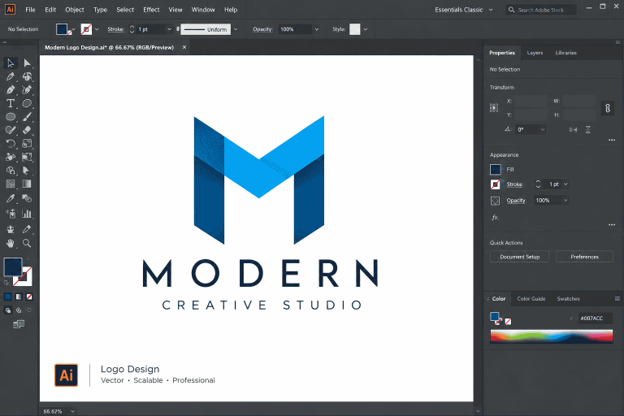
Modern Logo Design in Illustrator: Build a Clean and Memorable Brand Identity (2026)
Every strong brand starts with a simple mark that people recognize in a second. In 2026, Logo Design in Illustrator is still the most trusted way to create that mark. Adobe Illustrator gives you sharp vector shapes, precise typography and flexible color control in one workspace.
This guide walks you through logo design in Illustrator from the first idea to the final export. You will learn the tools, the workflow and the design rules that professionals use every day. Every section is short and practical, so you can follow along and apply each step right away.
Whether you are a beginner or a freelancer who wants a cleaner process, this tutorial will help you build a logo that looks professional and stays memorable. Let’s get started.
Why Illustrator Is the Industry Standard for Logo Design

Illustrator is built on vector graphics. A vector is a shape defined by math, not by pixels, so it stays sharp at any size. That is exactly what a brand needs. This is the first reason logo design in Illustrator remains popular with agencies and freelancers.
A logo might appear on a tiny app icon in the morning and on a giant billboard by night. With Logo Design in Illustrator, the same file works for both. You never lose quality when you scale up or down.
Illustrator also gives you tight control over anchor points, curves and alignment. You can fix a single curve without redrawing the whole mark. Smooth edits like this make logo design in Illustrator faster and more flexible. This precision is hard to match in raster tools.
Another big advantage is compatibility. Printers, web developers, packaging suppliers and sign makers all accept vector files. When you deliver an Illustrator file, nobody has to ask for a better version.
Finally, Illustrator connects with the rest of the Adobe ecosystem. You can move artwork into Photoshop, InDesign, After Effects or Adobe Express in a few clicks. That makes logo design in Illustrator a smart choice for designers who build full brand systems, not just one-off marks.
If you are choosing a main tool for brand work, Illustrator is the safest long-term investment. Clients expect it, and the skills you learn will stay useful for years.
Logo Design Trends to Know in 2026

Trends should guide your thinking, not control it. Still, understanding what is current helps you build a logo that feels fresh and relevant. Treat these trends as a toolbox for logo design in Illustrator, not a rulebook.
Minimalism with personality. Clean shapes and generous white space remain popular. The best minimal logos still carry one clever detail, such as a hidden shape or a unique cut.
Flexible and adaptive marks. Brands now live on phones, wearables, social avatars and screens of every size. Designers build logos that simplify automatically for small spaces.
Bold, friendly typography. Rounded sans-serif and custom lettering help brands feel approachable. Many wordmarks use slightly adjusted letter shapes to feel unique.
Geometric construction. Circles, grids and consistent angles create balance. This style is perfect for logo design in Illustrator because Illustrator makes geometry easy.
Gradients used with restraint. Soft gradients are back, but smart designers always prepare a flat version too. A logo must work in one color before it earns a gradient.
Motion-ready design. More logos are designed with animation in mind. Separate shapes and clean layers make it easier to animate later.
Notice the pattern: simple, flexible and thoughtful. Even as styles change, those three qualities keep a logo useful. They are the foundation of every successful logo design in Illustrator project in 2026.
Research and Brand Strategy Before You Open Illustrator

Great Logo Design in Illustrator starts before the first shape. A logo without strategy is just decoration. Take time to understand the brand first. Research makes logo design in Illustrator more purposeful and easier to defend.
Start with a short client questionnaire. Ask what the business does, who it serves and what makes it different. Ask which three words describe the brand personality.
Next, study the audience. A children’s education brand needs a different feel than a law firm. Age, culture and buying habits all influence shape, color and tone.
Then review competitors. Collect ten logos in the same industry and look for patterns. If every competitor uses blue and a globe, you have a chance to stand apart.
Write a one-page creative brief that includes:
- The brand name and tagline
- Target audience
- Brand personality keywords
- Preferred and restricted colors
- Where the logo will appear most often
This brief becomes your reference during the project. When a client asks for changes later, you can point back to the goals you agreed on.
Good strategy saves hours of revisions. It also keeps logo design in Illustrator focused on business goals. It also helps you explain your design choices with confidence.
Sketching Ideas and Building a Moodboard

Do not rush to the computer. Sketching is the fastest way to explore ideas, and it keeps you from relying on the first thing Illustrator suggests.
Grab paper and draw at least twenty small thumbnails. Keep them rough. The goal is quantity, not beauty. Fast sketching is the best warm-up for logo design in Illustrator. Try symbols, monograms, wordmarks and combinations.
Look for ideas that can be described in one sentence. If you can say it simply, people can remember it simply.
After sketching, build a moodboard. Collect colors, textures, typography samples and logos that match the brand personality. Tools like Pinterest or Adobe Capture work well.
Circle the three strongest sketches. Ask yourself these questions:
- Is it simple enough to draw from memory?
- Does it still work in one color?
- Does it fit the brand personality?
Scan or photograph your best sketches. You will bring them into Illustrator as a guide for tracing and rebuilding. This hybrid approach makes logo design in Illustrator faster and more intentional.
Setting Up Your Illustrator Workspace and Artboards

A clean setup makes the whole project smoother. Open Illustrator and create a new document using the Print or Web preset, depending on your client needs.
Set the color mode to RGB for digital use. You can create a CMYK copy later for print. Working in RGB first gives you brighter, more flexible colors.
Create an artboard of about 1000 by 1000 pixels. A square canvas keeps your thinking focused on the mark instead of the layout.
Now organize your workspace:
- Open the Layers panel and name each layer clearly
- Turn on Smart Guides from the View menu
- Enable the Pixel Grid or a custom grid for alignment
- Open the Align, Pathfinder and Properties panels
Place your scanned sketch on a separate layer. Tracing sketches is a classic step in logo design in Illustrator. Lower its opacity to around 30 percent and lock it. This is your tracing guide.
Finally, save the file right away. Use a clear name like brand-name-logo-v1.ai. Good file habits are part of professional logo design in Illustrator, and they protect you from lost work.
Essential Tools for Logo Design in Illustrator

You do not need every tool in Illustrator. A small set handles most logo work. Master these first.
Pen Tool (P). The Pen Tool creates precise paths and curves. Use as few anchor points as possible. Fewer points mean smoother curves and cleaner files.
Shape Tools. Rectangles, ellipses, polygons and rounded shapes are the building blocks of many modern logos. Hold Shift to keep proportions equal.
Shape Builder Tool (Shift + M). This tool lets you merge, subtract and divide overlapping shapes by dragging across them. It is one of the most powerful features for logo design in Illustrator.
Pathfinder Panel. Unite, Minus Front, Intersect and Exclude help you combine shapes with exact results. Use them to cut shapes out of each other.
Direct Selection Tool (A). Move individual anchor points and handles to refine curves. Small adjustments often make the biggest difference.
Align and Distribute. Perfect spacing is a sign of quality. Align objects to each other or to the artboard in one click.
Type Tool (T) and Create Outlines. Add text, adjust it, then convert it to shapes when you are ready to customize letters.
Live Corners and Width Tool. Round corners non-destructively and vary stroke width for more expressive lines.
Practice each tool on a simple exercise. Short drills make logo design in Illustrator feel natural. For example, build a leaf using two circles and the Intersect option. Small drills like this build speed.
Step-by-Step: Build a Logo From Scratch

Let’s walk through a simple example. Imagine a brand called “Northwind,” a small outdoor gear company. We want a clean mark with a mountain and a wind curve.
Step 1: Block out the main shape. Use the Polygon Tool to create a triangle. Scale it so the base sits on a clear grid line. This will be the mountain.
Step 2: Add a second peak. Duplicate the triangle, reduce its size and overlap it with the first. Use the Shape Builder Tool to merge the shapes into one clean silhouette.
Step 3: Create the wind curve. Draw an arc with the Pen Tool or Ellipse Tool. Turn the stroke into a shape using Object, then Expand. Cut it through the mountain with Minus Front.
Step 4: Refine the details. Use the Direct Selection Tool to fix any rough corners. Check that gaps are consistent. Equal spacing makes shapes feel intentional.
Step 5: Add the wordmark. Type “Northwind” with a clean sans-serif font. Adjust letter spacing, called tracking, until the word feels balanced.
Step 6: Combine the symbol and text. Place the icon above or beside the wordmark. Try both layouts and compare them.
Step 7: Start in black and white. Before adding color, make sure the design works in a single color. This is the strongest test in logo design in Illustrator.
This process is repeatable. Every logo you build will follow the same flow: shapes, refinement, typography, then color. Use this flow as a template for any logo design in Illustrator project.
Choosing Typography That Fits the Brand

Type carries a huge part of a brand’s personality. A thin serif feels elegant. A bold rounded sans feels friendly. A condensed face feels strong and modern.
Start with three to five font candidates. Type the brand name in each and compare them side by side. Pick the one that matches the personality keywords from your brief. Type choice is a major part of logo design in Illustrator.
Limit yourself to one or two typefaces in a logo. More than that becomes messy. If you use two, make sure they contrast clearly, such as a bold headline with a light supporting line.
Always check licensing. Many fonts are free for personal use but not for commercial work. Adobe Fonts is a safe option for most Illustrator users.
Then customize. Convert the text to outlines and adjust individual letters:
- Fix awkward gaps through manual kerning
- Round or sharpen corners to match your symbol
- Connect letters when it improves the shape
- Trim a stem or add a cut for a unique detail
These small edits turn a standard font into custom lettering. That is where professional logo design in Illustrator separates itself from template work.
Finally, test readability. Shrink the wordmark to about 100 pixels wide. If the letters blur together, increase spacing or choose a sturdier font.
Working With Color and Gradients

Color creates emotion fast. Blue suggests trust. Green suggests growth. Orange feels energetic. Black feels premium. Match color psychology to the brand, but do not follow it blindly. Color decisions shape how people feel about logo design in Illustrator results.
Use a limited palette. Most successful logos rely on one to three colors. This keeps the brand easy to reproduce across channels.
In Illustrator, build your palette in the Swatches panel. Name each swatch clearly, such as “Primary Blue” and “Accent Orange.” Consistent naming helps developers and printers later.
Check contrast. Place your logo on white, black and a mid-gray background. If it disappears, adjust the tone. Accessibility matters, and a high-contrast mark is more readable.
You can also use the Recolor Artwork feature to test alternative palettes in seconds. This is a great way to show clients several directions.
When using gradients, keep them subtle. Two nearby hues usually look better than a rainbow. Always create a flat-color backup version for print and small sizes.
Do not forget print. Convert your final colors to CMYK and compare them with the RGB version. Some bright screen colors shift when printed. Adjust them until both feel consistent.
Strong color choices make logo design in Illustrator more powerful because the logo feels alive without becoming complicated.
Grids, Geometry and Visual Balance

Balanced logos feel calm and trustworthy. Grids and geometry are the secret behind that feeling.
Start with a basic grid. In Illustrator, go to Preferences and set a grid with subdivisions. Snap shapes to it for consistent alignment.
Many iconic logos use circles. You can build a circular guide system by drawing overlapping circles and using them to define curves and proportions. Then hide the guides when you are finished.
Use consistent angles. If one corner is rounded at 20 degrees, keep similar corners the same. Repeating a rule gives the logo a unified feel.
Pay attention to optical balance. Mathematical centering is not always visually correct. A triangle, for example, looks lower than it is, so nudge it slightly upward.
Negative space is another strong tool. Look for hidden shapes in the gaps between elements. A clever use of empty space makes a logo memorable.
Zoom out often. View your design at 25 percent and squint at it. If one area feels heavy, adjust the weight or spacing.
These habits are what make logo design in Illustrator feel crafted instead of random.
Creating Logo Variations

One logo rarely fits every space. Modern brands need a small system of variations.
Primary logo. The main horizontal or vertical version used on websites and documents.
Stacked logo. A compact arrangement for square spaces such as social profiles.
Icon or symbol only. Perfect for app icons, favicons and tiny placements.
Wordmark only. Useful when the symbol is already well known or space is wide.
One-color versions. Black, white and a single brand color for stamps, embroidery and watermarks.
Create each variation on its own artboard in the same Illustrator file. This habit keeps logo design in Illustrator files neat and easy to hand over. Name them clearly. This keeps everything organized and easy to export.
For small sizes, consider a simplified version. Remove fine details, thicken thin lines and increase spacing. Responsive logos work better on tiny screens.
Set clear space rules too. A good guideline is to leave empty space equal to the height of a key letter around the logo. This prevents crowding by other design elements.
Variations show clients that you think beyond one pretty mark. They are also a standard part of professional logo design in Illustrator deliverables.
Choosing the Right Logo Type: Wordmark, Symbol or Monogram

Before you finalize a concept, decide which logo type fits the brand. Each type solves a different problem, and the choice shapes the whole logo design in Illustrator process.
Wordmark. The brand name is the logo. This works well for short, distinctive names. Custom letter spacing and a few edited letters can make it unique.
Lettermark or monogram. Initials form the logo. This is ideal for long names, such as professional firms or institutions. Illustrator makes it easy to align and merge letters into one shape.
Pictorial symbol. A simple icon represents the brand. It needs more brand awareness to work alone, so pair it with text for new companies.
Abstract mark. Geometric shapes express an idea without showing a literal object. This type is flexible, but it needs a strong concept behind it.
Combination mark. A symbol and wordmark work together. It is the safest option for most startups because the name and icon build recognition together.
Emblem. Text sits inside a badge or crest. It feels traditional, so use it carefully because small details can blur at tiny sizes.
Ask which type will work in the brand’s most important placement. If the main use is a social avatar, an icon or monogram is strong. If the main use is signage, a clear wordmark may be better.
Choosing early keeps logo design in Illustrator focused and prevents wasted time on directions that will not fit.
Logo Design in Illustrator for Different Industries

Every industry speaks a different visual language. Understanding it helps you adapt your logo design in Illustrator approach for each client.
Technology. Clean geometry, bright accent colors and modern sans-serif fonts signal innovation. Keep the mark simple so it works as an app icon.
Food and beverage. Warm colors, friendly curves and hand-drawn touches create appetite and comfort. Make sure the logo also works on packaging and menus.
Fashion and beauty. Elegant serif or thin line typography suggests refinement. Generous spacing and a restrained palette often feel premium.
Health and wellness. Soft greens, blues and rounded shapes communicate care and calm. Avoid sharp, aggressive angles.
Finance and legal. Stable shapes, deep blues and structured type build trust. Monograms and emblems work well here.
Education and kids. Bright colors, playful shapes and readable fonts attract attention. Keep the design simple so it still feels professional.
Always balance industry expectations with originality. If everyone in a category looks the same, a thoughtful change in color, shape or typography will help your client stand out.
Study how top brands in each field use space and color, then apply those lessons in your own logo design in Illustrator projects.
How to Turn Logo Design in Illustrator Into a Career or Side Income

Once you can build a polished mark, you can turn the skill into income. The demand for clear, flexible branding keeps growing, and logo design in Illustrator is a skill clients understand and value.
Start with a focused portfolio. Show five to eight strong projects, even if some are concept brands. Present each one with the problem, the process and the final result.
Show your process, not only the end result. Sketches, grids and variations prove that your work is intentional.
Create a simple package structure. A basic option may include one concept and a few revisions. A premium option may add variations, guidelines and social media assets.
Price based on value, not only on time. A logo helps a business look trustworthy, so explain the outcome you deliver.
Find clients through freelance platforms, local business groups and social media. Share short case studies that show your thinking.
Always use a contract. Define the number of revisions, delivery formats and payment schedule before work begins.
Keep learning as well. Follow design communities, study new brand launches and keep practicing logo design in Illustrator every week. Consistent growth turns a side project into a reliable creative career.
Testing Your Logo Before Delivery
A logo that looks great on a large monitor can fail in real life. Testing is the step many beginners skip, and it is where good logo design in Illustrator becomes reliable.
Start with the size test. Shrink your logo to 32 pixels, then 16 pixels. Can you still recognize the shape? If not, simplify the symbol.
Next, try the blur test. Apply a heavy blur or step back from your screen. A strong logo keeps its basic silhouette even when details disappear.
Then run the one-color test. Convert the design to black and white. If key shapes merge or vanish, rebuild the contrast.
Now check different backgrounds. Place the logo on light, dark, photographic and colored surfaces. Note where readability drops, and prepare a reversed version if needed.
Finally, show it in context. Build simple mockups of a website header, business card, social avatar, packaging label and signage. Mockups help clients imagine the brand in real life. Presenting mockups is a smart habit in logo design in Illustrator.
Ask for outside feedback as well. Show the logo to three people without explanation and ask what it makes them think. Their first reaction is valuable data.
Testing takes only an hour, yet it can prevent expensive reprints and awkward revisions.
Exporting Final Files
Clean exporting is the final technical step in logo design in Illustrator. Clients usually need several formats, and each one has a purpose.
- Your editable master file. Keep it safe and well organized.
SVG. The best format for websites. It is lightweight, scalable and crisp on every screen.
PDF. Ideal for sharing with printers and for client review. It preserves vector quality.
EPS. An older vector format still requested by some print vendors.
PNG. A raster format with transparent background, perfect for presentations and social platforms.
JPG. Useful for quick previews, but it has no transparency.
Before exporting, clean your file. Remove hidden layers and unused swatches. Outline any text so fonts do not break on another computer. Expand strokes when needed.
Use Export for Screens in Illustrator to output multiple sizes and formats at once. Choose 1x, 2x and 3x scales for PNG files, and enable SVG for web use.
Organize deliverables in folders such as Color, Black, White, Web and Print. Add a short readme file with usage notes.
A well-packaged delivery looks professional. Clean exports show that your logo design in Illustrator workflow is mature. It also reduces back-and-forth emails after the project ends.
Building Simple Brand Guidelines
A logo becomes a brand identity when people use it consistently. Brand guidelines make that possible.
You do not need a fifty-page book. A clean two to four page document in Illustrator can do the job for most small businesses.
Include these essentials:
- Logo versions: Primary, stacked, icon and one-color
- Clear space: The minimum empty area around the logo
- Minimum size: The smallest size for print and screen
- Color codes: HEX, RGB and CMYK values
- Typography: Headline and body fonts with usage notes
- Do and don’t examples: Show incorrect stretching, recoloring or crowding
Use multiple artboards to build each page. Export the result as a PDF so the client can share it easily.
Keep language simple. People should understand the rules in a minute. The more usable the guide is, the more consistently the brand will appear.
Guidelines also protect your work. When a client’s team follows them, the final design stays as good as you intended. For professionals offering logo design in Illustrator as a service, this extra deliverable adds real value and justifies higher pricing.
Common Mistakes to Avoid
Even experienced designers repeat a few predictable errors. Avoid these and your logo design in Illustrator will improve quickly.
Too much detail. Complex illustrations fall apart at small sizes. If a detail cannot be seen at 32 pixels, remove it.
Following trends blindly. A trendy effect may look outdated in two years. Build on timeless principles and add trends carefully.
Using too many fonts or colors. Restraint creates confidence. Choose fewer elements and use them well.
Ignoring the brand story. A beautiful mark that does not reflect the business will not connect with customers.
Skipping the black-and-white test. If the design relies on color to work, it is not ready.
Poor path quality. Too many anchor points, overlapping paths and rough curves create messy files. Clean paths make every later edit easier.
Copying existing logos. Even accidental similarity can cause legal trouble. Research before finalizing and keep your process documented.
Weak file delivery. Missing formats and confusing names frustrate clients. Package files with care.
Review this list at the end of each project. It will sharpen your logo design in Illustrator skills over time. A quick checklist can save you from avoidable mistakes.
Workflow Tips and Shortcuts
Speed matters, especially when you work with clients. A few habits can make logo design in Illustrator far more efficient.
Learn the core shortcuts:
- V: Selection Tool
- A: Direct Selection Tool
- P: Pen Tool
- M: Rectangle Tool
- L: Ellipse Tool
- Shift + M: Shape Builder Tool
- Ctrl or Cmd + G: Group objects
- Ctrl or Cmd + Shift + O: Create outlines
Use layers wisely. Keep sketches, guides, symbol, text and color tests on separate layers. A clear structure helps you find anything instantly.
Save versions as you go. Use names like v1, v2 and final-v3. If a client prefers an earlier direction, you can return to it easily.
Take advantage of libraries. Store colors, symbols and favorite shapes in Creative Cloud Libraries for future projects.
Try the newer generative tools carefully. Adobe’s AI features can help explore color variations or quickly test concepts. Still, treat them as assistants. Your own judgment, sketches and strategy should drive the final mark.
Finally, practice weekly. Redesign a famous logo for fun, or create a made-up brand each month. Consistent practice is the fastest route to mastering logo design in Illustrator.
Final Logo Checklist Before You Send the Files
A short checklist keeps every project consistent. Run through it before you send anything to a client, because careful logo design in Illustrator is built on small details.
- The concept matches the creative brief and brand personality
- The logo is simple enough to draw from memory
- Paths use as few anchor points as possible
- Spacing, alignment and curves are consistent
- The design works in black and white
- Small sizes stay readable at 32 and 16 pixels
- Fonts are licensed and converted to outlines
- Color values are saved in HEX, RGB and CMYK
- All variations sit on named artboards
- Export folders and file names are clear
Take five extra minutes to open each exported file. Check the SVG in a browser, the PNG on a dark background and the PDF in a viewer. Catching a problem now is far easier than fixing it after the client has published the logo.
If everything passes, you can deliver with confidence. Repeating this checklist turns logo design in Illustrator into a calm, predictable process instead of a last-minute scramble.
Conclusion
Building a modern brand mark is a mix of strategy, craft and testing. The tools matter, but your decisions matter more.
Start with research and sketches. Build simple shapes with precision. Choose type and color with purpose. Test the design in real situations. Then deliver clean files and clear guidelines.
That is the complete process behind professional logo design in Illustrator. Follow it on every project and your work will look sharper, feel more consistent and earn client trust.
Open Illustrator today and try the example from this guide. Practice logo design in Illustrator daily and progress will come fast. Build the mountain mark, then create your own concept. Each project will make you faster and more confident.
With patience and practice, logo design in Illustrator can become one of your most valuable creative skills.
FAQs About Logo Design in Illustrator
- Is Illustrator good for logo design?
Yes. Illustrator is the industry standard for vector artwork. It is the top choice for logo design in Illustrator because shapes stay sharp at every size. It lets you create logos that stay sharp at any size, which is essential for branding.
- How do I start a logo design in Illustrator?
Begin with research and sketches on paper. Then create a square artboard, place your sketch as a guide and build the shapes with the Pen, Shape and Shape Builder tools.
- What size should a logo artboard be in Illustrator?
A 1000 by 1000 pixel artboard works well for most projects. Because the logo is vector, you can scale it larger or smaller without losing quality.
- Should I use RGB or CMYK for logo design in Illustrator?
Start in RGB for digital use and create a CMYK version for print. Always compare both versions so the colors stay consistent.
- Which file formats should I deliver to clients?
Deliver AI, SVG, PDF, EPS and PNG files at minimum. Include color, black and white versions so the client is ready for web and print. Complete files make logo design in Illustrator projects feel professional.
- Can beginners learn logo design in Illustrator quickly?
Yes. Beginners can learn the basics in a few weeks by practicing simple shapes, the Pathfinder panel and the Pen Tool. Steady practice matters more than speed. Anyone can start logo design in Illustrator with basic shapes.
- Should I convert text to outlines in a logo?
Yes, once the design is final. Outlining prevents font problems on other computers and lets you customize individual letters. Keep an editable copy as backup. This is standard practice in logo design in Illustrator.
- How many colors should a logo have?
Most strong logos use one to three colors. A limited palette is easier to remember, cheaper to print and more flexible across platforms. Color restraint is key in logo design in Illustrator.
- Can I use AI tools for logo design in Illustrator?
Yes, as helpers for ideas and color exploration. However, original strategy, careful refinement and human judgment should shape the final logo.
-

 Graphics Design3 years ago
7.Exploring the Importance of Color Theory Charts
-

 Graphics Design1 year ago
Top 10 Best Graphic Design Tools for Beginners in 2025 (Free & Paid)
-

 Graphics Design2 years ago
10 Stunning Gradient Design Trends You Need to Know in 2024
-

 Graphics Design1 year ago
15 Freelance Graphic Design Tips to Boost Your Career in 2025
-

 Graphics Design2 years ago
29.Retro Design Is Making a Comeback in Modern Spaces
-

 Graphics Design1 year ago
Best Laptops for Graphic Designers – 2025 Buying Guide
-

 Graphics Design2 years ago
2025 Logo Design Trends: What’s In, What’s Out?
-

 Graphics Design2 years ago
15.The Importance of Effective Flyer Design in Marketing
maturemousepads
August 21, 2024 at 5:40 am
Watch movies from the guy’s point of view to feel just like you’re right in the middle
of the action and get a good view! You can get
big booties in virtually any other category it is possible to think of!
Whether you’re into curvy teenagers, sexy MILFs, or thick Asians, they all have an area here.
Browse the bouncing, backshots, and amazing action in group sex, gangbangs,
anal, one-on-one, and many more. https://hot-pointiwjx257036.blogdigy.com/shocking-information-about-how-to-take-shower-nudes-uncovered-42646354
Techno rozen
August 26, 2024 at 11:11 am
Techno rozen There is definately a lot to find out about this subject. I like all the points you made
Muhammad Ubaid
August 26, 2024 at 9:10 pm
Thank you
BaddieHub
August 29, 2024 at 1:48 pm
BaddieHub This is my first time pay a quick visit at here and i am really happy to read everthing at one place
Muhammad Ubaid
August 30, 2024 at 9:56 am
Thank you
binance doporucení
September 5, 2024 at 1:03 am
I don’t think the title of your article matches the content lol. Just kidding, mainly because I had some doubts after reading the article.
zoritoler imol
October 21, 2024 at 12:15 am
Hello There. I found your blog the usage of msn. That is an extremely neatly written article. I will be sure to bookmark it and come back to learn more of your helpful information. Thank you for the post. I’ll definitely return.