
Graphics Design
Top 7 Automation Design Trends You Can’t Ignore in 2025


Top 7 Automation Design Trends You Can’t Ignore in 2025
Automation design is evolving corporate and social practices and is a key driving force behind many industries. Given the fast growth of technologies such as artificial intelligence, machine learning and IoT, the year 2025 will be marked by interesting tendencies in the automation design. In this article the seven main automation tendencies that cannot be left without attention by the businesses in 2025 are described. Now let’s discuss these revolutionary changes that are presumably to intensify the workflow and shape organizational structures throughout various domains.
1. AI-Driven Process Automation

AI automation design process is no longer confined to rules-based processes, and instead includes complex processes across diverse fields. This trend Leverages the ability of machine learning to predict, to optimize and further make decisions autonomously.
Smart Decision-Making: The AI capabilities are advancing significantly in terms of learning capacity through data analysis for making information-driven decisions in operation. That is why, within the financial sectors, artificial intelligence is capable of preventing fraud on its own by detecting what patterns are abnormal.
Task Efficiency: AI can handle routine functions including data input and emails, and questions from customers which will help to lessen human activities and avoid mistakes.
Industries Impacted: AI-Drives automation design most in the healthcare industry, followed by finance and retail industries since automation and error reduction is very significant here.
2. Opening up Hyper automation and the Role of Digital Twins

Automation design up to now it is a comprehensive approach, and it implies application of several technologies to automate any business process at scale with the help of creating digital clones for monitoring and improving the initial process.
Digital Twin Technology: Automation design through model-based system engineering, a replica of a physical system is developed and used to predict processes, predict maintenance, and minimize system breakdowns. This technology is vital in industries with various large machines, such as production and supply chain.
Enhanced Productivity: Hyper Automation Design is the process of combining AI, machine learning, and robotic process automation at one platform.
Scalability: Hyperautomation also has the advantage of scalability across the processes implicated in the application of automation, and therefore it has a shorter time than the traditional one to adapt to the changing demands.
3. Low code and No code platforms
With the advance in automation technology now it is a low-code and no-code which enable users who have no coding knowledge to develop automation solutions.
User-Friendly Design: Automation design many of these bring forward interface features such as drag- and-drop options or out-of-the-box templates, enabling automation design even to personnel who have not programmed.
Accelerated Development: Firms can develop automation systems more quickly, less time and efforts are required to write complex programs.
Democratizing Automation: These platforms can also be used by small businesses and non-tech sectors, making automation not only increase across these industries, but across many industries as a whole.
4. Growing Concerns for Cybersecurity Automation

Automation design with the increased use of automation in organizations being part of business operations, there is need to ensure that security is part of the framework.
Automated Threat Detection: With the help of AI-enhanced algorithms, cybersecurity systems are able to identify threats in real time, these algorithms alert users of anomalous behaviors and subsequently trigger a set of measures inhibiting such behaviors.
Compliance and Governance: Automation design the good part of automating operations is that they are constantly and automatically checked against standard security and regulatory norms, thus getting rid of the need to have periodic manual checks.
Proactive Risk Management: Due to cybersecurity automation, one can avoid incidents rather than adopting a strategy that focuses on responding to them.
5. Smart Automation of Processes with Automated Intelligent Robots
Robotic process automation or RPA is fast emerging as being intelligent because of the additive integration of AI and Machine Learning into it and able to manage more of judgmental tasks.
From Rule-Based to Cognitive Automation: Automation design originally, possible to perform a strictly defined set of rules, RPA is enhanced with features of cognitive tools, which perform actions based on context recognition.
Enhanced Customer Experiences: In regards to customer service, intelligent RPA can; eliminate the possibility of long winded or long backlogged conversations, answer queries within a shorter time and; offer customized solutions.
Cost Efficiency and ROI: Automation design businesspeople who therefore apply themselves to automatizing such tasks will enjoy lower expenses, therefore enlarging profit-margins in areas such as financing and consumption.
6. The element of edge computing for real-time automation is as follows:

Automation design edge computing ensures the data are processed closer to the point of origin (devices, sensors etc.), here less latency hence better decision making faster for decisions that are sensitive to time, for instance, automatic systems.
Reduced Latency: Edge computing therefore cuts down the number of times the data has to go to a central server for analyze and response purposes.
Support for IoT-Driven Automation: Automation design the majority of IoT devices are datagrams and constantly produce big amounts of data. The data gathered here can be processed locally and aptly with edge computing at the helm of affairs.
Industries Benefiting from Edge Computing: Some areas are enjoying the transformation; areas such as autonomous vehicle, Industrial IoT and health where decision-making must occur in real time.
7. The following paper addresses sustainable automation solutions.

Automation design durability is becoming a concept, and now, designs of the automation are considered under the aspect of sustainability and less emissions.
Eco-Friendly Robotics: Manufacturers are coming up with Robotic solutions that can consume less energy, cut down wastage and encourage green production.
Smart Energy Management: Modern automation systems also include controls for energy consumption, as well as studies of its use in order to avoid cases of unnecessary use and to use resources in the best way possible.
Compliance with Environmental Standards: Sustainability goals enable organizations to meet regulatory requirements thereby improving the standing of their organizations and fine:
Conclusion
The following automation design trends represent the future of technology in 2025 which entails more intelligence, easy access, and environmental friendly solutions. With these trends, corporations can also cut through the competition through enhanced processes, eliminated costs, and enhanced customer satisfaction. These trends as they grow will allow organizations to build lean, secure and sustainable operations. Those corporations that aim at these automation trends will be armed and ready for the future years to come, as they establish new standards for accomplishment in service delivery.
FAQs
- What is process automation facilitated by artificial intelligence?
Intelligent process automation in AI involves the incorporation of artificial intelligence in day to day operations for purposes of automating input and output processes based on data. Unlike regular automation, it operates based on data feed to eliminate inefficiencies in real-time.
- What is the difference between hyperautomation and automation?
Hyperautomation combines several automations increasing scalability of solutions and making them more versatile. This approach enables corporations to optimize virtually all processes extensively, thus not being limited to specific ever-singular tasks only.
- What is the rationale behind the creation of cybersecurity automation?
‘Automate cybersecurity because with a ‘set and forget’ system, threats can be monitored and addressed at regular intervals thereby reducing the severity of the breach as opposed to getting hit and having to manage it reactively.’
- That brings us to the question; What are the advantages of low-code/no-code platforms?
Using low-code and no-code technologies, people who are not trained in programming can develop and launch automation functionality saving time on project completion and excluding expensive coding.
- Sustainable automation describes how the application of automation can help to reach environmental objectives.
Sustainable automation specifically targets the energy aspect, optimisation of the utilisation of resources, and environmental protection. This paper utilizes case studies to show how companies can implement energy management and waste minimization to achieve compliance with regulations.
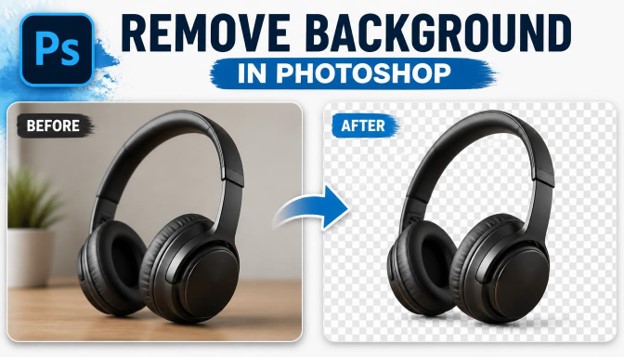
How to Remove Background in Photoshop: 5 Fast & Easy Methods Without Hassle
If you have ever opened a product photo, a portrait, or a random snapshot and wished the messy remove background in photoshop would simply disappear, you already understand why so many people search for ways to Remove Background in Photoshop every single day. Whether you are an online seller who needs clean product shots, a graphic designer preparing a poster, or a hobbyist editing family photos, learning how to Remove Background in Photoshop is one of the most useful skills you can pick up in the world of digital editing.
The good news is that you do not need years of experience to get professional-looking results. In this guide, we will walk through five different ways to Remove Background in Photoshop, ranging from beginner-friendly one-click tools to more advanced, pixel-precise techniques. Each method has its own strengths, so by the end of this article you will know exactly which approach fits your image, your skill level, and your deadline.
This article is written to be short, scannable, and easy to follow. Every section uses short paragraphs so you can skim the steps quickly, copy the workflow, and get straight back to editing. Let’s get started.
Why You Might Need to Remove Background in Photoshop
Before we jump into the methods, it helps to understand why so many creators, marketers, and small business owners need to Remove Background in Photoshop on a regular basis.
E-commerce sellers often need pure white or transparent backgrounds for product listings on Amazon, Etsy, or Shopify. A clean background makes the product look professional and consistent across the entire catalog.
Photographers and portrait editors frequently need to Remove Background in Photoshop so they can swap in a new backdrop, place a subject into a studio-style scene, or simply clean up a distracting environment.
Marketers and social media managers use background removal to create eye-catching graphics, transparent PNG logos, and layered designs for ads and banners.

Whatever your reason, the ability to Remove Background in Photoshop quickly and cleanly saves hours of manual work and gives your images a polished, professional finish.
What You Need Before You Start
To follow along with these methods, you will need Adobe Photoshop installed on your computer, either the desktop version or the current Creative Cloud subscription. Most of the tools described below are available in Photoshop CC 2021 and later, although older versions can still Remove Background in Photoshop using the more traditional selection tools.
It also helps to work with a good quality image. Photos with clear contrast between the subject and the background are much easier to edit, and the AI-powered tools in Photoshop tend to perform better on sharp, well-lit pictures.
Finally, always duplicate your original layer before you start. This way, if something goes wrong while you Remove Background in Photoshop, you can always undo your changes without losing the original file.
Method 1: Remove Background in Photoshop Using the Quick Selection Tool
The Quick Selection Tool is one of the fastest ways to Remove Background in Photoshop, especially for images with a clear subject and a relatively simple background.

Step 1: Open Your Image
Open the photo you want to edit in Photoshop. Duplicate the background layer so your original stays untouched while you Remove Background in Photoshop.
Step 2: Select the Quick Selection Tool
Choose the Quick Selection Tool from the toolbar, or press the W key on your keyboard. This tool lets you paint over the area you want to select, and Photoshop automatically detects the edges of your subject.
Step 3: Paint Over Your Subject
Click and drag over the subject you want to keep. Photoshop will expand the selection intelligently, following contrast and color differences. This step is where most of the work happens when you Remove Background in Photoshop with this method.
Step 4: Refine the Edge
Go to Select and Mask to fine-tune your selection. Use the Refine Edge Brush around hair, fur, or fine details so the selection looks natural. This is a critical step if you want to Remove Background in Photoshop without leaving harsh, jagged edges.
Step 5: Delete or Mask the Background
Once your selection is accurate, press Delete to remove the background, or add a layer mask to keep your edit non-destructive. Non-destructive masking is always the safer choice when you Remove Background in Photoshop for client work.
This method works best on images with a clear subject, like portraits, products, or simple objects on a plain backdrop. It is quick, intuitive, and a great starting point for anyone learning how to Remove Background in Photoshop.
Method 2: Remove Background in Photoshop With the Background Eraser Tool
The Background Eraser Tool is another classic option to Remove Background in Photoshop, and it works especially well when your subject has soft or complicated edges, like hair or fabric.

Step 1: Select the Background Eraser Tool
Find the Eraser Tool group in the toolbar and choose the Background Eraser. This tool erases pixels based on color sampling, which makes it useful when you need to Remove Background in Photoshop around uneven or textured edges.
Step 2: Adjust the Brush Settings
Set the brush size to match the detail level you are working with. Adjust the tolerance and sampling options in the top toolbar so the tool only erases the background color and not your subject.
Step 3: Trace Around the Edges
Slowly trace along the outline of your subject. The crosshair in the center of the brush tells Photoshop which color to erase, so keep it centered on the background as you Remove Background in Photoshop pixel by pixel.
Step 4: Zoom In for Detail Work
Zoom into tricky areas like hair strands or thin edges. Working slowly here makes a big difference in the final quality of this manual editing method.
Step 5: Clean Up Leftover Pixels
After the main background is gone, use a regular eraser or layer mask to clean up any stray pixels. This final polish step ensures your image looks crisp once you Remove Background in Photoshop completely.
The Background Eraser Tool takes more patience than the Quick Selection Tool, but it gives you more control, which is helpful when you need to Remove Background in Photoshop around complex, detailed subjects.
Method 3: Remove Background in Photoshop Using the Pen Tool for Precision
When accuracy really matters, professionals often choose the Pen Tool to Remove Background in Photoshop. This method takes more time, but it produces the cleanest, most precise edges of any technique in this guide.

Step 1: Select the Pen Tool
Press P on your keyboard or click the Pen Tool icon. Make sure the mode is set to Path in the options bar before you start tracing.
Step 2: Trace the Outline of Your Subject
Click to create anchor points along the edge of your subject, using curved handles for rounded areas. This is the most time-intensive part of learning how to Remove Background in Photoshop with the Pen Tool, but it offers unmatched precision.
Step 3: Close the Path
Connect your last anchor point back to the first one to close the path completely. A closed path is required before you can convert it into a selection.
Step 4: Convert the Path to a Selection
Right-click the path and choose Make Selection. Add a small feather value, usually around 0.5 to 1 pixel, so the edge blends naturally when you Remove Background in Photoshop.
Step 5: Apply a Layer Mask
With your selection active, click the Add Layer Mask icon at the bottom of the Layers panel. This hides the background without deleting any pixels, which is the safest way to Remove Background in Photoshop for professional projects.
Because the Pen Tool creates vector-based paths, it is ideal for product photography, logos, and any image where sharp, geometric edges are important. Many professional retouchers rely on this method whenever they need to Remove Background in Photoshop for print or high-resolution use.
Method 4: Remove Background in Photoshop Automatically With Select Subject
If you want speed without sacrificing too much quality, the Select Subject feature is one of the smartest ways to Remove Background in Photoshop. This tool uses Adobe’s built-in AI to detect your subject in a single click.

Step 1: Open the Select Menu
Go to the Select menu at the top of your screen and click Subject. Photoshop will instantly analyze your image and generate a selection around the main subject.
Step 2: Review the Automatic Selection
Check how accurate the automatic selection is. On most modern photos, this single click gets you 80 to 90 percent of the way toward a clean edit when you Remove Background in Photoshop.
Step 3: Fine-Tune With Select and Mask
Open Select and Mask to smooth edges, adjust the contrast slider, and clean up any spots the AI missed. This refinement step is essential if you want a truly polished result when you Remove Background in Photoshop.
Step 4: Output Your Selection
Choose to output as a new layer with a layer mask. This keeps your edit flexible in case you need to adjust anything later while you Remove Background in Photoshop for a client or project.
Step 5: Add a New Background
Once the old background is hidden, drop in a new background layer underneath your subject. Blend the lighting and shadows so the composite looks realistic after you Remove Background in Photoshop.
Select Subject is one of the fastest ways to Remove Background in Photoshop, and it keeps improving with every Photoshop update, making it a favorite among beginners and busy professionals alike.
Method 5: Remove Background in Photoshop With Neural Filters and One-Click Tools
The fifth method leans on Photoshop’s Neural Filters and Adobe’s cloud-based AI tools, which is now one of the most popular ways to Remove Background in Photoshop for beginners who want near-instant results.

Step 1: Open the Neural Filters Panel
Go to Filter and select Neural Filters. Photoshop will load a panel of AI-powered tools, some of which can help isolate subjects and simplify how you Remove Background in Photoshop.
Step 2: Use Remove Background in the Properties Panel
On an image layer, open the Properties panel and click Remove Background. This one-click feature is one of the quickest ways to Remove Background in Photoshop without touching a single selection tool.
Step 3: Check the Transparency Result
Photoshop will automatically create a transparent background using a layer mask. Zoom in to check the edges, especially around hair or transparent materials like glass.
Step 4: Touch Up With the Brush Tool
Use a soft brush on the layer mask to paint back any areas that were removed by mistake, or hide any background bits that were left behind. This quick manual pass ensures accuracy when you Remove Background in Photoshop with AI tools.
Step 5: Export as PNG
Save your file as a PNG to preserve transparency. This format is essential whenever you Remove Background in Photoshop and plan to layer the subject onto a different scene later.
This AI-driven approach is perfect for people who need to Remove Background in Photoshop quickly, in bulk, or without advanced editing experience. It will not always be perfect on complex images, but for most everyday photos, it delivers fast, reliable results.
Quick Comparison: Which Method Should You Use?
Choosing the right way to Remove Background in Photoshop depends on your image and your goals.
If you need speed and your image has a simple background, Select Subject or the one-click Remove Background feature will save you the most time.
If your subject has fine details like hair or fur, the Quick Selection Tool combined with Select and Mask usually gives the best balance of speed and accuracy.
If you are working with complex, textured edges, the Background Eraser Tool offers more manual control.
If you need pixel-perfect precision for print or professional product photography, the Pen Tool remains the gold standard, even though it takes longer to Remove Background in Photoshop this way.
Common Mistakes to Avoid When You Remove Background in Photoshop
Even experienced editors can run into trouble when they Remove Background in Photoshop. Here are a few mistakes worth avoiding.
Working directly on your original layer is risky. Always duplicate your layer first so you have a safety net while you Remove Background in Photoshop.
Ignoring the zoom level is another common issue. Many rough edges only become visible once you zoom in, so always inspect your work closely before finishing your edit.
Ignoring feathering and edge smoothing is another common issue. A hard, jagged edge instantly makes a composite look fake, so take the time to smooth and refine your selection whenever you Remove Background in Photoshop.
Skipping the Select and Mask workspace is a mistake many beginners make. This panel contains powerful tools like Decontaminate Colors, which removes leftover background tints from the edges of your subject.
Finally, forgetting to save a transparent PNG is a common oversight. If you plan to reuse your subject on different backgrounds, always export your file in a format that preserves transparency after you Remove Background in Photoshop.
Tips to Get Better Results Every Time
Good lighting in your original photo makes every method easier. High-contrast images are simpler to work with whenever you Remove Background in Photoshop.
Working at a higher zoom level, especially around hair, fur, or transparent objects, will noticeably improve your final result.
Using layer masks instead of deleting pixels keeps your workflow flexible and non-destructive, which is especially useful if you Remove Background in Photoshop for revisions or client feedback.
Batch processing with actions or scripts can save serious time if you regularly need to Remove Background in Photoshop for large volumes of product photos.
Practicing on a variety of images, from portraits to products to pets, will help you understand which method works best for each situation, making the entire editing process faster and more intuitive over time.
Building a Repeatable Editing Habit
Like any creative skill, precision and speed come with repetition. The first few times you sit down to isolate a subject, expect the process to feel slow, especially around tricky edges like hair, fine jewelry, or reflective surfaces.
Keep a personal reference file of settings that worked well for specific situations, such as the ideal feather value for portraits or the brush size that works best for detailed product shots. Over time, this small habit turns into a personal cheat sheet you can return to on every new project.
It also helps to review finished work with fresh eyes after a short break. Edges that looked acceptable in the middle of a long editing session often reveal small flaws once you return to the image later, giving you a chance to polish the final result before delivering it to a client or publishing it online.
Sharing your work with peers for feedback can also speed up your learning curve. A second pair of eyes often catches subtle edge issues or color fringing that are easy to miss after staring at the same image for too long, and constructive feedback from other designers can help you refine your personal workflow much faster than trial and error alone.
Final Thoughts
Learning how to Remove Background in Photoshop does not have to be complicated. With these five methods, from the beginner-friendly Quick Selection Tool to the AI-powered Neural Filters, you now have a complete toolkit for handling almost any image.
Start with the simpler, faster tools for everyday tasks, and move to the Pen Tool when precision really matters. With a little practice, you will be able to Remove Background in Photoshop quickly, confidently, and without the usual hassle.
Best Practices for E-commerce Product Photography
Online stores live and die by how professional their product images look. A cluttered or inconsistent backdrop can make even a great product feel low quality, while a clean, uniform backdrop instantly builds trust with shoppers.
Most marketplaces, including Amazon, have strict guidelines requiring a pure white backdrop for the main product image. Isolating the product cleanly and dropping it onto a solid white canvas is one of the most common daily tasks for e-commerce editors.
Consistency matters just as much as cleanliness. If every photo in your catalog uses the same lighting, angle, and backdrop color, your store feels polished and professional, which can directly improve conversion rates.
Batch actions are a lifesaver here. Once you have a workflow you trust, recording it as a Photoshop action lets you apply the same steps to hundreds of product shots in a fraction of the time it would take to edit each one by hand.
Shadows deserve special attention too. A soft, subtle drop shadow beneath a product adds realism and depth, making the image feel grounded instead of floating awkwardly on a flat white canvas.
Using Background Isolation for Social Media and Marketing Graphics
Social media managers rely heavily on clean cutouts to build scroll-stopping graphics. A product, a person, or a logo isolated from its original photo can be dropped into countless new designs, from Instagram carousels to YouTube thumbnails.
Transparent PNG files are the backbone of this workflow. Once a subject is isolated, designers can layer it over branded colors, gradients, or promotional text without worrying about a messy backdrop showing through.
Ad creatives especially benefit from this technique. Placing a cut-out product next to bold typography, on a bright colored background, tends to perform better in ad testing than photos with busy, distracting environments.
Consistency across a content calendar also matters. Brands that isolate their subjects and place them on a recognizable, on-brand backdrop build stronger visual identity over time, which helps audiences recognize their content at a glance.
Comparing Photoshop to Other Background Removal Tools
Photoshop is not the only option on the market, and it is worth understanding how it compares to lighter, more automated alternatives.
Online tools that use a single AI model can isolate a subject in seconds with zero manual input. They are convenient for quick, low-stakes edits but often lack the fine control needed for tricky images with fur, glass, or complex lighting.
Mobile apps offer similar one-tap convenience, which is great for social media posts created on the go, but they rarely match the precision available in a full desktop editing suite.
Photoshop sits in a different category entirely. It combines automated AI detection with manual refinement tools, giving you the best of both worlds: speed when you need it, and precision when the image demands it.
For casual users, a free online tool might be enough. For professionals who need repeatable, high-quality results across thousands of images, Photoshop remains the industry standard.
A Quick Workflow Recap
Here is a simplified checklist you can follow for almost any image:
- Duplicate your original layer before making any changes.
- Choose a method based on your subject: Quick Selection for simple shapes, Background Eraser for detailed edges, Pen Tool for precision, or an AI tool for speed.
- Refine your selection using Select and Mask, paying close attention to hair, fur, and semi-transparent areas.
- Apply a layer mask instead of deleting pixels, keeping your file flexible for future edits.
- Export as a PNG if you need transparency, or flatten onto a new backdrop if the image is finished.
Following this checklist consistently will help you produce reliable, professional results every time you sit down to edit.
Optimizing Background-Removed Images for Your Website
Once your image is ready, a little extra care during export can improve both site speed and search visibility. Compress your PNG or WebP file so it loads quickly without noticeably harming quality, since large image files can slow down page speed and hurt rankings.
Always add descriptive alt text to your images. Alt text should describe what the image actually shows, which helps search engines understand your content and improves accessibility for visually impaired visitors.
Name your image files descriptively before uploading them. A file named with relevant, readable words is far more useful for search engines than a generic camera-generated filename.
Finally, keep an eye on your overall page weight. A gallery full of unoptimized, oversized images is one of the most common reasons product pages and blog posts load slowly, which can quietly hurt both user experience and search rankings.
Troubleshooting Difficult Images: Hair, Glass, and Smoke
Some subjects are simply harder to isolate than others, and it helps to know what to expect before you start editing.
Hair and fur are the most common challenge. A single hard-edged selection almost never looks convincing, so it is worth spending extra time with a soft-edged brush in Select and Mask, using the Decontaminate Colors option to remove any leftover background tint clinging to individual strands.
Glass and other transparent or reflective materials add another layer of difficulty, since part of the background is visible through the object itself. In these cases, working on multiple layers, and only partially reducing opacity in the reflective areas, tends to look far more realistic than a flat, fully opaque cutout.
Smoke, steam, and other soft, translucent effects rarely respond well to hard selections at all. A gentler approach, using layer blending modes like Screen or Lighten on a duplicated layer, often preserves the natural, wispy quality of these effects far better than a traditional cutout.
Fine jewelry, lace, and net fabrics behave similarly to hair. Zooming in significantly and working with a very small, soft brush during refinement usually produces the cleanest, most believable results on these delicate subjects.

A Short History of Background Removal Tools in Photoshop
It is worth appreciating how far these tools have come. In early versions of Photoshop, isolating a subject meant relying almost entirely on the Pen Tool, the Lasso Tool, and manual channel masking, all of which demanded significant time and skill.
The introduction of the Magic Wand and later the Quick Selection Tool made simple selections dramatically faster, opening the door for casual users to attempt edits that once required a trained retoucher.
Refine Edge, which eventually evolved into the modern Select and Mask workspace, was a major leap forward for handling hair and soft edges, giving ordinary users access to techniques that were once considered professional secrets.
More recently, Adobe’s investment in machine learning brought us Select Subject and the one-click cutout feature, both of which can analyze an image and produce a usable selection in under a second.
Understanding this progression helps explain why there are so many different tools available today. Each one was built to solve a specific limitation of the techniques that came before it, and together they give modern users an impressive amount of flexibility.
Helpful Keyboard Shortcuts for Faster Editing
Speed matters, especially when you are working through a large batch of images. A few shortcuts worth memorizing include pressing W to quickly access the Quick Selection and Magic Wand tools, P for the Pen Tool, and Ctrl or Cmd plus J to duplicate a selected layer instantly.
Holding Alt or Option while using most selection tools lets you subtract from an existing selection, which is useful for correcting small mistakes without starting over from scratch.
Pressing Ctrl or Cmd plus Backspace fills a selection with your background color, which can speed up simple flat-backdrop replacements considerably.
Learning even a handful of these shortcuts can shave meaningful time off every editing session, especially once your workflow becomes second nature.
A Simple Case Study: Editing a Product Photo Step by Step
Imagine a small business owner photographing a ceramic mug on a wooden table for an online store listing. The wood grain in the background is distracting and does not match the clean, minimal aesthetic of the rest of the catalog.
Starting with Select Subject, the editor gets a solid initial selection covering roughly ninety percent of the mug’s outline correctly. A quick pass in Select and Mask smooths the slightly jagged edge along the handle, where the automatic detection struggled with the thin, curved shape.
After confirming the selection looks accurate at full zoom, the editor adds a layer mask and drops in a plain white backdrop underneath. A subtle, softly blurred shadow is painted beneath the mug to keep it from looking like it is floating in space.
The finished image is exported as a compressed PNG, named descriptively, and uploaded to the store with clear, relevant alt text. The entire process takes only a few minutes once the workflow becomes familiar, yet it transforms an average snapshot into a listing-ready product photo.
Frequently Asked Questions (FAQs)
- What is the fastest way to Remove Background in Photoshop?
The fastest way to Remove Background in Photoshop is usually the one-click Remove Background feature found in the Properties panel, or the Select Subject tool under the Select menu. Both use AI to detect your subject almost instantly.
- Can I Remove Background in Photoshop without losing quality?
Yes. Using layer masks instead of deleting pixels keeps your original image data intact. This non-destructive approach lets you Remove Background in Photoshop while preserving full image quality for future edits.
- Which Photoshop tool works best for hair and fine details?
The Select and Mask workspace, combined with the Refine Edge Brush, is the best option when you need to Remove Background in Photoshop around hair, fur, or other fine, wispy details.
- Do I need Photoshop CC to use these methods?
Some AI-powered features, like Select Subject and Neural Filters, require a newer version of Photoshop CC. However, older versions can still Remove Background in Photoshop using the Pen Tool, Quick Selection Tool, and Background Eraser Tool.
- What file format should I use after I Remove Background in Photoshop?
Save your file as a PNG if you want to preserve transparency. This is essential when you Remove Background in Photoshop and plan to place your subject onto a new background later.
- Is the Pen Tool really necessary if AI tools exist?
For most everyday images, AI tools are fast and accurate enough. However, professionals still use the Pen Tool to Remove Background in Photoshop when they need perfectly sharp, geometric edges, such as for packaging or print design.
- Why does my background removal look rough around the edges?
Rough edges usually happen when feathering or edge refinement is skipped. Spending extra time in Select and Mask will help you Remove Background in Photoshop with smoother, more natural-looking results.
- Can I automate background removal for multiple images at once?
Yes. Photoshop actions and batch processing can help you Remove Background in Photoshop across dozens or even hundreds of images at once, which is especially useful for e-commerce product photography.
- What is the difference between deleting a background and masking it?
Deleting permanently removes pixels, while masking hides them without deleting anything. Masking is the recommended approach whenever you Remove Background in Photoshop, since it keeps your edit fully reversible.
- Which method is best for beginners?
Beginners usually find the most success with Select Subject or the one-click Remove Background feature, since these let you Remove Background in Photoshop in just a few clicks with minimal manual work.
- Is it possible to isolate a subject on a phone instead of a desktop?
Yes, mobile apps like Photoshop Express and Lightroom offer simplified cutout tools, but for detailed, professional-grade work, the full desktop version gives you far more control and accuracy.
- How long does it usually take to isolate a subject from its backdrop?
Simple images with clear edges can be finished in under a minute using AI tools, while complex photos with fine detail, like hair or fur, may take several minutes of manual refinement to get right.
- Can this process damage or lower the resolution of my original photo?
No, as long as you work non-destructively with layer masks and avoid flattening or compressing your file too aggressively, your image resolution and quality stay fully intact.
- What is the best backdrop color to use for product photography?
Pure white is the most common choice for marketplaces and catalogs, but light gray or soft gradient backdrops are also popular for lifestyle-style product shots that need a bit more visual warmth.
- Do I need a subscription to access the AI-powered tools mentioned in this guide?
Most of the AI features, including Select Subject and Neural Filters, are included with an active Creative Cloud subscription, while older perpetual-license versions rely more on manual selection tools.
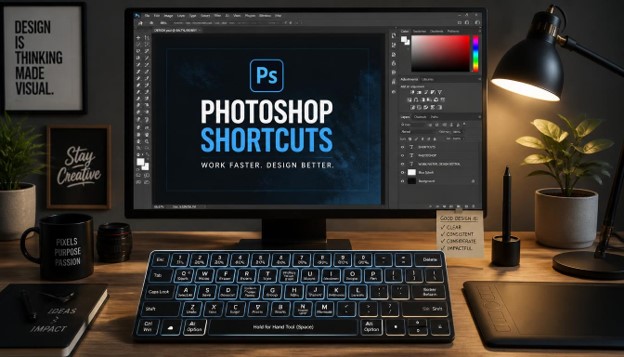
50 Essential Photoshop Shortcuts That Will Make You Work Faster
If you spend hours every week inside Adobe Photoshop, you already know how much time gets wasted clicking through menus. Learning the right Photoshop Shortcuts can completely change how you work, turning a slow, click-heavy workflow into a fast, fluid creative process. Whether you are a photographer retouching portraits, a graphic designer building layouts, or a digital artist painting illustrations, mastering Photoshop Shortcuts is one of the simplest ways to boost your productivity without buying new hardware or software.
In this guide, we will walk through 50 essential Photoshop Shortcuts that professionals use every single day. These are not obscure tricks that only power users know about. They are practical, real-world Photoshop Shortcuts that you can start using immediately, even if you are still relatively new to the software. By the end of this article, you will have a complete reference list of Photoshop Shortcuts organized by category, along with tips on how to actually remember them.
We have broken this article into clear sections so you can jump straight to the type of Photoshop Shortcuts you need, whether that is tool switching, selections, layers, navigation, or file management. Each section includes short, easy-to-read explanations so you are not stuck reading a giant wall of text. Let’s get started.
Why Learning Photoshop Shortcuts Matters
Before we dive into the list, it helps to understand why Photoshop Shortcuts are worth the effort to learn in the first place.
Every time you reach for your mouse to click through a menu, you lose a second or two. That might not sound like much. But across a full workday of editing, those seconds add up to minutes, and those minutes add up to hours over a month. Photoshop Shortcuts remove that friction entirely.

Beyond raw speed, they also help you stay in a creative flow state. When you are not constantly breaking your focus to hunt for a menu item, your brain stays locked into the creative task at hand. This is especially valuable for professionals who bill by the hour or need to hit tight deadlines. Fewer interruptions mean better quality work delivered faster.
Another reason to learn Photoshop Shortcuts is that they reduce physical strain. Constantly moving your mouse back and forth across the screen to click tiny menu items can contribute to wrist and hand fatigue over time. Using these keyboard commands keeps your hands in a more consistent, ergonomic position.
Finally, employers and clients notice speed. If you can turn around edits faster than someone else because you know your Photoshop Shortcuts inside and out, you become more valuable and more competitive in a crowded creative market.
There is also a learning-curve advantage that often gets overlooked. Once a handful of core commands become automatic, adding new ones to your repertoire becomes noticeably easier. The mental effort required to memorize your first ten shortcuts is usually much higher than the effort required for the next ten, simply because you have already built the underlying habit of reaching for the keyboard instead of the mouse. This snowball effect is one of the main reasons experienced editors seem to work at a completely different speed than beginners, even when using the exact same software and the exact same computer.
Essential Tool Selection Photoshop Shortcuts
Let’s start with the most basic and most-used category: switching between tools. These Photoshop Shortcuts let you jump between the tools you need without ever touching the toolbar.

- V — Move Tool This is one of the most frequently used Photoshop Shortcuts because you are constantly repositioning layers, selections, and objects. Pressing V instantly switches you to the Move Tool from anywhere.
- M — Marquee Tool Use this shortcut to quickly access the rectangular or elliptical marquee for making basic geometric selections.
- L — Lasso Tool Press L to grab the Lasso Tool for freehand selections. Hold Shift and press L again to cycle through Polygonal and Magnetic Lasso variants.
- W — Quick Selection / Magic Wand Tool This shortcut activates the Quick Selection Tool, one of the most useful commands for isolating subjects quickly based on color and edges.
- C — Crop Tool Pressing C brings up the Crop Tool instantly, letting you reframe your canvas without digging through menus.
- E — Eraser Tool This is a simple but essential shortcut for removing pixels from a layer.
- B — Brush Tool One of the most iconic Photoshop Shortcuts, pressing B gives you instant access to the Brush Tool for painting, retouching, and masking.
- S — Clone Stamp Tool Photographers rely on this shortcut constantly for removing blemishes and duplicating areas of an image.
- T — Type Tool Press T any time you need to add text to your document.
- I — Eyedropper Tool This shortcut lets you sample a color directly from your canvas, which is incredibly useful when matching tones.
- G — Gradient Tool Use this shortcut to quickly apply smooth color transitions across a layer or selection.
- Z — Zoom Tool While there are faster zoom shortcuts we will cover later, pressing Z gives you manual control over the Zoom Tool.
- H — Hand Tool This shortcut lets you pan around a zoomed-in canvas without switching away from your current tool permanently. Just hold the Spacebar for a temporary version of this same function.
Learning these tool-switching Photoshop Shortcuts first will give you the biggest immediate speed boost, since tool switching is something you do constantly during every single editing session.
It helps to think of these single-letter commands as a kind of muscle memory investment. In the beginning, you will likely still glance down at your keyboard to find the right key. After a week or two of consistent use, your fingers will simply know where V, B, or L are located without any conscious thought at all. This is the same process musicians go through when learning an instrument, and it applies just as well to software as it does to a piano keyboard.
A practical way to reinforce this habit is to remove your reliance on the toolbar entirely for a short trial period. Hide your tool panel using the Tab key and force yourself to switch tools only through the keyboard for an hour or two. It will feel awkward at first, but this kind of deliberate practice accelerates memorization far faster than passive exposure ever could.
Selection and Masking Photoshop Shortcuts
Selections are the backbone of precise Photoshop editing. These Photoshop Shortcuts help you create, modify, and refine selections without wasting time.

- Ctrl/Cmd + A — Select All Instantly selects the entire canvas area. This is one of the most basic Photoshop Shortcuts but gets used constantly.
- Ctrl/Cmd + D — Deselect Removes any active selection so you can work freely again.
- Ctrl/Cmd + Shift + I — Inverse Selection Flips your current selection, so whatever was not selected becomes selected. This is a favorite among photographers isolating subjects from backgrounds.
- Shift + Click — Add to Selection Holding Shift while making a new selection adds it to your existing one.
- Alt/Option + Click — Subtract from Selection Holding Alt or Option removes an area from your current selection.
- Ctrl/Cmd + Shift + R — Select and Mask This shortcut opens the Select and Mask workspace, giving you advanced controls for refining tricky edges like hair or fur.
- Q — Quick Mask Mode Toggling Quick Mask Mode lets you paint a selection using the brush tool, which many designers find more intuitive than dragging marquee shapes.
- Ctrl/Cmd + J — Copy Selection to New Layer Instantly duplicates your selected pixels onto a brand-new layer, keeping your original layer untouched.
These selection-based Photoshop Shortcuts are especially valuable for retouchers and compositing artists who spend most of their time isolating specific parts of an image.
Selections are also where beginners tend to lose the most time, since they often forget an active selection is still in place after moving on to the next step. This can lead to accidentally applying an adjustment or filter only to a small isolated area instead of the whole layer. Getting comfortable with the deselect shortcut as an automatic habit after finishing a task will save you from a surprising number of confusing mistakes down the line.
It is also worth mentioning that combining selection commands with layer commands unlocks a lot of speed. For instance, making a quick selection and then immediately copying it to a new layer is a two-step combo that many retouchers repeat dozens of times per project. Once both commands live in your muscle memory, this two-step process takes less than a second to execute.
Layer Management Photoshop Shortcuts
Working with layers efficiently is where a lot of time gets wasted if you are still relying on your mouse. These Photoshop Shortcuts will speed up nearly every layer-related task you perform.

- Ctrl/Cmd + Shift + N — New Layer Creates a brand-new blank layer with a naming dialog box, giving you full control before you start working.
- Ctrl/Cmd + J — Duplicate Layer When nothing is selected, this shortcut duplicates the entire active layer.
- Ctrl/Cmd + E — Merge Down Combines the active layer with the layer directly beneath it.
- Ctrl/Cmd + Shift + E — Merge Visible Flattens all currently visible layers into a single layer while leaving hidden layers untouched.
- Ctrl/Cmd + G — Group Layers Organizes selected layers into a folder, which is essential for keeping complex documents manageable.
- Ctrl/Cmd + Alt/Option + G — Create Clipping Mask Clips the active layer to the layer below it, a technique used constantly in text effects and photo compositing.
- Alt/Option + Click Layer Visibility Icon Hides every layer except the one you clicked on, which is a fantastic way to isolate and inspect a single layer quickly.
- Ctrl/Cmd + [ and Ctrl/Cmd + ] — Move Layer Down/Up Shifts the active layer one position down or up in the layer stack.
Mastering these layer-focused Photoshop Shortcuts is critical if you work on multi-layer compositions, since manually dragging layers around in the panel is one of the slowest ways to manage a document.
Complex composite images can easily contain fifty, a hundred, or even several hundred individual layers by the time a project is finished. Trying to manage that volume of content purely with a mouse quickly becomes overwhelming, and it is easy to accidentally click the wrong layer or drag something into the wrong group. Keyboard-driven layer management keeps your document organized and your workflow predictable, even as a project grows in scale and complexity.
Naming conventions paired with these shortcuts also matter more than most people realize. Grouping related layers together with a consistent naming pattern, combined with quick keyboard access to merging and duplication, makes it far easier to hand a file off to a collaborator or revisit an old project months later without getting lost in a sea of unlabeled layers.
Navigation and Zoom Photoshop Shortcuts
Getting around your canvas quickly is another area where Photoshop Shortcuts save enormous amounts of time, especially when working on large, high-resolution files.

- Ctrl/Cmd + “+” — Zoom In Quickly zooms into your canvas around your cursor position.
- Ctrl/Cmd + “-” — Zoom Out Zooms back out from your current view.
- Ctrl/Cmd + 0 — Fit Image on Screen Resizes your view so the entire canvas fits neatly within your window.
- Ctrl/Cmd + 1 — Zoom to 100% Instantly jumps to actual pixel-level zoom, useful for checking fine detail and sharpness.
- Spacebar + Drag — Pan Canvas Hold the Spacebar and drag with your mouse to move around the canvas without switching tools.
- Tab — Hide/Show Panels This shortcut hides all your toolbars and panels, giving you a clean, distraction-free view of your image. Pressing Tab again brings everything back.
- F — Cycle Screen Modes Cycles between Standard Screen Mode, Full Screen Mode with Menu Bar, and Full Screen Mode, which is great for presentations or focused editing sessions.
These navigation-related Photoshop Shortcuts are particularly useful when working with large canvases, high-resolution photography, or detailed illustration work where you are constantly zooming in and out to check details.
Working on a laptop trackpad makes these navigation commands even more valuable, since pinch-zoom gestures can feel imprecise compared to a dedicated keyboard shortcut. Editors who travel frequently or work primarily from a laptop often rely on these navigation commands even more heavily than desktop users with a full-size mouse and a scroll wheel dedicated to zooming.
Multi-monitor setups benefit from these shortcuts as well. Quickly toggling between Fit on Screen and 100% zoom lets you check both the overall composition on one display and pixel-level detail on a second display without repeatedly repositioning your canvas by hand.
Editing and Transform Photoshop Shortcuts
This category of Photoshop Shortcuts covers the core editing actions you perform on nearly every single project.

- Ctrl/Cmd + T — Free Transform One of the most powerful Photoshop Shortcuts, this activates the Free Transform box so you can scale, rotate, and skew a layer freely.
- Ctrl/Cmd + Z — Undo Steps backward one action, undoing your most recent change.
- Ctrl/Cmd + Shift + Z — Redo Moves forward again after an undo, reapplying the action you just reversed.
- Ctrl/Cmd + Alt/Option + Z — Step Backward Multiple Times Unlike the single-step undo, this shortcut lets you move back through your entire edit history one step at a time.
- Ctrl/Cmd + C and Ctrl/Cmd + V — Copy and Paste Standard but essential Photoshop Shortcuts for duplicating content between layers or documents.
- Ctrl/Cmd + X — Cut Removes the selected content and stores it on your clipboard for pasting elsewhere.
- Shift + Drag Transform Handle Holding Shift while dragging a Free Transform handle keeps the scaling proportional, preventing distortion.
File Management and Adjustment Photoshop Shortcuts
The final group of Photoshop Shortcuts covers saving, opening, and adjusting your images efficiently.

- Ctrl/Cmd + S — Save Saves your current document in its existing file format.
- Ctrl/Cmd + Shift + S — Save As Opens a dialog box letting you save a copy of your file under a new name or format.
- Ctrl/Cmd + Shift + Alt/Option + S — Export As Opens the Export As dialog, commonly used for exporting web-ready JPEGs and PNGs.
- Ctrl/Cmd + O — Open File Quickly opens the file browser to select a new image to work on.
- Ctrl/Cmd + N — New Document Opens the New Document dialog so you can start a fresh canvas.
- Ctrl/Cmd + L — Levels Adjustment Opens the Levels dialog box for adjusting brightness, contrast, and tonal range.
- Ctrl/Cmd + U — Hue/Saturation Adjustment Opens the Hue/Saturation dialog, letting you shift colors and adjust vibrance quickly.
These file and adjustment Photoshop Shortcuts round out your essential toolkit, covering everything from opening a new project to exporting your final polished image.
Saving frequently is a habit worth building regardless of how stable your computer or software feels. Power outages, crashes, and unexpected software hiccups happen to everyone eventually, and losing hours of work because you forgot to save is one of the most frustrating experiences a creative professional can have. Making a habit of pressing the save command every few minutes, or whenever you finish a meaningful step, protects your work with almost no effort.
The adjustment commands in this group are also worth pairing with adjustment layers rather than applying them directly to your pixels. Using an adjustment layer alongside these shortcuts keeps your edits non-destructive, meaning you can always go back and fine-tune the settings later without starting over from scratch. This is especially important for client work, where revisions are a normal part of the process.
How to Actually Memorize These Photoshop Shortcuts
Reading a list of Photoshop Shortcuts is one thing. Actually remembering them under pressure is another challenge entirely. Here are a few practical tips that work well.
Start small. Do not try to memorize all 50 Photoshop Shortcuts in one sitting. Pick five or six that match your most common tasks and use only those for a week.

Print a cheat sheet. Keep a small printed reference card near your desk listing your chosen Photoshop Shortcuts. Glancing at paper is often faster than searching online.
Force yourself to avoid the mouse. When you catch yourself reaching for a menu item that has a shortcut, stop and use the keyboard instead, even if it feels slower at first. Repetition builds muscle memory quickly.
Customize your own shortcuts. Photoshop lets you assign custom keyboard shortcuts under Edit > Keyboard Shortcuts. If a default shortcut does not feel intuitive to you, change it to something that does.
Practice on real projects. Abstract practice rarely sticks. Apply your new Photoshop Shortcuts on actual client work or personal projects so the muscle memory forms around real use cases.
Pair new commands with existing habits. Behavioral research on habit formation shows that new actions stick faster when they are attached to something you already do automatically. If you already open Photoshop first thing every morning, use that moment as a trigger to practice one new shortcut before diving into your actual task list for the day.
Track your progress loosely. You do not need a formal spreadsheet, but keeping a simple mental note of which commands still feel unfamiliar after a couple of weeks helps you focus your remaining practice time where it is actually needed, rather than continuing to drill shortcuts you have already mastered.
Benefits of Using Photoshop Shortcuts in Your Daily Workflow
By now it should be clear that Photoshop Shortcuts are not just a nice-to-have. They are a core productivity skill for anyone working seriously in Photoshop.
Using Photoshop Shortcuts consistently reduces the total time spent on repetitive tasks like selecting tools, adjusting layers, and navigating your canvas. Over a year of daily use, this time savings becomes substantial, freeing you up for more creative or billable work.
They also reduce cognitive load. When your hands already know where to go, your brain is free to focus entirely on the creative decisions in front of you rather than the mechanics of operating the software.
For teams and agencies, standardizing on common Photoshop Shortcuts also improves collaboration. When everyone on a design team uses the same efficient workflow, file handoffs and collaborative editing sessions move much more smoothly.
There is also a financial argument to be made here. Freelancers who bill hourly may worry that working faster reduces their income, but in practice the opposite tends to be true. Faster turnaround times mean you can take on more projects, build a stronger reputation for reliability, and often justify higher rates once clients recognize the quality and speed you consistently deliver. Agencies benefit in a similar way, since faster internal workflows translate directly into better profit margins on fixed-price projects.
New learners sometimes worry that leaning on shortcuts is somehow a shortcut in the negative sense, as if it skips real learning. The opposite is true. Every professional creative field rewards efficient tool use, and no client or employer has ever penalized someone for delivering excellent work faster than expected.
Photoshop Shortcuts for Different Types of Creative Work
Not every creative professional relies on the same set of commands. The shortcuts a wedding photographer uses most often are not necessarily the same ones a UI designer reaches for every day. Understanding how different roles prioritize their keyboard commands can help you decide which ones to master first.

Photographers, for example, tend to lean heavily on selection and masking commands, along with Levels and Hue/Saturation adjustments. Retouching skin, correcting exposure, and isolating subjects from backgrounds are daily tasks, so shortcuts like Ctrl/Cmd + L, Ctrl/Cmd + U, and Select and Mask become second nature very quickly. Cloning and healing tools also see heavy use, since removing blemishes or unwanted objects from a frame is a constant part of the retouching process.
Graphic designers, on the other hand, often spend more time inside the Type Tool, Free Transform, and layer grouping commands. Building layouts, adjusting text boxes, and organizing dozens of layers into folders means that Ctrl/Cmd + T and Ctrl/Cmd + G get used dozens of times per hour. Precision alignment and proportional scaling matter more here than pixel-level retouching.
Digital illustrators and concept artists typically prioritize brush-related commands, zoom controls, and undo history. Because illustration work involves constant experimentation, the undo and redo shortcuts become some of the most-used keys on the entire keyboard. Zooming in to add fine detail and zooming back out to check overall composition also happens dozens of times during a single painting session.
No matter which category best describes your work, the core list of fifty commands covered earlier in this guide will still apply. The difference is simply which subset you should prioritize memorizing first based on your specific workflow.
Building a Personal Photoshop Shortcuts Cheat Sheet
One of the most effective ways to lock these commands into memory is to build your own personalized reference sheet rather than relying purely on someone else’s list. While this article gives you a comprehensive starting point, your day-to-day work likely leans on a smaller subset of commands far more heavily than others.
Start by tracking your own habits for a few days. Pay attention to which menu items you click on repeatedly. Chances are good that most of them already have a keyboard equivalent. Write these down separately from the rest of the list, since these are the ones that will save you the most time once memorized.
Next, organize your personal cheat sheet by frequency rather than by category. Put the commands you use dozens of times a day at the very top, and push rarely used ones toward the bottom. This makes your reference sheet far more useful when you glance at it during an actual editing session.
Finally, revisit and update your cheat sheet every few months. As your work evolves, whether you move from photo retouching into compositing, or from static graphics into UI design, the specific commands you rely on most will shift too. Treat your personal shortcut list as a living document rather than something you create once and forget about.
Why Photoshop Shortcuts Rarely Change Between Versions
One reassuring fact for anyone investing time into learning these commands is that Adobe rarely changes the core keyboard mapping between major software updates. The letter and modifier combinations you learn today will likely still work several years and multiple version releases from now.
This consistency exists because Adobe understands how deeply ingrained these habits become for professional users. Changing a widely used command like Ctrl/Cmd + T for Free Transform would disrupt millions of workflows overnight, so Adobe tends to only add new commands for new features rather than reassigning existing ones.
That said, it is still worth checking the official keyboard shortcut reference inside Photoshop after a major update, just in case a new feature introduces a command that overlaps with something you already use. Reviewing Edit > Keyboard Shortcuts once or twice a year is a good habit regardless of how experienced you are.
Common Mistakes People Make With Photoshop Shortcuts
Even experienced users fall into a few common traps when it comes to these commands.
One mistake is trying to learn too many Photoshop Shortcuts at once. This usually backfires, leading to frustration and abandonment. Gradual, consistent practice works far better than cramming.
Another mistake is ignoring platform differences. Windows and Mac use different modifier keys, Ctrl versus Cmd being the most obvious example. If you switch between platforms, this can cause confusion until you build separate muscle memory for each.
Some users also forget that many of these commands are contextual. A shortcut might behave differently depending on which tool or panel is currently active. Always test a new shortcut in a low-stakes document before relying on it for client work.
A fourth mistake is never revisiting the default keyboard mapping. Many editors assume the out-of-the-box commands are fixed and never explore the customization menu, even when a particular combination feels awkward for their hand size or working style. Spending ten minutes remapping a handful of uncomfortable commands can pay off for years afterward.
A fifth mistake is relying entirely on memorized lists without ever practicing on real files. Passive reading rarely converts into muscle memory. The fastest path to fluency is always active repetition inside genuine projects, not repeated review of a static reference page.
Final Thoughts on Photoshop Shortcuts
Photoshop Shortcuts are one of the highest-return skills you can invest time into as a digital creative. They cost nothing to learn, work across every version of the software, and compound in value the longer you use them.
Start with the tool-switching commands covered earlier, since those get used the most often. From there, gradually layer in selection, layer management, navigation, and file-handling shortcuts until they become second nature.
The 50 Photoshop Shortcuts covered in this guide represent the core toolkit used by professional designers, photographers, and illustrators around the world. Bookmark this page, print it out, or save it as your personal reference sheet, and revisit it whenever you want to level up your speed inside Photoshop.
Frequently Asked Questions About Photoshop Shortcuts
- What are Photoshop Shortcuts? Photoshop Shortcuts are keyboard combinations that let you access tools, commands, and menu actions instantly, without needing to click through Photoshop’s interface manually.
- Are Photoshop Shortcuts the same on Windows and Mac? Most of them follow the same pattern on both platforms, but the modifier key changes. Windows uses Ctrl and Alt, while Mac uses Cmd and Option in place of those keys.
- How many Photoshop Shortcuts should I learn? There is no fixed number, but starting with the 15 to 20 shortcuts you use most often is a practical approach before expanding to the full list of 50 Photoshop Shortcuts covered in this article.
- Can I customize Photoshop Shortcuts? Yes. Photoshop allows you to create and edit custom keyboard shortcuts through the Edit menu, so you can tailor them to your personal workflow.
- Do Photoshop Shortcuts work the same way in every version of Photoshop? The vast majority of these core commands have remained consistent across versions for many years, though occasional new features may introduce new shortcut options.
- What is the fastest way to memorize Photoshop Shortcuts? Practicing on real projects, printing a cheat sheet, and intentionally avoiding the mouse for tasks you know have a shortcut are among the most effective ways to memorize Photoshop Shortcuts quickly.
- Do professional designers actually use Photoshop Shortcuts? Yes, nearly all professional designers, photographers, and retouchers rely heavily on Photoshop Shortcuts to speed up their daily editing workflow and meet tight deadlines.
- Where can I find a full list of Photoshop Shortcuts inside the software? You can view and edit the complete list of Photoshop Shortcuts by going to Edit > Keyboard Shortcuts within the Photoshop application itself.

10 Most Powerful Photoshop Tools for Graphic Design and Photo Editing
Adobe Photoshop has been the backbone of digital creativity for more than three decades. Whether you are a beginner learning the basics or a professional designer working on complex projects, understanding the right Photoshop tools can completely transform the quality of your work.
There are dozens of tools inside Photoshop, but not all of them are used equally. Some tools are simple and rarely touched, while others are used every single day by designers, photographers, and digital artists around the world. Knowing which Photoshop tools matter most can save you hours of editing time and help you produce professional results faster.
In this article, we will walk through the 10 most powerful Photoshop tools for graphic design and photo editing. We will explain what each tool does, how it works, and why it is considered essential by professionals. By the end of this guide, you will have a clear roadmap of which Photoshop tools to master first.
This guide is written for beginners and intermediate users who want a simple, practical breakdown of the most useful Photoshop tools. No confusing jargon, just clear explanations you can start using today.
Every designer starts somewhere. Most professionals did not begin by memorizing every single feature in the software. Instead, they focused on a handful of core instruments and practiced with them until the process felt natural.
That is exactly the approach we recommend here. Rather than overwhelming yourself with the entire panel, focus on the ten instruments below. Once you feel confident with these, the rest of the software becomes much easier to explore on your own.
We will also cover practical tips, common mistakes to avoid, and answers to frequently asked questions. This makes the guide useful whether you are opening the software for the first time or simply looking to sharpen your existing skills.
What Are Photoshop Tools?
Photoshop tools are the individual instruments found in the Tools panel on the left side of the Photoshop workspace. Each tool is designed for a specific task, such as selecting an area, painting a color, cropping an image, or retouching a photo.
Think of Photoshop tools like a carpenter’s toolbox. A hammer is not useful for cutting wood, and a saw is not useful for driving nails. In the same way, each Photoshop tool has a specific job, and using the right one at the right time makes your workflow smoother and your final output more polished.
Some Photoshop tools are used for selection, some for painting, some for retouching, and some for typography. Learning how these tools work together is the foundation of becoming skilled in Photoshop.
Most of these instruments can be accessed with a single click, and many also have a keyboard shortcut attached to them. Once you memorize the shortcuts for your most-used features, your workflow becomes noticeably faster.
It is also worth noting that many features hide additional variations underneath them. A small arrow in the corner of an icon usually means there are related options grouped together, giving you even more control once you dig a little deeper.
Now let’s explore the 10 most powerful Photoshop tools that every designer and photo editor should know.
1. Selection Tools (Marquee and Lasso)

Selection tools are among the most important Photoshop tools because almost every edit begins with a selection. Before you can change a color, remove a background, or apply an effect, you usually need to select the exact area you want to work on.
The Marquee tool lets you create simple rectangular or elliptical selections. This is useful when you need to isolate a specific shape, crop part of an image, or create a clean geometric selection quickly.
The Lasso tool, on the other hand, gives you freeform control. You can draw around irregular shapes by hand, which is helpful when working with objects that do not have straight edges. The Polygonal Lasso and Magnetic Lasso are variations that snap to edges or allow straight-line selections, making these Photoshop tools even more flexible.
Mastering selection tools is the first step toward becoming confident with more advanced Photoshop tools, since nearly every technique builds on the ability to select accurately.
Professional designers rely on precise selections daily. Whether isolating a product for an e-commerce listing or preparing a subject for a composite image, these Photoshop tools form the starting point of almost every project.
There is also the Quick Selection instrument, which behaves almost like a smart brush. You simply paint over the area you want, and the software automatically detects the edges based on color and texture differences.
For beginners, this can feel like magic compared to manually tracing a shape. However, it is not always perfect on busy or low-contrast images, which is why learning the more manual selection methods still matters.
Once a selection is made, you can refine its edges, feather them for a softer transition, or save the selection entirely so you can reuse it later without starting over. This flexibility is part of why selections remain such a central part of any editing session.
2. Move Tool

The Move tool might look simple, but it is one of the most frequently used Photoshop tools in any workflow. It allows you to drag layers, selections, and objects around your canvas with complete control.
If you are working with multiple layers, the Move tool becomes essential for arranging elements exactly where you want them. Designers use it constantly when building composites, adjusting layouts, or aligning text and graphics.
This tool also works with Photoshop’s alignment and distribution features, which help you line up multiple objects perfectly. This makes it one of the more underrated Photoshop tools for anyone doing layout-heavy design work like posters, banners, or social media graphics.
Combined with keyboard shortcuts, the Move tool speeds up your entire editing process, which is why it remains one of the most relied-upon Photoshop tools among professionals.
It also supports the arrow keys for fine, pixel-by-pixel nudging, which is incredibly useful when you need precise placement rather than dragging with a mouse. Holding shift while pressing an arrow key moves the object in larger increments, saving even more time.
When working with multiple layers, you can select several at once and move them together as a group. This is particularly handy when building templates, mockups, or multi-element compositions where objects need to stay aligned relative to each other.
Auto-select mode is another feature worth mentioning. It lets you click directly on an object in the canvas and automatically jump to its corresponding layer, removing the need to search through a long layers panel manually.
3. Brush Tool

The Brush tool is arguably one of the most creative Photoshop tools available. It allows you to paint directly on your canvas using customizable brush tips, sizes, opacity levels, and blending modes.
Digital artists use the Brush tool for illustration, concept art, and detailed retouching work. Photographers use it for dodging, burning, and painting on layer masks to control exactly where an edit appears.
One of the reasons the Brush tool stands out among other Photoshop tools is its flexibility. You can load custom brush sets, adjust hardness and flow, and even simulate traditional media like watercolor or charcoal.
For anyone serious about digital painting or photo retouching, mastering the Brush tool unlocks a huge range of creative possibilities within Photoshop.
Pressure sensitivity is another major advantage for artists using a graphics tablet. The harder you press, the thicker or more opaque the stroke becomes, mimicking the natural feel of painting with a real brush or pencil.
Blending modes take this feature even further. Setting a brush to modes like Multiply, Screen, or Overlay changes how the painted color interacts with the layers beneath it, opening up creative lighting and shading effects.
Many artists also build their own custom brush libraries over time, saving specific textures, patterns, or shapes they use often. This personal library becomes a signature part of their workflow and speeds up repetitive tasks significantly.
4. Clone Stamp Tool

The Clone Stamp tool is a favorite among photo retouchers and is considered one of the most powerful Photoshop tools for removing unwanted elements from an image. It works by copying pixels from one area of your image and painting them onto another.
This tool is commonly used to remove blemishes, distracting background objects, or damage in old photographs. Because it copies exact pixel information, it gives you precise control over how the retouched area blends with its surroundings.
Unlike some automated tools, the Clone Stamp requires a steady hand and practice, but the results can be extremely realistic. Many professional photo editors consider it one of the essential Photoshop tools for restoration work.
Combined with layer masks, the Clone Stamp tool becomes even more powerful, allowing non-destructive editing that can be adjusted later without damaging the original image.
Adjusting the brush hardness and opacity while cloning makes a significant difference in how seamless the final result looks. A softer edge usually blends more naturally into surrounding textures like skin, sky, or fabric.
Aligned mode is another setting worth understanding. When enabled, the source point moves along with your brush as you paint, keeping a consistent relationship between the copied area and where you are painting.
This feature is also frequently used in landscape photography to remove power lines, litter, or other distractions from an otherwise clean shot, helping the final image feel more intentional and polished.
5. Healing Brush and Spot Healing Brush

The Healing Brush and Spot Healing Brush are two of the most time-saving Photoshop tools for skin retouching and blemish removal. Unlike the Clone Stamp, these tools automatically blend the texture, lighting, and shading of the surrounding area.
This makes them perfect for quickly removing small imperfections like dust spots, wrinkles, or minor skin blemishes without leaving obvious edit marks. Portrait photographers rely heavily on these Photoshop tools during their editing process.
The Spot Healing Brush is even faster since it does not require you to select a source point first. With a single click, Photoshop analyzes the surrounding pixels and creates a natural-looking repair.
For anyone working in portrait or product photography, these healing tools are some of the most valuable Photoshop tools you can learn, since they drastically reduce editing time while improving image quality.
There is also the Patch tool, a close relative of the Healing Brush. It lets you select a larger damaged area and drag it toward a clean patch of texture, which the software then blends automatically.
This is especially useful for removing larger objects, such as a person in the background of a travel photo or a scratch running across an old scanned picture.
Because these features analyze surrounding pixels automatically, results can sometimes look slightly blurred on complex backgrounds. In those cases, switching briefly to the Clone Stamp for manual control often produces a cleaner outcome.
6. Pen Tool

The Pen tool is often considered one of the most difficult but rewarding Photoshop tools to master. It allows you to create precise paths and vector shapes using anchor points and curve handles.
Professionals use the Pen tool for detailed background removal, especially when working with complex shapes like hair, fabric edges, or intricate product photography. Unlike quick selection methods, the Pen tool gives you pixel-perfect control over every curve and corner.
Beyond selections, this tool is also used to create custom vector shapes, logos, and illustrations. Because paths created with the Pen tool remain fully editable, it is one of the more flexible Photoshop tools for professional design work.
While it has a learning curve, once mastered, the Pen tool becomes one of the most trusted Photoshop tools for achieving clean, professional-grade cutouts and illustrations.
Anchor points can be adjusted individually, and curve handles let you bend a line into smooth, organic shapes rather than harsh, straight edges. This level of control is difficult to achieve with any freehand selection method.
Many new users find this feature intimidating at first because it behaves differently from painting-style instruments. However, practicing on simple shapes like a coffee mug or a leaf is a great way to build muscle memory.
Once a path is created, it can be converted into a selection, filled with color, or saved for future use. This versatility is why illustrators and product photographers continue to rely on it despite the initial learning curve.
7. Type Tool

Typography plays a major role in graphic design, and the Type tool is one of the essential Photoshop tools for adding and styling text. It allows you to insert editable text layers directly onto your canvas.
With the Type tool, you can adjust font families, sizes, spacing, alignment, and color. Photoshop also allows text to follow custom paths, be warped into different shapes, or blended with layer styles like shadows and gradients.
Designers working on posters, social media graphics, flyers, and branded content use the Type tool constantly. It integrates smoothly with other Photoshop tools, allowing text to be layered, masked, or combined with images for creative effects.
Because text is often the first thing viewers read, the Type tool remains one of the most important Photoshop tools in any design project that requires clear, styled messaging.
Character and paragraph panels give you deeper control over kerning, tracking, and line height, which matters a lot when working on detailed layouts like magazine spreads or packaging design.
You can also convert text layers into shapes, allowing you to manipulate individual letterforms for a logo or custom lettering project. This bridges the gap between typography and illustration within a single workspace.
For anyone building marketing graphics, this feature pairs naturally with layer styles like drop shadows, strokes, and gradient overlays, letting text stand out clearly against busy background imagery.
8. Crop Tool

The Crop tool is one of the simplest yet most powerful Photoshop tools because it directly affects composition. It allows you to trim unwanted edges, straighten crooked photos, and resize your canvas to fit specific dimensions.
Photographers and designers use the Crop tool to improve framing, remove distractions, and prepare images for specific formats like social media posts, print materials, or website banners. Photoshop also offers preset aspect ratios, making this tool extremely convenient for standardized sizing.
The Crop tool also includes a straighten feature, which is useful for fixing slightly tilted horizons or angled shots. Among all Photoshop tools, this one has one of the most immediate visual impacts on the overall quality of an image.
Whether you are preparing content for Instagram or designing a print brochure, the Crop tool remains one of the most frequently used Photoshop tools in everyday workflows.
The rule-of-thirds overlay is another helpful feature built into this instrument. It divides the canvas into a grid, making it easier to position your subject according to classic composition principles used in photography and design.
Content-Aware crop is worth mentioning as well. When you expand the canvas beyond the original image borders, the software intelligently fills in the new space, which is useful when a photo needs to fit a wider frame than originally shot.
Because cropping is often one of the very last steps in an editing session, getting it right can make the difference between an average image and one that feels intentionally composed.
9. Liquify Tool

The Liquify tool is one of the most advanced Photoshop tools used for reshaping and adjusting the physical appearance of subjects in an image. It is especially popular in portrait retouching and fashion photography.
Using the Liquify tool, editors can subtly adjust body shapes, smooth clothing wrinkles, reshape facial features, or fix minor distortions caused by lens angles. The tool works through a push, pull, and smudge-like system that reshapes pixels naturally.
Because it offers such powerful transformation capabilities, the Liquify tool must be used carefully to maintain realistic results. Overuse can create unnatural distortions, so professional editors use subtle adjustments rather than extreme changes.
Among all Photoshop tools related to portrait editing, Liquify remains one of the most requested skills for photographers working in beauty, fashion, and commercial photography.
The Face-Aware feature is a standout addition, automatically detecting facial features like eyes, nose, and mouth. This allows for quick, targeted adjustments without manually pushing pixels around by hand.
Freeze mask is another useful option within this feature. It lets you protect specific areas of the image from being affected while you reshape the surrounding region, preventing accidental distortion of important details.
Because the effect can look unnatural if pushed too far, most experienced editors keep a “before and after” toggle open while working, checking frequently to make sure the changes still look believable.
10. Dodge and Burn Tools

The Dodge and Burn tools are classic Photoshop tools inherited from traditional darkroom photography techniques. Dodge lightens specific areas of an image, while Burn darkens them, allowing precise control over shadows and highlights.
These tools are widely used to add depth, dimension, and drama to photographs. Portrait photographers often use dodge and burn techniques to sculpt facial features, enhance skin tone, and create a more three-dimensional appearance.
Landscape and product photographers also rely on these Photoshop tools to guide the viewer’s eye toward the main subject by subtly brightening or darkening surrounding areas.
Although newer non-destructive methods exist using layers and blend modes, the traditional Dodge and Burn tools remain some of the most respected Photoshop tools for fine-tuning light and shadow in any image.
The range setting, which includes Shadows, Midtones, and Highlights, allows you to target a specific tonal zone rather than affecting the entire brightness of an area. This gives much finer control than a simple global adjustment.
Exposure strength can also be lowered significantly, letting you build up subtle changes gradually with multiple light passes instead of one strong stroke. This approach usually produces a more natural, believable result.
Many editors create a dedicated gray layer set to a soft-light blend mode, then paint dodge and burn effects onto that layer instead of the image directly. This keeps the process fully non-destructive and easy to adjust later.
Why Learning These Photoshop Tools Matters
Mastering these ten Photoshop tools gives you a strong foundation for almost any creative project, whether it is graphic design, photo retouching, digital art, or marketing content.
Each of these Photoshop tools serves a unique purpose, and understanding when and how to use them will dramatically improve both your speed and the quality of your final results.
Many professional designers did not start out as experts. They practiced consistently with these core Photoshop tools until the workflow became second nature. With time and repetition, you can achieve the same level of confidence.
How to Choose the Right Tool for Your Project
Not every project needs all ten instruments covered above. Understanding your goal first will help you decide which Photoshop tools actually matter for the task in front of you.
If you are working on a portrait retouch, the Healing Brush, Clone Stamp, Liquify, and Dodge and Burn features will likely make up the bulk of your session. Selection instruments and the Pen tool matter less unless you are also changing the background.
For graphic design work like posters or social posts, the Type tool, Move tool, and Crop tool tend to take priority. Painting and retouching features are used far less often in this kind of layout-focused work.
Product photography editing usually leans heavily on the Pen tool for clean cutouts, along with the Clone Stamp and Healing Brush for removing dust, scratches, or minor imperfections from a studio shot.
Thinking about your end goal before opening the software helps you avoid wasting time exploring irrelevant features. Instead, you can go straight to the instruments that actually move your project forward.
Common Mistakes When Using These Tools
One of the most common mistakes beginners make is skipping the practice of selection accuracy. Rushing through a selection often leads to rough edges that become obvious once an effect or background change is applied.
Overusing the Liquify feature is another frequent issue. Small, subtle adjustments almost always look more convincing than dramatic reshaping, which can quickly start to look artificial if pushed too far.
Many new users also forget to work non-destructively. Editing directly on the original image layer means mistakes are harder to undo later. Using layer masks and adjustment layers instead keeps your options open.
Ignoring keyboard shortcuts is another missed opportunity. Clicking through menus repeatedly slows down your workflow significantly compared to switching features with a single keystroke.
Finally, many beginners try to learn everything at once instead of focusing on a few core instruments first. Building confidence with the ten features covered in this article is a much more effective starting point than attempting to memorize the entire toolbox immediately.
Tips for Using Photoshop Tools Effectively
Add short and concise paragraphs for better readability and UX when writing tutorials or guides about these Photoshop tools, since this makes complex instructions easier to follow for readers of all skill levels.
Practice with real projects rather than random exercises. Applying Photoshop tools to actual design work, like a poster, a portrait edit, or a product photo, helps the skills stick faster than practicing in isolation.
Learn keyboard shortcuts for your most-used Photoshop tools. Shortcuts save significant time once you are comfortable switching between tools quickly during an editing session.
Use non-destructive techniques wherever possible, such as layer masks and adjustment layers, so you can always go back and refine your work without damaging the original image.
Watch tutorials, but also experiment on your own. Every designer develops a personal workflow over time, and hands-on experimentation with these Photoshop tools is one of the best ways to build real confidence.
Set up a simple practice routine. Spend fifteen minutes a day working with just one or two features rather than trying to cover everything in a single long session. Short, consistent practice tends to stick better than occasional long study sessions.
Study the work of designers you admire and try to reverse-engineer how a particular effect might have been achieved. This kind of analysis builds a much deeper understanding than passively watching a tutorial without applying it yourself.
Finally, do not be afraid to make mistakes. Every distorted Liquify edit or messy selection is part of the learning process, and each attempt gets you closer to a smoother, more confident workflow.
A Simple Workflow Example
To see how these features work together in practice, imagine editing a simple outdoor portrait. The process usually follows a predictable order, even though every editor develops their own personal variation over time.
First, you would crop and straighten the image to improve the framing and remove any distracting edges. This sets the composition before any detailed work begins, so later adjustments are made on a clean, final canvas.
Next, you might use the Healing Brush or Spot Healing Brush to clean up small blemishes, stray hairs, or dust spots on the lens. This early cleanup step makes the image easier to work with as you move into more detailed retouching.
If the background needs to be replaced or blurred, this is usually where a careful selection comes in, often with the Pen tool for the cleanest possible edge around hair and clothing. A rushed selection here tends to show up clearly once the background changes.
From there, subtle reshaping with the Liquify feature might be applied, followed by Dodge and Burn passes to add depth to the face and enhance natural highlights and shadows. Each pass is usually kept light, since small adjustments compound quickly.
Finally, text or a logo might be added using the Type tool if the image is being prepared for a poster, social media post, or advertisement. A last pass with the Move tool ensures everything is aligned correctly before exporting the finished file.
This kind of step-by-step approach shows why learning each feature individually matters so much. Once you understand what each one does on its own, combining them into a smooth, repeatable workflow becomes far easier.
Building Long-Term Skill
Getting comfortable with software like this is rarely about memorizing menus. It is about building muscle memory through repetition, so that reaching for the right feature becomes automatic rather than something you have to think about.
Many professionals recommend keeping a small personal project going at all times, whether it is a portfolio piece, a passion project, or simple daily practice files. This keeps your skills sharp even outside of paid client work.
Joining online communities can also accelerate your learning. Seeing how other artists approach the same problem, sometimes in a completely different order or using a different combination of features, often reveals techniques you would not have discovered alone.
Over time, the goal is not just knowing where each icon sits in the panel. It is developing an instinct for which approach will produce the cleanest, most efficient result for the specific image or design sitting in front of you.
Final Thoughts
Photoshop remains one of the most powerful platforms for graphic design and photo editing, largely because of the depth and flexibility of its tools. The 10 Photoshop tools covered in this article: Selection tools, Move tool, Brush tool, Clone Stamp, Healing Brush, Pen tool, Type tool, Crop tool, Liquify, and Dodge and Burn, represent the core skill set used by professionals every day.
If you are just starting out, focus on learning these Photoshop tools one at a time rather than trying to master everything at once. As your confidence grows, you will naturally begin combining multiple tools to create more advanced and polished results.
Whether your goal is graphic design, photo retouching, or digital art, investing time into these essential Photoshop tools will pay off in the quality and professionalism of your future work.
Start small, pick one feature this week, and build from there. Real progress comes from consistent, hands-on practice rather than trying to absorb everything at once from a single article or tutorial.
Bookmark this guide and revisit it as you grow more comfortable. What feels complicated today, whether that is the Pen tool’s curve handles or a subtle Dodge and Burn pass, will feel completely natural after a few weeks of regular use.
Frequently Asked Questions (FAQs)
- What are the most important Photoshop tools for beginners? Beginners should start with Selection tools, the Move tool, the Crop tool, and the Brush tool. These Photoshop tools form the foundation for almost every other technique in the software.
- Which Photoshop tool is best for removing backgrounds? The Pen tool offers the most precise control for background removal, especially with complex edges. For simpler images, Selection tools can also get the job done quickly.
- Are Photoshop tools different in the free trial version? No, the free trial of Photoshop includes the same full set of tools as the paid version, so you can practice with all major Photoshop tools before committing to a subscription.
- How long does it take to learn the main Photoshop tools? With consistent practice, most people can become comfortable with the core Photoshop tools within a few weeks. True mastery, however, often takes months or years of real-world project experience.
- Can I use these Photoshop tools on mobile devices? Photoshop offers a mobile app with a simplified toolset. While many essential Photoshop tools are available on mobile, the desktop version offers more advanced features and precision.
- What is the difference between the Healing Brush and Clone Stamp tool? The Healing Brush automatically blends texture and lighting for a natural repair, while the Clone Stamp copies pixels exactly as they are, giving you more manual control over the result.
- Do I need to learn every Photoshop tool to be a good designer? No, most professionals specialize in a core set of Photoshop tools relevant to their work, such as retouching tools for photographers or vector tools for graphic designers, rather than mastering every single one.
- What is the best way to practice using these features? Start with a real photo or design project rather than a random exercise file. Applying each feature to something you actually care about finishing tends to keep you motivated and helps the skills stick faster.
- Is it better to learn Photoshop through video tutorials or by reading guides? Both methods work well together. Written guides like this one are useful for understanding the purpose of each feature, while video tutorials help you see the exact clicks and movements involved in real time.
-

 Graphics Design2 years ago
7.Exploring the Importance of Color Theory Charts
-

 Graphics Design1 year ago
Top 10 Best Graphic Design Tools for Beginners in 2025 (Free & Paid)
-

 Graphics Design2 years ago
10 Stunning Gradient Design Trends You Need to Know in 2024
-

 Graphics Design1 year ago
15 Freelance Graphic Design Tips to Boost Your Career in 2025
-

 Graphics Design2 years ago
29.Retro Design Is Making a Comeback in Modern Spaces
-

 Graphics Design1 year ago
Best Laptops for Graphic Designers – 2025 Buying Guide
-

 Graphics Design2 years ago
2025 Logo Design Trends: What’s In, What’s Out?
-

 Graphics Design2 years ago
15.The Importance of Effective Flyer Design in Marketing
süpürge tamircisi Ümraniye
November 3, 2024 at 10:55 pm
süpürge tamircisi Ümraniye Süpürgem artık daha az ses yapıyor, çok başarılı. https://saopaulofansclub.com/read-blog/5587
temp mail
November 5, 2024 at 9:28 pm
Wonderful web site Lots of useful info here Im sending it to a few friends ans additionally sharing in delicious And obviously thanks to your effort
Ümraniye sulu süpürge bakımı
November 6, 2024 at 4:01 pm
Ümraniye sulu süpürge bakımı Detaylı bilgilendirme yaparak çok yardımcı oldular. https://netglu.com/read-blog/3450
healxo
November 6, 2024 at 7:26 pm
Excellent blog here Also your website loads up very fast What web host are you using Can I get your affiliate link to your host I wish my web site loaded up as quickly as yours lol