
Uncategorized
50 Creative Logo Design Ideas for Modern Brands

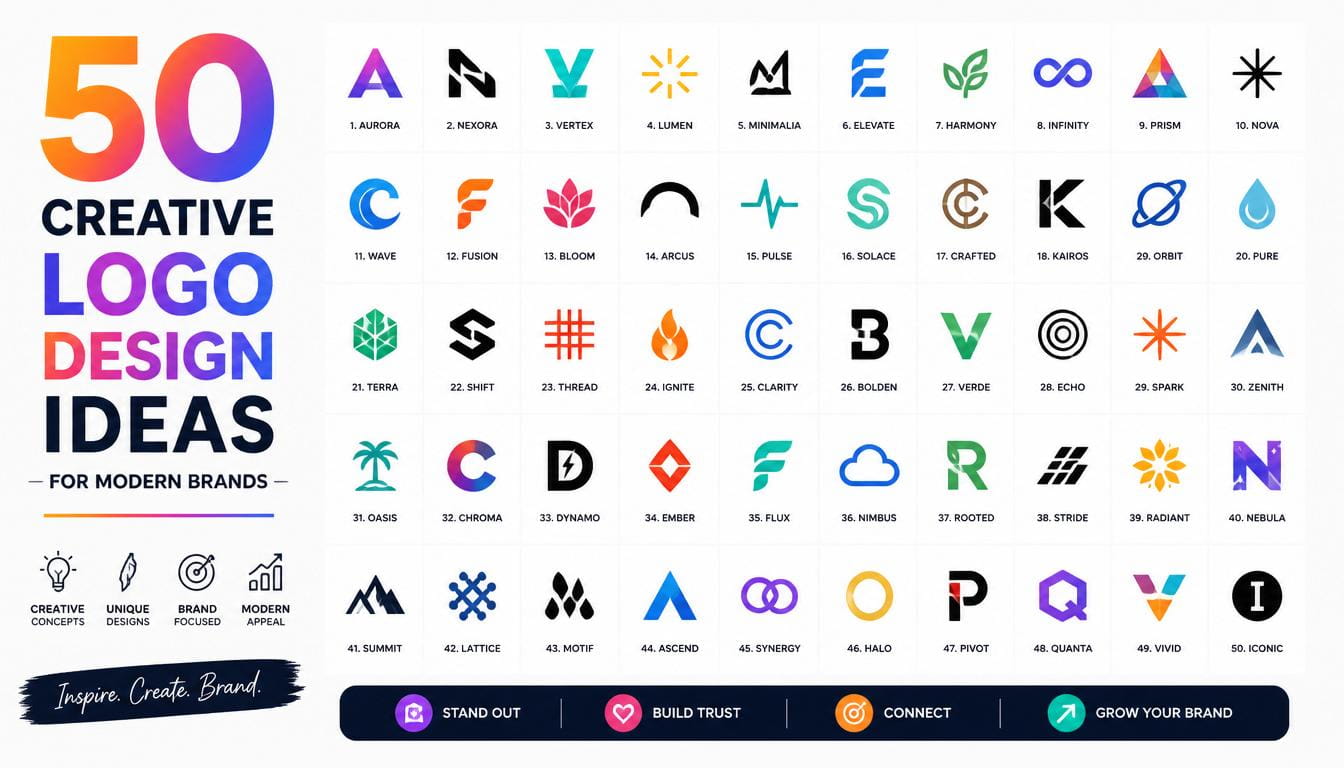
50 Creative Logo Design Ideas for Modern Brands
Why Logo Design Matters More Than Ever
Logo Design ideas In today’s competitive marketplace, businesses fight for attention every second. Whether someone discovers your company through Google, social media, a website, or a product package, your logo is often the first thing they notice. That tiny visual symbol carries enormous responsibility. It communicates professionalism, personality, trust, and value before a customer reads a single word about your business. This is why businesses continue investing heavily in strong branding and innovative
Modern consumers make judgments within seconds. A well-designed logo can create instant credibility, while a poorly designed one may push potential customers away. Research and branding experts consistently emphasize that strong visual identities improve recognition and trust. Today’s brands also need logos that work across websites, mobile devices, social platforms, apps, packaging, and even AI-driven search experiences. Responsive logo systems and adaptable branding have become critical for modern businesses.
The best Logo Design Ideas are not simply attractive graphics. They are strategic assets designed to communicate a brand’s story. Think of a logo as the face of your business. Just as people remember faces, customers remember distinctive logos. A memorable design helps brands stay top-of-mind and encourages customer loyalty over time.
Understanding Modern Logo Trends
The landscape of logo design has changed dramatically in recent years. Businesses no longer create a single logo and use it everywhere without modification. Instead, modern brands build entire logo systems that adapt to different platforms and screen sizes. This shift has influenced many contemporary Logo Design Ideas, leading designers to prioritize flexibility alongside creativity. Responsive logos, simplified icon versions, and scalable designs are now considered best practices.
Another major trend is meaningful minimalism. Brands are moving away from unnecessary visual clutter and embracing cleaner designs that remain memorable. Minimal logos perform better on digital devices, load faster, and maintain readability across various formats. Yet simplicity alone is not enough. The most successful Logo Design Ideas combine simplicity with personality, creating a balance between elegance and uniqueness.
AI-powered design tools have also influenced branding. While AI can generate concepts quickly, businesses increasingly seek custom identities that feel authentic and distinctive. This has created a growing demand for logos that blend technology with human creativity. As a result, many of today’s best Logo Design Ideas focus on originality, storytelling, and emotional connection.
50 Creative Logo Design Ideas for Modern Brands
Minimalist Logo Design Ideas
- Single-line logos.
- Monogram logos.
- Negative-space logos.
- Geometric icons.
- Minimal wordmarks.
These Logo Design Ideas emphasize simplicity while maintaining strong recognition. Minimalist designs continue dominating because they work seamlessly across digital environments. Clean lines and thoughtful spacing create logos that feel modern and professional. Many global brands have simplified their logos over time because simplicity improves scalability and memorability.
Typography-Based Logo Design Ideas

- Custom lettering logos.
- Bold serif wordmarks.
- Handwritten signatures.
- Variable typography logos.
- Stretched font logos.
Typography-focused Logo Design Ideas allow brands to communicate personality through letters alone. A custom typeface can instantly differentiate a business from competitors. Strong typography often becomes the visual identity itself, reducing the need for additional symbols. Modern brands increasingly use unique fonts to avoid blending into the sea of generic sans-serif logos.
Geometric Logo Design Ideas

- Hexagon-based logos.
- Circular identity marks.
- Triangle-inspired symbols.
- Grid-based structures.
- Symmetrical patterns.
Geometric Logo Design Ideas provide balance, precision, and professionalism. Technology companies frequently use geometric forms because they suggest innovation and reliability. Adding subtle asymmetry or hidden meanings within shapes can make these logos even more memorable. Many successful brands rely on geometry to achieve timeless appeal.
Nature-Inspired Logo Design Ideas

- Leaf symbols.
- Mountain icons.
- Water-inspired designs.
- Organic curves.
- Earth-tone branding.
Nature-based Logo Design Ideas are especially effective for sustainable and wellness-focused brands. They communicate authenticity, growth, and responsibility. Modern consumers increasingly appreciate brands that demonstrate environmental awareness, making these concepts highly relevant today.
Vintage and Retro Logo Design Ideas

- Badge logos.
- Retro typography.
- Heritage-inspired emblems.
- Stamp-style marks.
- Nostalgic illustrations.
Vintage Logo Design Ideas blend trust and tradition with modern execution. They create emotional connections through nostalgia while maintaining contemporary usability. These logos work particularly well for coffee brands, clothing labels, craft businesses, and local businesses seeking authenticity.
Mascot Logo Design Ideas

- Friendly animal mascots.
- Cartoon characters.
- Brand ambassadors.
- Illustrated faces.
- Interactive digital mascots.
Mascot-based Logo Design Ideas are experiencing renewed popularity because they create emotional engagement. Brands increasingly use mascots to humanize digital experiences and improve customer connection. Mascots provide personality, making businesses feel approachable and memorable.
Abstract Logo Design Ideas

- Fluid shapes.
- Dynamic patterns.
- Abstract symbols.
- Motion-inspired marks.
- Artistic compositions.
Abstract Logo Design Ideas encourage creativity and uniqueness. Instead of representing something literally, these designs communicate emotions and values. They are ideal for innovative startups and creative agencies seeking distinctive identities.
Luxury Logo Design Ideas

- Gold-inspired monograms.
- Elegant serif logos.
- Crest-style identities.
- Premium black-and-white logos.
- Sophisticated emblem designs.
Luxury-focused Logo Design Ideas emphasize exclusivity and prestige. They often rely on refined typography, balanced spacing, and timeless design principles. Simplicity is especially important in luxury branding because it communicates confidence and sophistication.
Technology Logo Design Ideas

- Digital circuit symbols.
- AI-inspired icons.
- Futuristic gradients.
- Pixel-inspired logos.
- Dynamic motion logos.
Technology brands require Logo Design Ideas that communicate innovation. Modern tech logos increasingly incorporate adaptable elements, gradients, and responsive variations. Animated logos are also becoming popular as businesses seek more interactive branding experiences.
Creative Startup Logo Design Ideas
- Adaptive logo systems.
- Storytelling symbols.
- Hidden-message logos.
- Community-inspired branding.
- Hybrid icon-and-wordmark logos.
Startup-focused Logo Design Ideas should prioritize flexibility, memorability, and scalability. Since startups often grow rapidly across multiple channels, their logos must function effectively everywhere from social media avatars to large-scale advertising campaigns.
Common Logo Design Mistakes to Avoid
Even the best Logo Design Ideas can fail when executed poorly. One common mistake is overcomplicating the design. Excessive details may look impressive initially, but they often become unreadable at smaller sizes. Simplicity generally improves usability and recognition.
Another mistake is blindly following trends. While trends can inspire creativity, businesses should prioritize long-term brand identity over temporary popularity. A logo should remain effective for years rather than becoming outdated after a short period. Successful branding balances contemporary relevance with timeless design principles.
Many businesses also confuse branding with logo design. A logo is only one component of a broader brand identity. Colors, typography, messaging, and customer experience all contribute to how people perceive a business. A strong logo works best when supported by a cohesive brand strategy.
How to Choose the Right Logo Design Idea
Selecting the right Logo Design Ideas starts with understanding your audience. Ask yourself who your customers are, what they value, and how you want them to perceive your brand. A technology startup may benefit from futuristic concepts, while a luxury fashion brand might require elegant typography and refined aesthetics.
Brand values should also guide design decisions. Every visual element should reinforce your company’s mission and personality. Colors, shapes, typography, and symbols all communicate meaning. A carefully designed logo acts like a silent salesperson, continuously representing your business wherever customers encounter it.
Testing multiple concepts before finalizing a design is equally important. Gather feedback from customers, colleagues, and design professionals. Evaluate how the logo performs across websites, mobile devices, packaging, and social media. The most effective Logo Design Ideas remain recognizable and impactful regardless of where they appear.
Conclusion
Strong branding begins with exceptional Logo Design Ideas. As modern brands compete for attention across increasingly crowded digital environments, logos have become more important than ever. The best logos combine creativity, simplicity, adaptability, and strategic thinking. Whether you choose a minimalist wordmark, a geometric icon, a playful mascot, or a luxury monogram, your logo should reflect your brand’s personality and values.
The 50 Logo Design Ideas explored in this article provide inspiration for businesses of every size and industry. By focusing on originality, scalability, and audience connection, you can create a visual identity that stands out today and remains relevant for years to come.
FAQs
- What are the best Logo Design Ideas for startups?
Minimalist logos, responsive logo systems, typography-based designs, and hidden-message logos are among the most effective options for startups.
- Why are minimalist Logo Design Ideas so popular?
Minimalist designs are easier to recognize, scale effectively across digital platforms, and maintain clarity at all sizes.
- How many Logo Design Ideas should I explore before choosing one?
Most professionals recommend exploring at least 10–20 concepts before selecting the strongest direction.
- Are AI-generated Logo Design Ideas good for businesses?
AI tools can provide inspiration and quick concepts, but custom-designed logos often offer stronger originality and brand differentiation.
- How often should a company update its logo?
Most brands refresh their logos every 7–15 years, although subtle refinements are often more effective than complete redesigns.
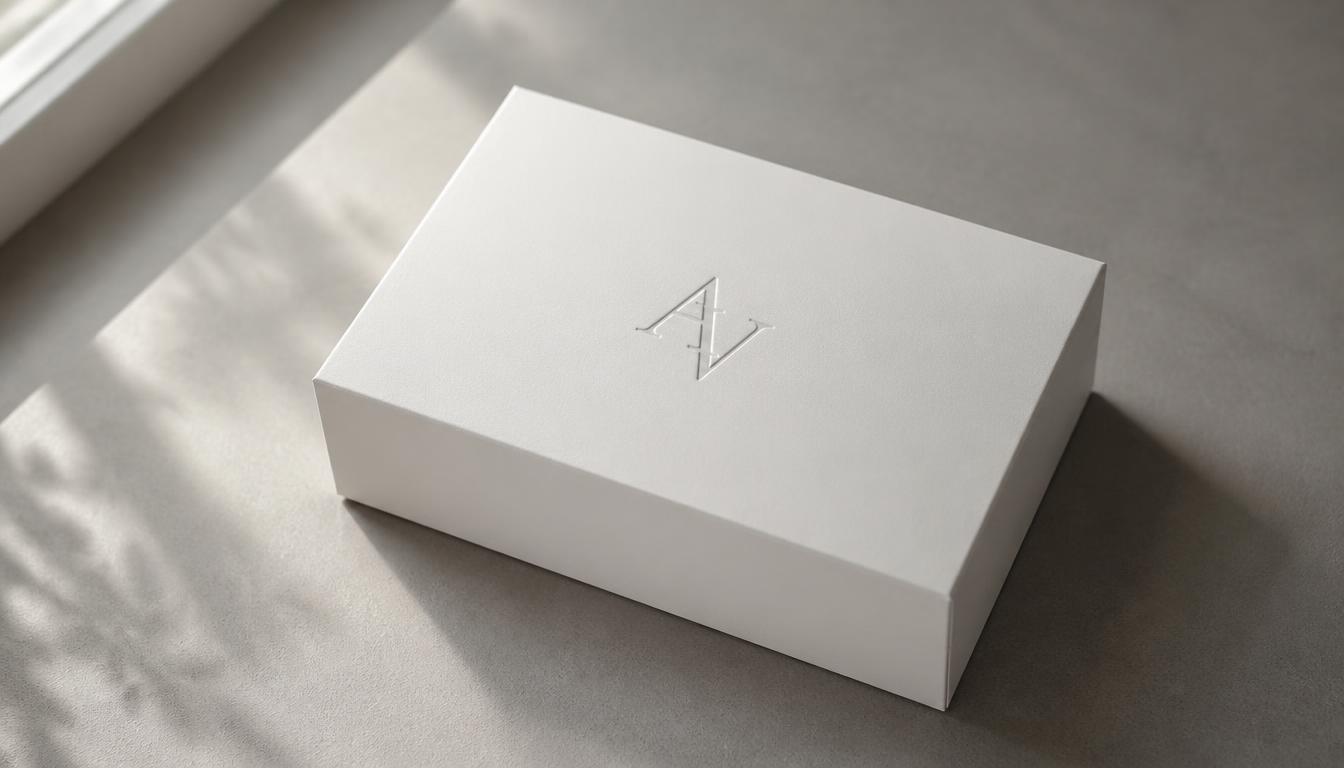
Minimalist Packaging Design: How to Create a Clean and Premium Look
Introduction
Walk down any beauty aisle or scroll through any online store, and you will notice a shift. Loud colors and crowded labels are losing ground to calm, simple boxes that whisper instead of shout. That shift is the rise of minimalist Packaging Design, and it is changing how people judge products in a matter of seconds.
Minimalism is not about doing less work. It is about making every element earn its place. A clean look signals confidence, quality, and care. Great Packaging Design turns a simple container into a quiet salesperson that works around the clock.
Shoppers read those signals instantly, often before they read a single word. A calm layout suggests a trustworthy brand. A thoughtful finish suggests a product worth paying more for.
In this guide, you will learn how to build a clean and premium look step by step. We cover principles, color, typography, materials, layout, sustainability, common mistakes, and trends. Whether you run a small brand or manage a large product line, strong Packaging Design starts with clear decisions.
By the end, you will have a practical framework you can apply to your next project. Let’s start with the basics of minimalist Packaging Design and why it matters.
What Is Minimalist Packaging Design?
Minimalist Packaging Design is an approach that removes everything non-essential. What remains is a clear logo, a few well-chosen words, generous space, and one strong idea.
Think of it as editing. You begin with a crowded page and keep cutting until only the meaning is left.
This style grew from art, architecture, and product movements of the twentieth century. The famous phrase “less is more” shaped furniture, phones, and homes. Today, the same thinking guides modern Packaging Design in food, skincare, tech, and fashion.
A minimalist pack usually shares a few traits:
- Plenty of whitespace around the key elements
- A limited color palette
- One or two carefully chosen typefaces
- A single clear focal point
- Honest, high-quality materials
Minimal does not mean boring. The best examples feel rich because every detail is deliberate. A single embossed line or a perfect shade of cream can say more than ten icons.
It also does not mean cheap. Simple Packaging Design often costs more per unit, because materials, print accuracy, and finishing must be flawless.
Remember that minimalism is a strategy, not a passing trend. It works when it matches your brand, your product, and your buyer.

Why Minimalist Packaging Design Works for Modern Brands
Shoppers make quick choices. A clean pack helps them understand what a product is, who it is for, and why it matters within a few seconds.
That speed is the first reason minimalist Packaging Design performs so well. Clear information removes doubt, and less doubt means more confident purchases.
The second reason is perceived value. Luxury houses have relied on restraint for decades. Space and a simple mark suggest exclusivity. When you apply the same logic to everyday goods, the product feels more valuable than its price tag implies.
The third reason is memory. A bold, simple shape or color is easier to remember than a busy collage. People recall one strong idea far better than ten competing ones.
Online sales add a fourth reason. On a phone screen, a busy label turns into noise. Simple Packaging Design stays legible even as a tiny thumbnail in a search result or a social feed.
Minimalism also helps your budget. Fewer inks, simpler artwork files, and smaller print areas can reduce production complexity. Good Packaging Design balances beauty with cost, so you spend money where customers can see and feel it.
Finally, minimalist packs photograph well. They look sharp in unboxing videos, product reviews, and customer photos. That free exposure strengthens your brand every time someone shares a picture.

Core Principles of Clean and Premium Packaging
Before you open any design software, learn the principles that sit behind every great minimalist pack. These five ideas will guide every choice you make.
1. Simplicity First
Every element must have a job. If a line, icon, or word does not help the buyer, remove it. Strong Packaging Design starts with this rule.
Ask one question about each item on the pack: what happens if this disappears? If nothing is lost, delete it.
2. Whitespace as a Feature
Empty space is not wasted space. It gives your logo room to breathe and guides the eye to what matters. In premium Packaging Design, whitespace often takes up more than half of the front panel.
Do not be afraid of silence. Quiet areas make the loud parts stronger.
3. Clear Visual Hierarchy
People should know what to read first, second, and third. Usually that order is brand name, product name, then key details. Smart Packaging Design controls this order with size, weight, and position rather than decoration.
Squint at your layout. If you cannot tell what is most important, the hierarchy needs work.
4. Consistency Across the Range
A clean look falls apart if each product looks different. Use the same grid, fonts, and color logic across every item. Consistent Packaging Design builds recognition and makes a product line feel like a family.
Consistency also makes future products easier to design, because the rules are already set.
5. Honest, Quality Materials
Minimalism has nowhere to hide. Without busy graphics, the material itself becomes the design. Thick board, fine paper, and precise printing turn simple Packaging Design into something that feels luxurious in the hand.
Cheap material with a clean layout still feels cheap. Invest in touch.

Step-by-Step Process to Design Minimalist Packaging
A clear process saves time and prevents expensive mistakes. Follow these seven steps from first idea to final file.
Step 1: Define Your Brand and Audience
Start with strategy, not software. Write down who you serve, what you promise, and how you want people to feel. Every Packaging Design choice should trace back to these answers.
If you cannot describe your brand in three words, the pack will not describe it either.
Step 2: Study Competitors and the Shelf
Visit stores or browse online categories. Collect photos of rival products and look for patterns. If every competitor uses bright colors and big badges, a calm palette will stand out immediately.
Note what shoppers see from three feet away. That distance is where most buying decisions begin.
Step 3: Choose One Core Message
Decide the single idea the pack must communicate. It might be purity, speed, craft, or luxury. A focused message keeps Packaging Design clear and stops you from adding extras.
Secondary messages can live on the back or inside the box.
Step 4: Sketch and Wireframe
Grab paper and draw quick layouts. Make at least five different versions before touching a computer. Rough sketches make Packaging Design faster to refine because mistakes are cheap at this stage.
Focus on placement and proportion, not on color or detail.
Step 5: Build the Layout on a Dieline
A dieline is the flat template of your box or label. Place your artwork on it carefully, and respect folds, glue areas, and safe margins. Professional Packaging Design always begins with the correct dieline from your manufacturer.
Check how the design wraps around corners, because flat art can look different in three dimensions.
Step 6: Prototype and Test
Print a mockup and hold it. Put it on a shelf next to competitors. Show it to real shoppers and watch their reactions. Testing your Packaging Design before launch can reveal problems that screens never show.
Ask simple questions: what is this, who is it for, and how much would you pay?
Step 7: Prepare for Production
Talk to your printer early. Confirm materials, color profiles, finishes, and minimum order sizes. Production-ready Packaging Design needs clean files, proper bleeds, and approved proofs.
Always request a physical sample before a full print run.

How to Choose a Color Palette for Minimalist Packaging Design
Color is the fastest message your pack sends. In minimalism, you use fewer colors, so each one matters more.
A restrained palette is the backbone of clean Packaging Design. Most strong examples use one base color, one text color, and at most one accent.
Neutral bases such as white, cream, soft gray, and black feel modern and calm. They also let the product or one accent shade shine.
If you want warmth, try earthy tones like sand, clay, or sage. For a bold, confident look, a single saturated color on a quiet background can be striking.
Contrast matters more than most people expect. Text must be easy to read against its background in store lighting and on a small phone screen. Black on cream, deep navy on white, and white on charcoal are reliable choices.
Color should serve the brand, not fight it. Premium Packaging Design often relies on one carefully chosen accent, such as a gold foil line or a deep green logo, to signal quality.
Consider meaning, too. Green suggests nature and health, black suggests luxury, and soft pastels suggest gentleness. Check that your choice fits cultural expectations in the markets where you sell.
Finally, test your Packaging Design under different lights. Colors shift under warm bulbs, cool LEDs, and daylight, and printed colors often differ from what you see on a monitor.

Typography That Looks Expensive
When there are no pictures or patterns, type becomes the star. Good typography is the easiest way to make a simple pack feel premium.
Typography carries most of the load in minimalist Packaging Design, so choose your fonts with care. Limit yourself to two typefaces, and often one family with different weights is enough.
Sans-serif fonts feel clean, modern, and direct. Serif fonts feel classic, elegant, and traditional. Neither is better. Pick the one that matches your brand personality.
Spacing is where luxury lives. Wide letter spacing on small uppercase text feels refined. Generous line spacing makes copy feel calm and easy to read. Great Packaging Design pays attention to these tiny gaps.
Keep text short. A product name, a one-line descriptor, and key details are usually enough. Move long stories to the back panel or a leaflet.
Legibility must never be sacrificed for style. Very thin fonts at small sizes can vanish on textured paper or curved bottles. Readable Packaging Design always checks minimum text sizes, especially for legal and safety information.
Align text consistently, usually left-aligned or centered, but not both. Mixed alignment looks accidental.
Before you approve a design, print it at real size and read it from arm’s length. Testing type on an actual mockup is the best habit in Packaging Design, because screens hide problems.
Materials, Textures, and Finishes
In a minimalist pack, touch replaces decoration. The material and finish often do the work that illustrations do on busier designs.
Popular choices include uncoated paper, kraft board, rigid setup boxes, and frosted glass. Each one has a distinct feel that shapes how people judge the product.
Finishes add quiet drama. Soft-touch lamination feels velvety. Embossing raises a logo so fingers can read it. Debossing presses it inward for a subtle look. Foil stamping adds a thin flash of metal, and spot gloss highlights one area against a matte surface.
In minimalist Packaging Design, finishes do the talking. A matte box with a single glossy logo can look more expensive than a fully printed box covered in patterns.
Try combining only two effects. Too many finishes bring back the clutter you worked to remove. A good rule is one texture, one accent.
Pairing the right material with the right product also matters. Cosmetics suit soft-touch and rigid boxes. Food often calls for kraft or coated board with safe inks. Electronics benefit from sturdy, precise molded pulp or board.
Budget deserves honesty. Premium finishes raise cost, so use them on the front panel or logo instead of the entire surface. Smart Packaging Design spends money where the customer looks and touches first.
Always ask your printer for samples before you finalize. Feel and color can change a lot between the file and the finished Packaging Design in your hands.
Layout, Grid, and Whitespace
A strong layout makes a simple pack feel intentional. Without a clear structure, minimalism looks empty instead of elegant.
Start with a grid. Divide the front panel into columns and rows, and align elements to those lines. Even a very simple grid keeps your design tidy and balanced.
Set generous margins. A common mistake is placing text too close to edges. Extra margin immediately adds a premium feeling and also protects your artwork from trimming errors in production.
Choose a single focal point. This is usually the logo or the product name. Place it where the eye naturally lands, often slightly above the center. Excellent Packaging Design leads the viewer’s eye in a clear path from focal point to supporting details.
Balance does not require symmetry. Asymmetric layouts, such as a small logo in a corner with a large empty field, can feel modern and confident. Just make sure the weight of elements feels stable.
Group related information together. Put net weight, ingredients, and legal text in one tidy block rather than scattering them around. Organized Packaging Design makes required information feel calm, not cluttered.
Remember the back and sides. Many brands design a beautiful front and forget the rest. Keep the same grid and spacing on every panel so the entire box feels complete.
Step back and test your layout. If everything looks equally important, simplify further until your Packaging Design has one clear star.

Icons, Illustration, and Photography
Minimalism does not ban imagery. It simply asks that every image earns its spot and speaks clearly.
Icons work well when they are simple, consistent, and sized with care. Use one icon style across the pack, such as thin outlines or solid shapes, and never mix them. Small icons can communicate benefits like vegan, recyclable, or gluten-free without adding paragraphs of text.
Line illustration is another favorite. A single continuous line drawing of a plant, a face, or a fruit can add character without heaviness. It feels handmade, which suits natural and artisan brands.
Photography is less common on minimalist boxes, but it can work when it is cropped tightly and given plenty of space. Choose one calm, high-quality image rather than a collage.
Patterns are possible too. A subtle, repeated pattern in a tone close to the background adds depth without noise. It can make Packaging Design feel richer while keeping the overall look quiet.
When in doubt, use fewer visuals. Let the logo and the material lead. Your best Packaging Design might use no imagery at all, and that is perfectly fine.

Structure, Shape, and the Unboxing Experience
The pack is more than a surface. Its shape, opening, and inner layers all shape how a customer feels.
Structure is part of Packaging Design, not an afterthought. A clean rectangular box can look elegant, but a unique closing method, such as a magnetic flap or a sliding drawer, adds a moment of delight.
The unboxing experience is the sequence of moments from opening the shipping carton to seeing the product. Minimalist brands often make this sequence calm and deliberate: a plain outer box, a clean inner wrap, and the product placed neatly in the center.
Inner details create surprise. A colored tissue, a printed message under the lid, or a small thank-you card can add personality without clutter. Keep them consistent with your palette and tone.
Think about function as well. A pack should protect the product, stack well, ship safely, and open easily. Beautiful Packaging Design that fails in transit leads to returns and unhappy buyers.
Shape can be simple but memorable. A tall slim bottle, a square jar, or a pill-shaped tube becomes a signature when used consistently across your range. Smart Packaging Design uses silhouette as another form of branding.
Finally, test the full journey. Open your own packs several times and note every friction point. Premium feeling comes from smooth, thoughtful details.

Sustainable Minimalist Packaging Design
Minimalism and sustainability are natural partners. Fewer materials, fewer inks, and simpler structures mean less waste from the very start.
Sustainable Packaging Design begins with material choice. Look for recycled cardboard, FSC-certified paper, molded pulp, glass, aluminum, and compostable films where they suit the product. Each option has trade-offs, so match the material to your product’s needs.
Aim for mono-material packs whenever possible. When a box is made from one material, it is far easier to recycle. Mixed layers of plastic, foil, and paper often end up in landfill.
Right-size your boxes as well. Thoughtful Packaging Design avoids oversized cartons and heavy void fill. A snug fit protects the product, cuts shipping costs, and reduces waste.
Choose inks and coatings with care. Water-based inks and aqueous coatings are kinder to the environment than plastic lamination. Many sustainable finishes, such as uncoated paper with a single deboss, also look refined.
Be honest in your claims. Words like “eco-friendly” mean little without proof. Clear recycling instructions and certified labels are part of responsible Packaging Design, and shoppers increasingly check them.
Consider refill and reuse systems too. A refillable pouch lets customers keep the original container for years. This idea fits minimalist Packaging Design beautifully, because the main pack is built to last and looks good on a shelf at home.

Common Mistakes to Avoid
Even experienced teams slip. Watch out for these common errors when you aim for a clean, premium look.
Removing Too Much
Minimalism is not blank. When you remove too much, shoppers are left confused. Effective Packaging Design still tells people what the product is and why they should care.
Weak Contrast
Light gray text on white may look elegant on a screen, but it can disappear in a store. Test your Packaging Design under real lighting and at real size before approval.
Ignoring Legal Requirements
Ingredient lists, barcodes, warnings, and weight statements are not optional. Build them into the layout early. Compliant Packaging Design treats required text as part of the grid, not as an afterthought.
Using Cheap Materials
A clean layout on thin, flimsy board feels disappointing. The material is part of the message, so protect it in your budget.
Inconsistency Across Products
Changing fonts, margins, or color rules from item to item weakens your brand. Weak Packaging Design systems confuse customers and make a range feel random.
Copying Famous Brands
Simple styles are easy to imitate, but copies rarely feel premium. Original Packaging Design reflects your own story, tone, and audience.

Tools and Workflow
The right tools make the process smoother and help you deliver accurate files.
Adobe Illustrator is the industry standard for vector artwork and dielines. Photoshop is helpful for textures and mockups, and InDesign works well for text-heavy back panels. Figma is a good choice for team feedback and quick layout tests.
Many printers supply dieline templates, which saves hours of setup. Starting from an official template makes Packaging Design more accurate and avoids costly mistakes during production.
For 3D mockups, use tools that wrap your artwork around a virtual box or bottle. These previews help you and your clients judge Packaging Design before spending money on a physical sample.
Build a simple style guide as you work. Record your colors, fonts, margins, and finish choices. This document will speed up every future Packaging Design project and keep your whole range consistent.

Packaging Design Trends to Watch
Trends change, but the best ideas serve both beauty and function. Here are a few directions worth watching.
Several movements are shaping modern Packaging Design right now. Tactile surfaces are rising, with soft-touch coatings, textured papers, and deep embossing replacing graphics. Muted earth tones and warm neutrals are replacing stark white. Refill systems and mono-material builds are becoming standard in many categories.
Quiet luxury is also influencing mainstream Packaging Design. Brands in food, home care, and personal care are borrowing the restrained look once reserved for high fashion.
Digital touchpoints are growing as well. A small, tidy QR code can link to ingredients, recycling tips, or brand stories without crowding the front panel. Use trends as seasoning, not as a foundation, because a timeless base lasts longer than any fashion.
Conclusion
Minimalist Packaging Design is about clarity, confidence, and care. It asks you to choose what matters and let everything else go. When done well, the result looks calm, feels premium, and sells quietly.
Strong Packaging Design starts with strategy and a single clear message. It continues with a disciplined palette, refined typography, honest materials, and a layout that lets whitespace do the heavy lifting. Add thoughtful structure and sustainable choices, and your pack becomes more than a container.
Keep refining your Packaging Design with real feedback. Test mockups, listen to shoppers, and improve each version. Small adjustments in spacing, finish, or contrast often make the biggest difference.
Start your next Packaging Design project by removing one thing from your current pack. Then remove another. You may be surprised how premium less can look.
Frequently Asked Questions
What is minimalist Packaging Design?
It is a design approach that keeps only the essential elements: a clear logo, a few words, ample space, and quality materials. Everything decorative is removed so the product and brand stand out.
Why is minimalist packaging popular with premium brands?
Restraint signals confidence and quality. Clean layouts, refined finishes, and generous whitespace make a product feel exclusive, which supports higher pricing.
How many colors should I use?
Most clean Packaging Design uses one base color, one text color, and at most one accent. Fewer colors keep the look calm and make each color more meaningful.
Does minimalist packaging cost less?
Not always. Fewer inks and simpler artwork can lower costs, but premium materials and finishes such as embossing or foil may raise them. Spend where customers see and touch first.
Which fonts suit minimalist packaging?
Clean sans-serif fonts feel modern, while elegant serifs feel classic. Use two typefaces at most, keep text short, and check legibility at actual size.
Can minimalist packaging be sustainable?
Yes. Sustainable Packaging Design is a natural fit because it uses fewer materials and inks. Choose recyclable mono-material builds, right-sized boxes, and water-based inks.
How do I start a Packaging Design project?
Begin with your brand, audience, and core message. Study competitors, sketch simple layouts, and build on your printer’s dieline. Then prototype, test, and refine. This order keeps every Packaging Design decision tied to a clear goal.
Do I need a professional designer?
A professional can help with structure, print preparation, and brand strategy, especially for premium launches. Small brands can start with templates and mockups, then invest in expert help as they grow.
Best Graphic Arts Tools for Beginners – The Ultimate Guide for 2025
With the world of graphic arts tools always changing, starting out can feel very complicated. Newcomers to programming usually face a huge number of options when deciding on tools and platforms. This is why we’ve written this guide to teach you about the top graphic Arts tools for people just starting. Whether you want to become a digital artist, work in social media design or are just interested in making appealing content, you’ll find all the answers you need in this guide.
Graphic arts tools design has become available to anyone who wants to make something creative, with the right tools. Advancements in graphic Arts tools mean that now, you only require basic skills and affordable gear to kick-start your learning. So many options make it difficult to pick the right tool for your tasks. Let’s discuss each element of design in turn.
What Happens When You Use the Wrong Graphic Arts Tools
Great digital artworks are built using the proper tools from graphic arts tools. They act both like software and like tools for creating – your อันวุ่นเวือน, canvas and arena for exploring creativity. Appropriate tools will allow you to achieve your best without facing complicated designs or boundaries.
To help beginners, good graphic Arts tools must be simple to understand, cost little (or nothing) to use and increase in features as you improve. If you spend your time on the wrong tools, you might end up unhappy, tired out and exhausted. For this reason, it’s important to find the right graphic Arts tools right away if you want to succeed in the future.
1. Canva is a Simple Tool for Getting Graphic Art Done in a Short Time

Canva is possibly the simplest graphic Arts tool to use if you’re getting started. With drag and drop, you can easily design attractive websites. You can use Canva’s large selection of templates and graphics for social media, YouTube, business cards and flyers.
The Reasons Canva Is Different:
- You don’t need programming experience to begin
- Thousands of templates are already available for you to use.
- With cloud computing, staff can work together more easily.
- It is perfect for content on social media.
You don’t have to be an expert to make anything on Canva, whether you’re making an Instagram post or a presentation. It’s not necessary to be an expert – just have an idea and click a few buttons.
2. Adobe Photoshop is the most widely used graphic arts tool in the industry.

Adobe Photoshop should be included on any list of graphic Arts tools. At first glance, Photoshop looks like it will be difficult to use, but it allows you to do more than any other tool. The use of tablet apps extends from photo editing to digital painting and is valued by countless professionals.
Advantages of Adobe Photoshop:
- All the potential a robot can have
- A great community behind the project
- Regular improvements and additions to the platform
- Has great compatibility with other programs from Adobe.
Those just starting out should focus on learning layers, masks and brushes. You can take advantage of lots of free guides and videos.
3. The Best Vector Graphic Arts Tool Is Adobe Illustrator
Those who design logos, icons and other artwork that can be scaled should use Illustrator as their best vector-based graphic Arts tool. Even though it is included in Adobe’s Creative Cloud, this software is mostly for working on designs without losing their clarity when resizing.
Key Features:
Using a vector”></different styles, fonts and sizes, you can also create different kinds of icon designs.
- Photographic graphic arts tools
- Advanced management of typography is possible.
- Working with Photoshop is made simple.
Although learning Illustrator takes time, it is still one of the leading graphic arts tools for creating vector art.
4. GIMP is an open-source program for graphic design work.

GNU Image Manipulation Program (GIMP) is an excellent alternative to Photoshop and costs nothing. You can customize it how you like and it provides many functions similar to Adobe’s suite.
Why Newcomers May Find GIMP Useful.
- This app is available for free to use at any time.
- Community plugins and support are available in large numbers.
- The interface for Cleanzai is like Photoshop’s UI.
- It is compatible with every major type of operating system.
If you’re looking for powerful editing options and don’t want to spend much, GIMP is the answer.
5. Digital Artists Should Look to Procreate for the Power of the iPad
Procreate is a graphic arts tools created just for the iPad. Procreate provides a great way for beginners to use an Apple Pencil on a tablet.
Top Benefits Offered by Procreate:
- Smooth and fast sketching technology
- Control system that’s simple to use
- You simply have to pay once, then you own it.
- You are provided with many options to customize your brushes.
Many artists choose Procreate for everything they make such as comics and digital paintings. It’s a great fit for people just starting out with hand-drawn art.
6. The Software Krita is a Great Choice for New Artists

You won’t find professional drawing tools this good anywhere and they cost you nothing. Illustrators, comic book makers and concept artists find it extremely helpful.
What Makes Krita Stand Out
- Creators were the main focus in the design.
- You can fully customize all the brush tools in Photoshop.
- Animation elements are used in style.
- There are no charges for using it
You can use this graphic arts tools whether you are a professional or just starting out.
7. Affinity Designer is a Cheap Adobe Alternative
Affinity Designer is becoming popular because it provides quality tools at a cost that users only pay once. Its versatility comes from being able to do both vector and raster tasks.
Best Features:
- Prices that fit your budget
- A UI that moves quickly and is easy to use
- Frequent updates
- You can use it on macOS, Windows and iPad.
If you aren’t familiar with graphic design and don’t have an Adobe subscription, Affinity Designer is a great option.
8. The Graphic Arts field has CorelDRAW as its long-time expert.

The design industry recognizes CorelDRAW as being among the oldest. With every update, it has advanced to offer a complete suite of graphic Arts tools for all users.
The main reasons to work with CorelDRAW are listed below.
- Easy to use training process
- Advanced ways to design with vectors
- Online hands-on work and tutorials
- More community involvement
No other graphic tool matches the powerful position of lettering in print and on signs.
9. Pixlr – A simple and online graphic tool.
If you’re new to photo editing and don’t want to put software on your machine, Pixlr is a good choice. It works fast, is easy to use and includes tools that are strong enough for most people.
Why Pixlr is a Good Choice:
- You don’t need to install anything to use it
- Easy and organized layout
- All your data and files can be stored in the cloud.
- Tools that use AI
When making quick changes, Pixlr is a favorite online program for graphic Arts.
10. Inkscape provides all its functions for free as a vector graphic software.
Making scalable objects such as logos and banners is easy with the open-source application called Inkscape.
Important Features:
- Impressive SVG support
- It won’t be difficult for anyone just starting.
- There is an active group of developers involved in development.
- Free and available to access without payment
This is a preferred graphic Arts application for those creating vector graphics with limited spending power.
How to Choose Graphic Arts Tools As You Start
If you are starting out in graphic Arts, consider a few important points when picking tools.
- A user-friendly interface makes it simple to understand what’s happening.
- When community participation grows, there will be an increase in tutorials and solutions from users.
- You should begin with programs that don’t cost you anything or are not very expensive.
- Use Pocket on any device, anywhere you like.
- Try a tool that matches your learning process so you don’t feel overwhelmed.
All the graphic Arts tools discussed are particularly good in these areas which is why they are suited for new designers.
Use Free Online Resources to Better Your Learning

Use your graphic Arts tools together with online tutorials, courses and YouTube tutorials. Skillshare, Coursera and Udemy provide clear guidance on the majority of the tools discussed here.
With your graphic Arts tools becoming familiar, you are ready to experience advanced features, for instance, vector tracing, 3D rendering and animation. There is so much we can do with photography.
An overview of the top essential tools for starting in graphic arts
- Which tools should you start with if you’re just starting with graphic Art?
A simple way to edit graphics is with Canva, Pixlr or GIMP. With these tools, you don’t need to know anything about design before you begin creating.
- Are there free solutions available for graphic Arts?
Yes! For those looking for free graphic Arts tools, GIMP, Krita, Inkscape and Canva (no subscription required) are your best options.
- Which is the most effective graphic arts tool for doing digital painting?
Digital painting works best with Procreate and Krita as the tools. Both include a variety of paint brushes and respond very smoothly to touch.
- Is it possible to use graphic arts tools if I don’t have a graphic tablet?
Absolutely. Most of these tools are made for use with the mouse and keyboard, yet using a tablet can make your drawings easier.
- How much time does it take to learn graphic Arts tools?
It will be successful if you are dedicated. Practice regularly and you could become good at basic design within the first three months. Some features in advanced traffic speeds may take more time.
The Most Effective Graphic Arts Tools Lie Readily at Your Fingertips
Getting started with graphic design is easy and doesn’t have to be difficult. In 2025, people just learning graphic arts tools have a lot more options for creating, learning and sharing their work. People who enjoy working with raster, vector or AI in design will find options that suit them well.
Use different graphic arts tools to find the one that suits your style. Many tools allow users to test them for free, so don’t hesitate and explore what’s out there. Keep in mind, the software is only useful if you use your imagination.
Go for the graphic arts tools that fits your creative work the best. You are starting your artistic journey today.

Canva vs Adobe Photoshop – Which One is Better for Designers?
Designers today have wide-ranging tool options to create beautiful visual content because of the digital era. The design tools Canva vs Adobe Photoshop are the leading choices among all available options. All designers including novices and professionals seeking marketing content for their business must answer this pressing question: Canva offers better design solutions than Adobe Photoshop. You will understand better which tool satisfies your design requirements most by studying a comprehensive analysis between these two applications.
The decision between Canva vs Adobe Photoshop exceeds tool selection as it provides an opportunity to select your creative collaboration mode. Your design requirements along with skill level and design goals help determine whether Canva or Adobe Photoshop stands as the more suitable tool for your project. We will analyze all key aspects of Canva and Adobe Photoshop throughout this article through individual assessments of uniqueness and comparative breakdowns of features and usability alongside price structures and performance indicators.
The Origins of Canva vs Adobe Photoshop
The historical development of Canva vs Adobe Photoshop explains their contrasting features in modern times. Adobe Photoshop obtained its professional industry status immediately following its 1990 debut from creators Thomas and John Knoll. This platform functions as a comprehensive tool which provides users access to capabilities that span from picture handling to illustration creation and three-dimensional work and novice video modification.
Canva launched in 2012 as a user-friendly design platform which Melaine Perkins, Cliff Obrecht and Cameron Adams established to provide design access to all types of users. The web-based Canva platform made design accessible to users with no design experience who created professional-quality social media pictures along with marketing presentations without prior training. The comparison between Canva vs Adobe Photoshop needs to start from the basic understanding that these software tools arose to solve separate problems.
Ease of Use: Canva vs Adobe Photoshop

Anticipant differences exist between Canva and Adobe Photoshop because of their respective user-friendliness. The user interface of Canva has become famous because of its straightforward nature which users appreciate. Drag-and-drop operations simplify every task while new users can generate attractive designs in under minutes. The design process becomes simple because Canva provides users a diverse collection of templates and elements and fonts in its design arsenal.
Adobe Photoshop delivers extensive power through its features at the cost of steep learning complexity. To learn Photoshop completely one needs both significant amounts of practice and professional education and plenty of patience. Adobe Photoshop stands out with its high complexity level that delivers spectacular results but poses a remarkable challenge to new users. Ease of use between Canva and Adobe Photoshop determines the outcomes of the comparison particularly for novice users who require quick professional designs without demanding extensive training.
Users will experience different levels of design flexibility when examining Canva versus Adobe Photoshop
The discussion concerning Canva versus Adobe Photoshop includes flexibility as a core consideration. Due to its web application structure Canva enables users to modify pictures while adding text and filters and producing layouts without difficulty. However, Canva does have limitations. The design editing options in Canva remain simple compared to Photoshop and the application falls short of executing complex photo processing or manipulating numerous images or operating in three-dimensional space.
Adobe Photoshop, on the other hand, offers unmatched design flexibility. Photoshop delivers the best solution for users who want to modify pixel details and create realistic composites together with advanced capabilities that include masks and brushes and layers tools. Among Canva and Adobe Photoshop for design purposes total freedom comes exclusively from Adobe Photoshop.
In comparison to Adobe Photoshop Canva provides its services at different pricing levels.
Budget become a main factor in selecting between Canva and Adobe Photoshop. Canva offers a freemium model. Canva users get free access to a vast template collection along with fundamental design capabilities through its basic free version. The Canva Pro offering with brand kits, premium templates and expanded cloud storage functions can be accessed through a reasonable monthly or annual subscription.
The premium software product belongs to Adobe Photoshop. The Creative Cloud subscription model through Adobe costs in excess of what users pay for Canva premium options. Despite its cost, professional designers accept the price because Photoshop provides complete creative control as well as extensive features. The price of your subscription along with your feature requirements will dominate your choice between Canva and Adobe Photoshop.
An Evaluation of Characteristics Between Canva and Adobe Photoshop

The main overlap between Canva and Adobe Photoshop centers on the different features they provide.
Canva Features:
- Drag-and-drop interface
- Pre-designed templates
- Stock images and elements
- Animation tools
- Collaborative design
- Simple photo editing
Adobe Photoshop Features:
- Advanced photo manipulation
- Extensive layer control
- Professional typography tools
- 3D design capabilities
- Animation and video editing
Users maintain complete authority to edit color tones alongside performing complete retouching operations.
Collaboration Tools: Canva vs Adobe Photoshop

Comparing collaboration tools stands as an additional critical factor when choosing between Canva and Adobe Photoshop. Canva shines in collaboration. Real-time collaborative editing is available on Canva through which team members can comment on designs and work together at the same time. The feature proves extremely beneficial to marketing groups along with social media managers who require continuous brand consistency.
Photoshop supports collaborative work to some extent but it did not receive development as a tool designed for joint real-time editing between teams. Adobe requires extra steps through cloud documents to achieve real-time collaboration because their features remain inferior to Canva’s integrated capabilities.
When teamwork stands as your main requirement Adobe Photoshop meets with defeat in the Canva vs Adobe Photoshop contest.
Templates and Resources: Canva vs Adobe Photoshop

The comparison between Canva and Adobe Photoshop often focuses on templates as one of the significant factors. Canva includes an extensive collection of ready-made templates that cover Instagram posts and business cards among other items. People who want quick designs without initial building operations gain substantial benefits through this tool.
In the template department Photoshop shows a unique approach when compared to Canva. Advanced users tend to use intricate templates in their work. A design newcomer will most likely choose Canva as their tool in this Canva vs Adobe Photoshop battle due to its simple approach.
Offline Accessibility: Canva vs Adobe Photoshop

When it comes to accessing content offline these two applications follow different protocols within the Canva vs Adobe Photoshop comparison. The main operating basis for Canva exists as a cloud-based system. The complete features of the program demand an active internet connection when using its desktop application.
As a primarily desktop-focused program Photoshop operates without requiring any internet connection. Operating without internet makes editing your projects possible since these applications do not require a connection to work. This feature benefits users in remote locations. The offline usability advantage belongs to Photoshop as it stands against Canva in this comparison.
Collaboration Tools: Canva vs Adobe Photoshop
Comparing collaboration tools stands as an additional critical factor when choosing between Canva and Adobe Photoshop. Canva shines in collaboration. Real-time collaborative editing is available on Canva through which team members can comment on designs and work together at the same time. The feature proves extremely beneficial to marketing groups along with social media managers who require continuous brand consistency.
Photoshop supports collaborative work to some extent but it did not receive development as a tool designed for joint real-time editing between teams. Adobe requires extra steps through cloud documents to achieve real-time collaboration because their features remain inferior to Canva’s integrated capabilities.
When teamwork stands as your main requirement Adobe Photoshop meets with defeat in the Canva vs Adobe Photoshop contest.
FAQs About Canva vs Adobe Photoshop
- Intending to start with digital design would Canva or Adobe Photoshop provide the most suitable option?
When it comes to designing for novices the decision must be Canva because it stands above Adobe Photoshop. Everything about Canva is designed for accessibility through a simple interface combined with templates and easy-to-use drag-and-drop features.
- Regarding free use between Canva and Adobe Photoshop is Canva completely cost-free.
Canva provides users with a free version of the tool but Adobe Photoshop demands subscription-based access. Many users choose Canva over Adobe Photoshop because of its free version along with other deciding factors.
- Can Canva replace Photoshop?
The design requirements that fall within the basic or moderate category can be fulfilled through Canva instead of Photoshop. When dealing with professional detailed design requirements users still need to depend on Adobe Photoshop. The outcome of the Canva vs Adobe Photoshop analysis depends completely on your particular design requirements.
- The decision remains between Canva or Adobe Photoshop regarding their suitability as professional graphic design tools.
Complex professional projects require the use of Photoshop over Canva as the more suitable design tool. Adobe Photoshop offers exceeds Canva in terms of capability when creating advanced design products according to the Canva vs Adobe Photoshop comparison frame.
- The commercial utilization of Canva designs remains possible for users.
Change the third person verbalization to first person when possible. Users with Pro accounts can use Canva designs commercially. Always refer to licensing terms as you evaluate commercial purposes between Canva and Adobe Photoshop.
Conclusion: Canva vs Adobe Photoshop – Which One Wins?
The selection between Canva vs Adobe Photoshop depends solely on individual purposes. Social media users and marketers and personal creators should pick Canva because it enables them to create fast attractive designs for their projects. It’s quick, easy, and affordable. The professional designer seeking absolute control and maximum power should select Adobe Photoshop.
Different creative needs require different tools since one tool does not necessarily replace the other. Therefore the best decision might include using both tools simultaneously. Designers frequently choose to take advantage of both Canva and Photoshop services to achieve fast Canva workflow combined with Photoshop’s refined outcomes.
When evaluating the match between Canva and Adobe Photoshop you should select the tool that aligns with your artful tastes and project specifications combined with financial resources.
-

 Graphics Design3 years ago
7.Exploring the Importance of Color Theory Charts
-

 Graphics Design1 year ago
Top 10 Best Graphic Design Tools for Beginners in 2025 (Free & Paid)
-

 Graphics Design2 years ago
10 Stunning Gradient Design Trends You Need to Know in 2024
-

 Graphics Design1 year ago
15 Freelance Graphic Design Tips to Boost Your Career in 2025
-

 Graphics Design2 years ago
29.Retro Design Is Making a Comeback in Modern Spaces
-

 Graphics Design1 year ago
Best Laptops for Graphic Designers – 2025 Buying Guide
-

 Graphics Design2 years ago
2025 Logo Design Trends: What’s In, What’s Out?
-

 Graphics Design3 years ago
15.The Importance of Effective Flyer Design in Marketing